
You are here:
Track Metrics with Calculated History Insights
Track how your metrics evolve over time to make data-driven decisions.
Required Editions
| Available in: All Editions supported by Data 360. See Data 360 edition availability. |
Business metrics are essential for measuring success. However, important metrics like Sales Pipeline, Service Call Stats, or Brand Awareness Scores can be difficult to track over long periods of time. With calculated insight history in Data 360, you can see how these metrics and dimensions change over time..
Here's an example of how storing metric and dimensions using history tracking leads to more informed decisions. In this example, the source definition for Sales Pipeline is:
SELECT Region, Territory, Deal Stage, SUM(Opp Value) AS Pipeline Value
      FROM Opportunity
      GROUP BY Region, Territory, Deal Stage
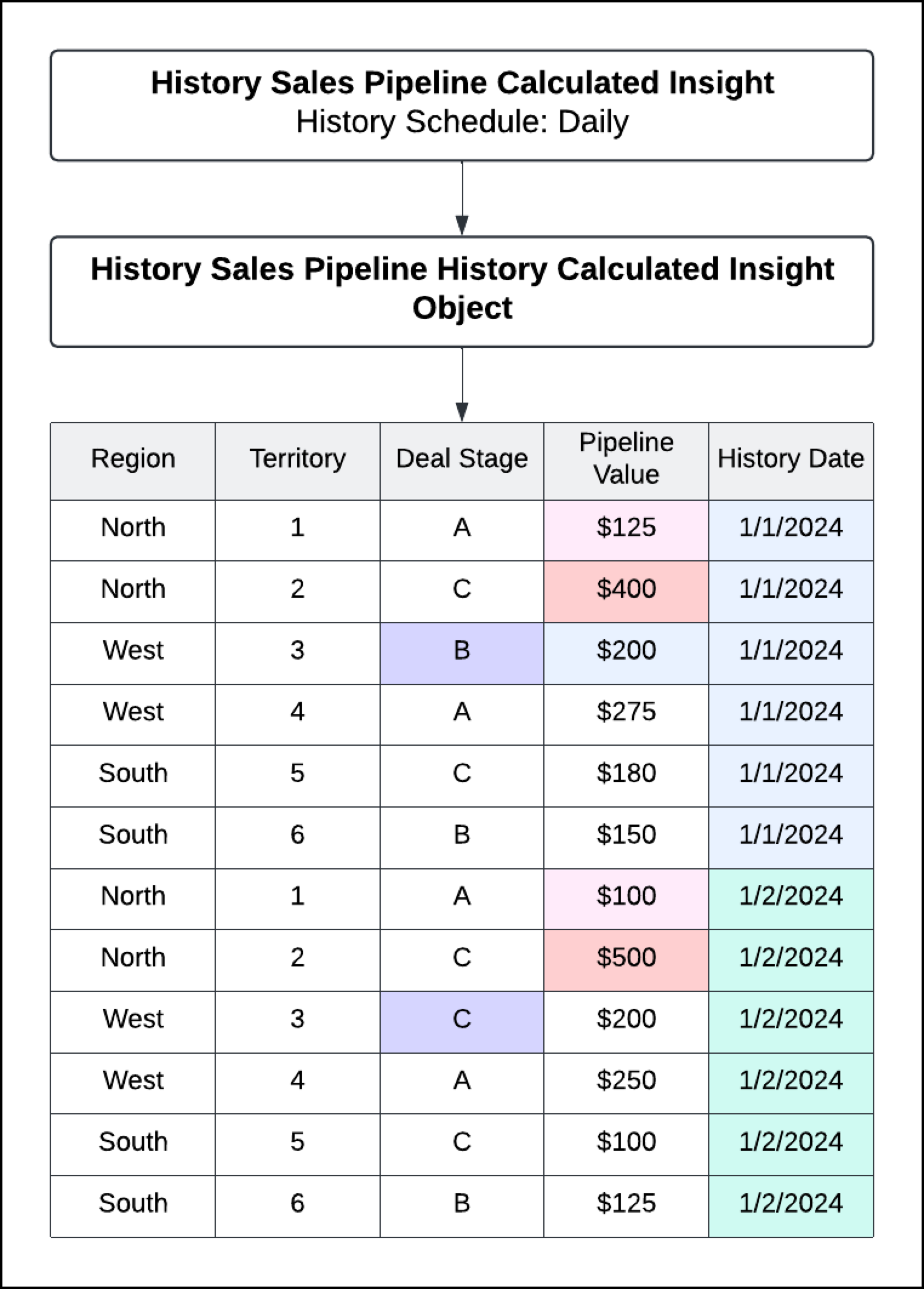
When you turn on history tracking on a calculated insight, Data 360 creates a new calculated history insight. The calculated history insight captures data at a specific time and appends the calculated insight object values to the calculated history insight object.
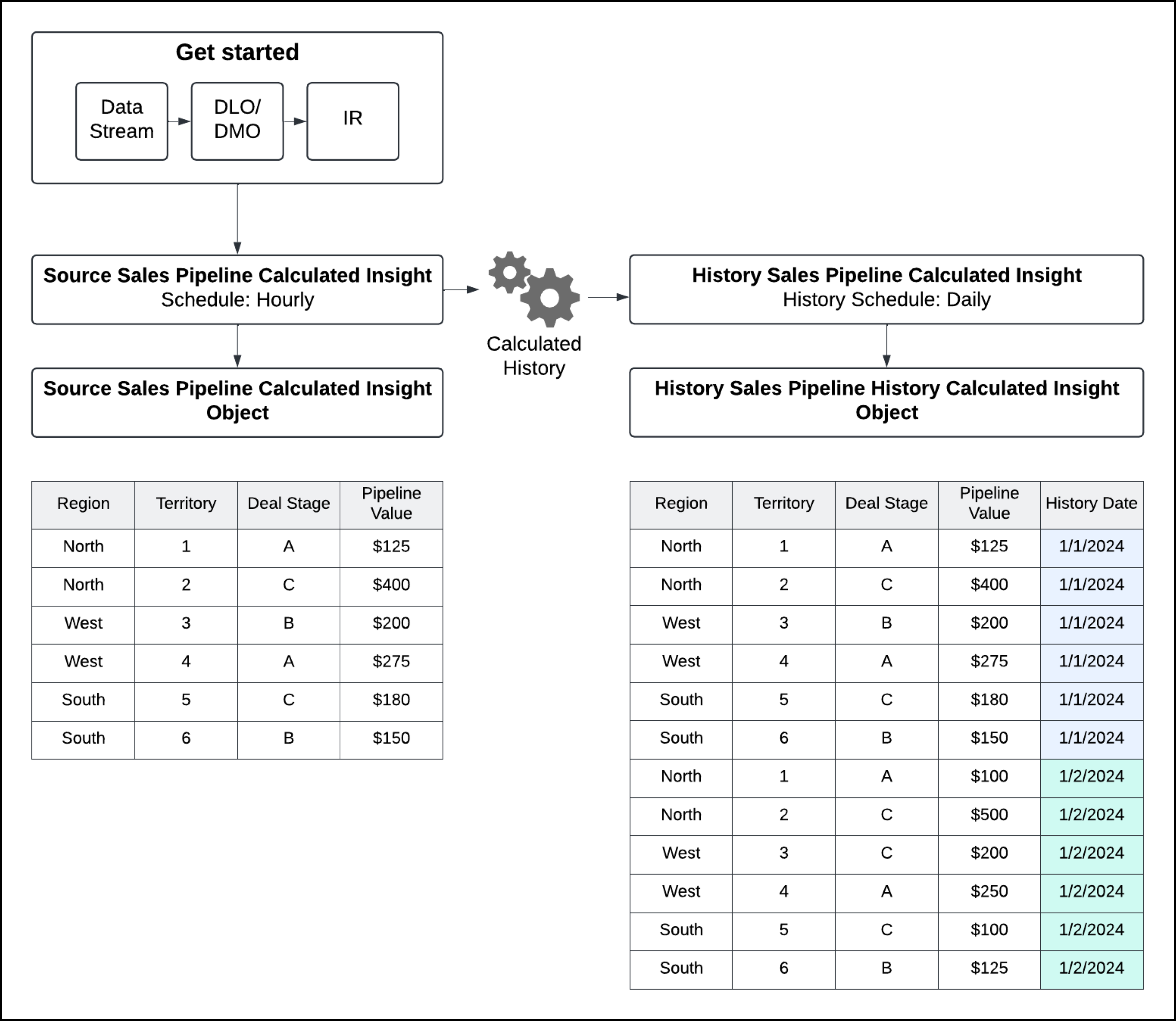
As data in the source calculated insight changes, the calculated history insight tracks and records these changes. You can use Data Explorer to see your Calculated History Insights and how your company's data evolves over time. Use history tracking for use cases like these:
- Review which deal stage progression loses the most pipeline value
- Split or combine territories based on value trends
- Trend future value based on MoM, QoQ, YoY
- Compare Sales forecast to actual sales
Get Started With History Tracking
- History Tracking Considerations
Keep these considerations in mind when using history tracking. - Track Calculated Insight History
When you start history tracking on a calculated insight, Data 360 creates a calculated history insight. - Delete a History Tracking Calculated Insight
If it’s no longer needed, you can delete a history tracking insight. - Edit a History Tracking Calculated Insight
You can modify the frequency, duration, and activation status of history tracking insights.
