
Loading
Feature degradation | Gmail Email delivery failureRead More
About Salesforce Data 360
Table of Contents
Select Filters

          No results
          No results
          Here are some search tips

          Check the spelling of your keywords.
          Use more general search terms.
          Select fewer filters to broaden your search.

          Search all of Salesforce Help
          Create a Numeric Bin in Tableau Semantics

          Create a Numeric Bin in Tableau Semantics

          A numeric bin is an equal—sized container that stores data values that correspond to or fit within the bin size. Bins divide a set of data into groups of equal intervals or sizes, resulting in a systematic distribution of data. Data from any object field can be used to create a bin. Generally, numeric bins are created out of measure fields. Bins are useful in data analysis as they provide a systematic data range that allows users to organize information and discover patterns efficiently. Bins are displayed as dimensions in Tableau Semantics. You can also use bin ranges in calculated fields.
          Required Editions

          Available in: All Editions supported by Data 360. See Data 360 edition availability.
          User Permissions Needed
          To create a numeric bin:

          Permission set:

          • Data Cloud Architect

          AND

          Semantic Models object

          Use Case: You want to plot a graph depicting sales for a range of ages from 20 to 60. Create bins for age groups and analyze sales for each age group by using the bin functionality.

          1. In Data Cloud, on the Semantic Layer tab, select a data model.
          2. On the Model tab, expand Data Objects.
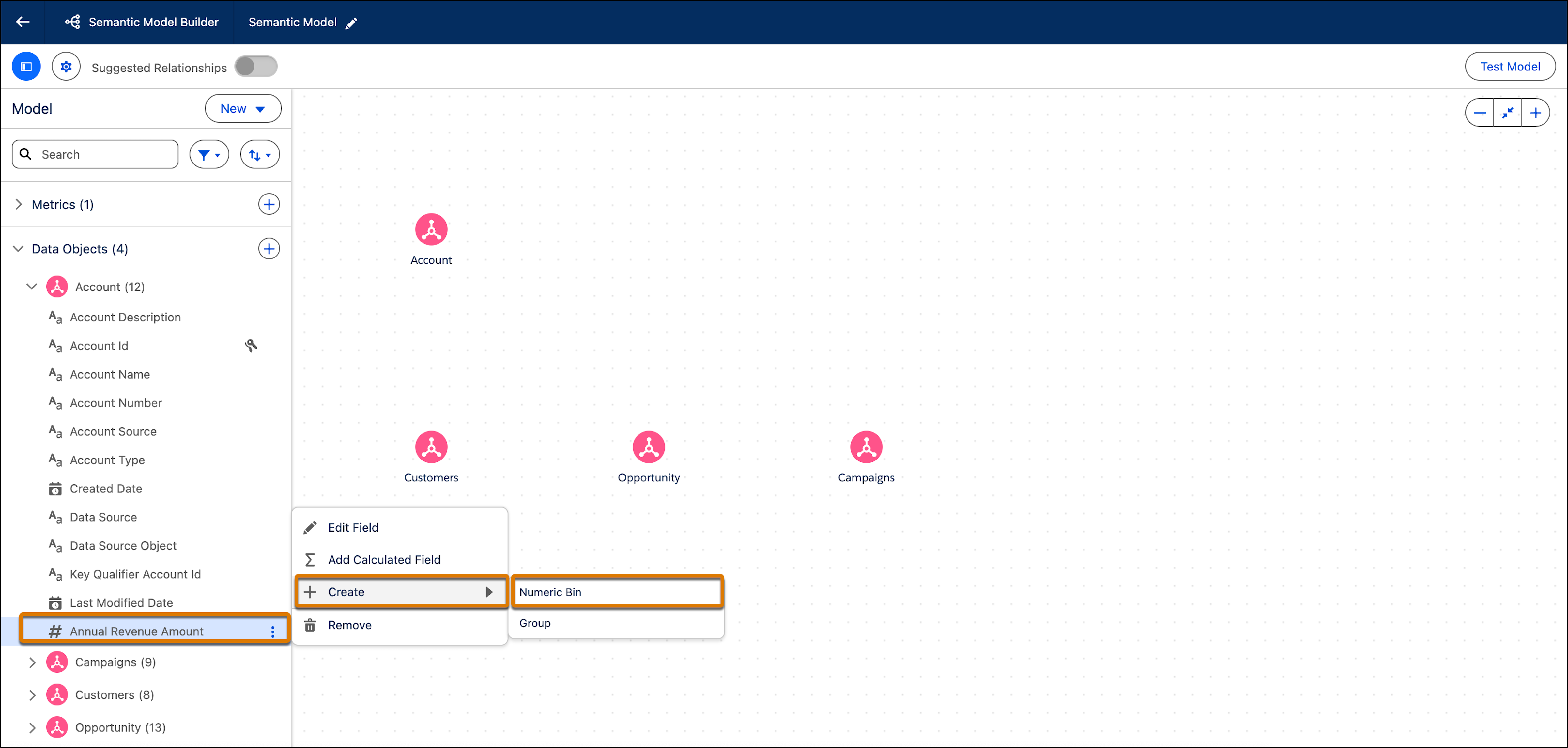
          3. Hover over the measure that you want to create a numeric bin for.
          4. Click Create and then select Numeric Bin.

            Create Numeric Bin

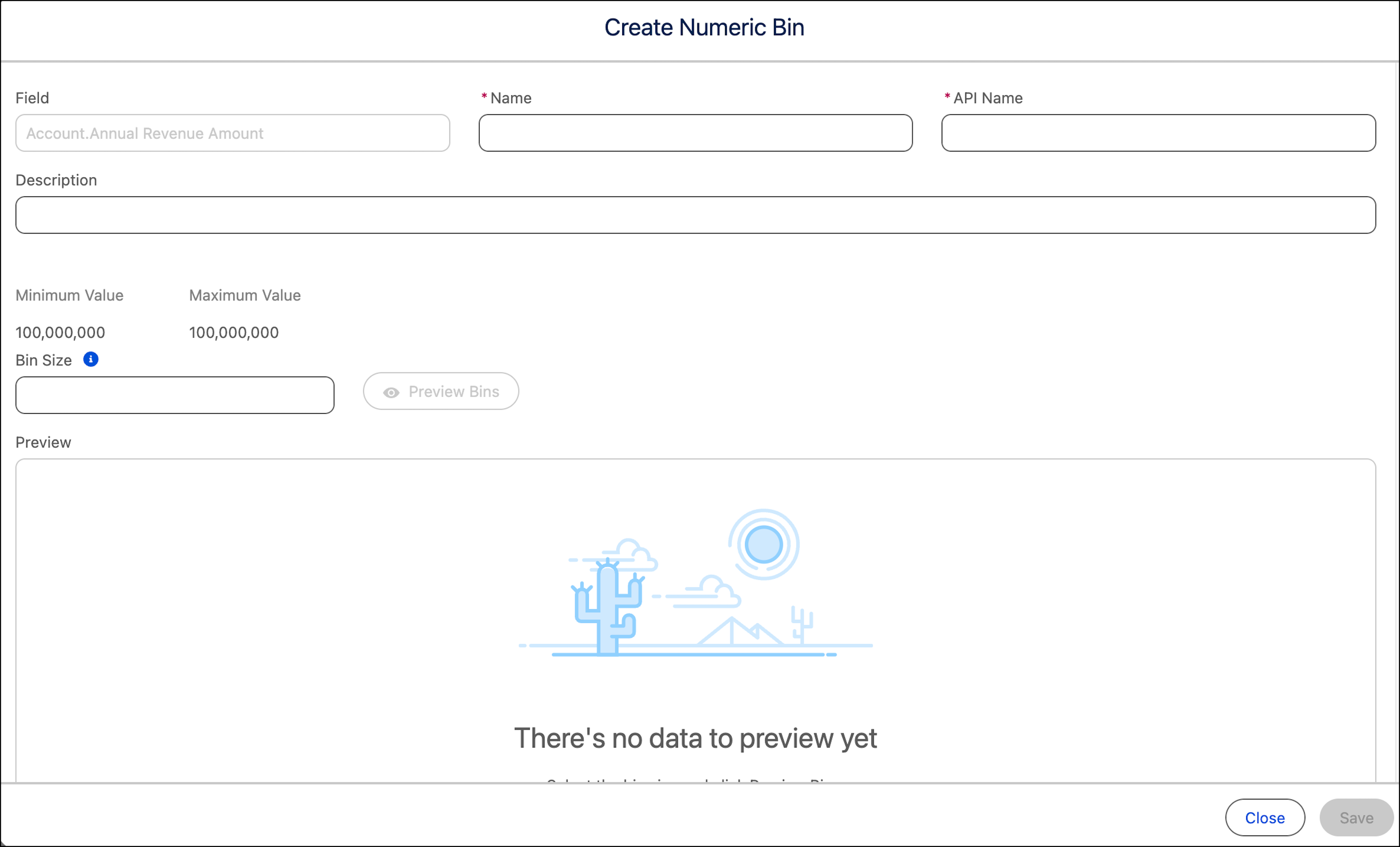
          5. In the Create Numeric Bin window enter these details.

            Information fields in the Create Numeric Bin screen

            1. Enter a name, API name, and an optional description.

              The field’s Maximum Value and Minimum Value are automatically displayed.

            2. Enter the bin size. This value splits the numeric data into equally sized groups.
          6. To preview the bin, click Preview Bins.

            The bin field and bin count (the number of values that fall into that specific bin) are displayed in table format.

          7. Save the bin.

            After the bin is saved, it appears as a field under the object within Tableau Semantics. You can query the field with the Tableau Semantics Query Generator.

           
          Loading
          Salesforce Help | Article