
You are here:
Manage Data Objects in Tableau Semantics
A data object includes attributes and fields. You can add, edit, and delete a semantic model’s data objects.
Required Editions
| Available in: All Editions supported by Data 360. See Data 360 edition availability. |
| User Permissions Needed | |
|---|---|
| To manage a data object: | Permission set:
AND Semantic Models object |
- In Data Cloud, on the Semantic Layer tab, select a model.
-
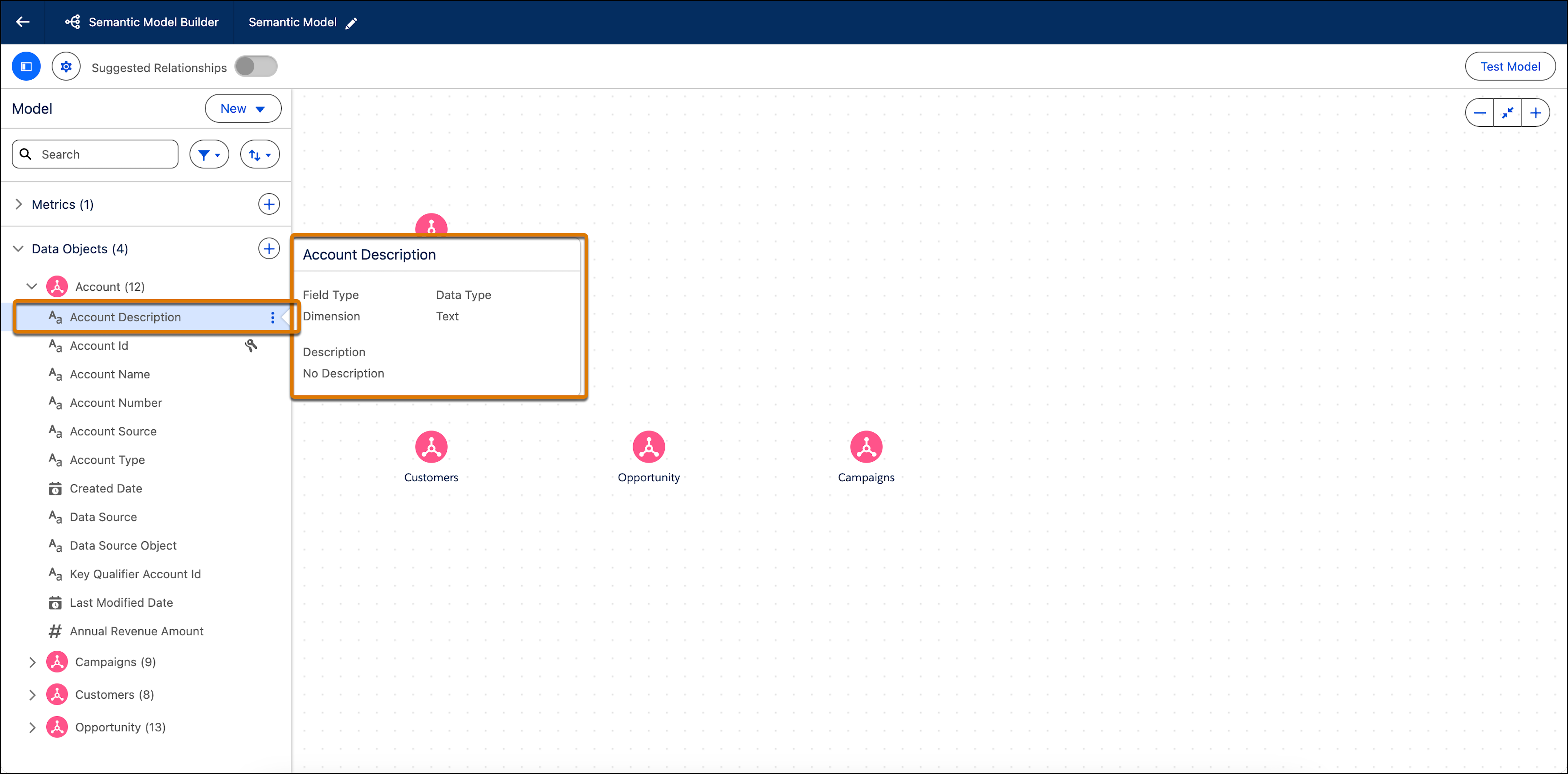
On the Model tab, expand Data Objects.
Expand an object to see its fields.
-
To view information about a specific field, hover over it.
-
To edit a data object field, click the field name, and make your changes in the editing
window.
Changes made to the Data Object Field properties only apply to the fields in the semantic model. The changes don’t affect Data Cloud objects and their fields.
-
Edit the basic properties.
- Field Name—The name used for this field in the model.
- Field Type—Determines if the field is a dimension or a measure.
- Description—An optional description of the field.
- Field Visibility—Determines whether the field is visible in the Visualization layer to the end user. All fields are visible by default.
- You can also edit specific properties that are unique to calculated dimensions or calculated measures.
- To save your changes, click Apply.
-
To add or remove objects, from New, select Add Data
Objects.
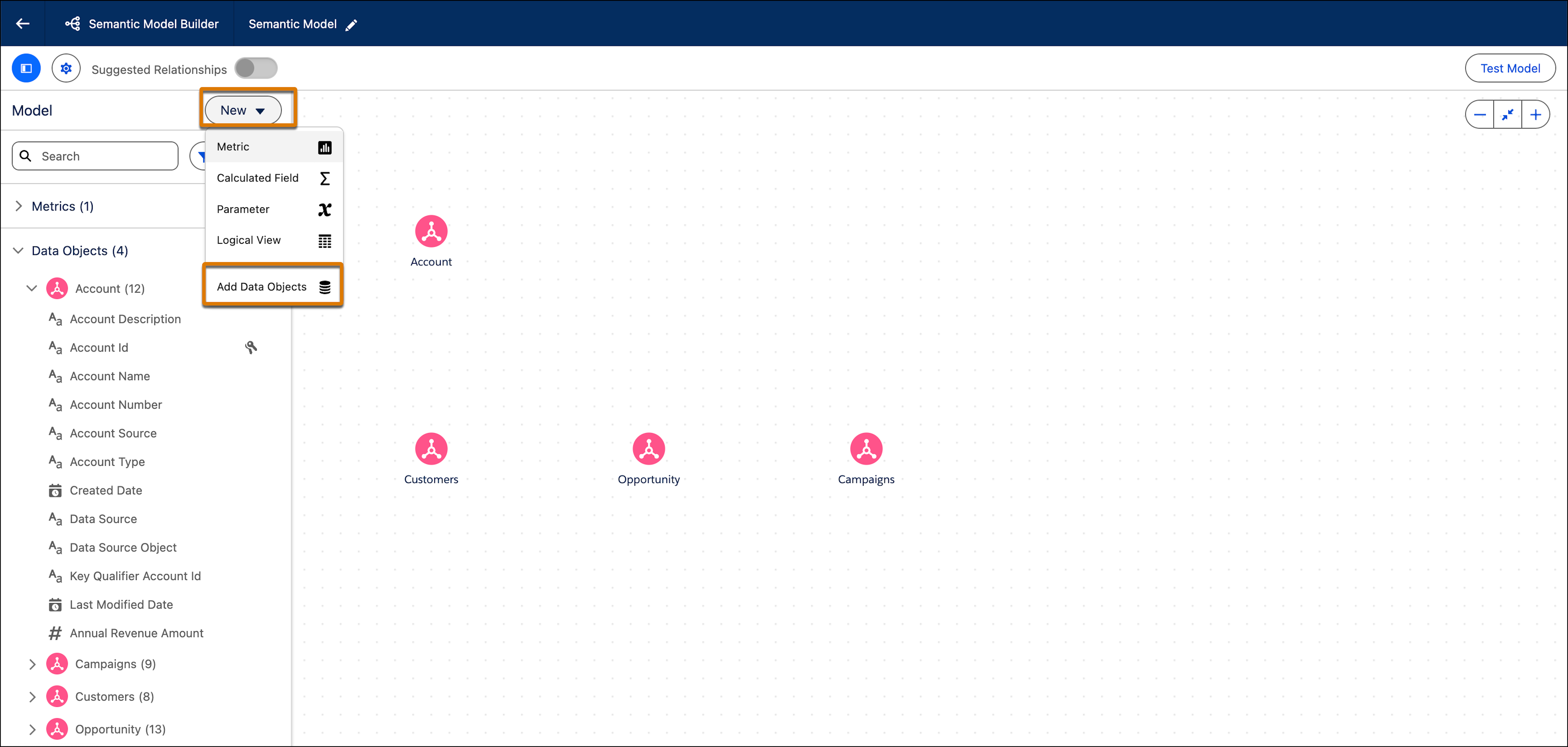
- Select or deselect the objects and then click Create.
- Create a Group in Tableau Semantics
Combine related objects to segment customers based on demographics, behavior, or purchasing patterns. You can also use a group to correct data errors, such as combining CA, Calif., and California into one data point, or to answer “what if” questions (“What if we combined the East and West regions?”). Reference groups directly in calculated fields to build custom metrics and dimensions using group labels. - Create a Numeric Bin in Tableau Semantics
A numeric bin is an equal—sized container that stores data values that correspond to or fit within the bin size. Bins divide a set of data into groups of equal intervals or sizes, resulting in a systematic distribution of data. Data from any object field can be used to create a bin. Generally, numeric bins are created out of measure fields. Bins are useful in data analysis as they provide a systematic data range that allows users to organize information and discover patterns efficiently. Bins are displayed as dimensions in Tableau Semantics. You can also use bin ranges in calculated fields.
Did this article solve your issue?
Let us know so we can improve!
