
You are here:
Explore the Tableau Semantics Interface
You can create and define semantic models in the Semantic Layer in Data 360. Here you can see all the semantic models that exist in your org. You can create new semantic models, edit them, and even clone them directly from here.
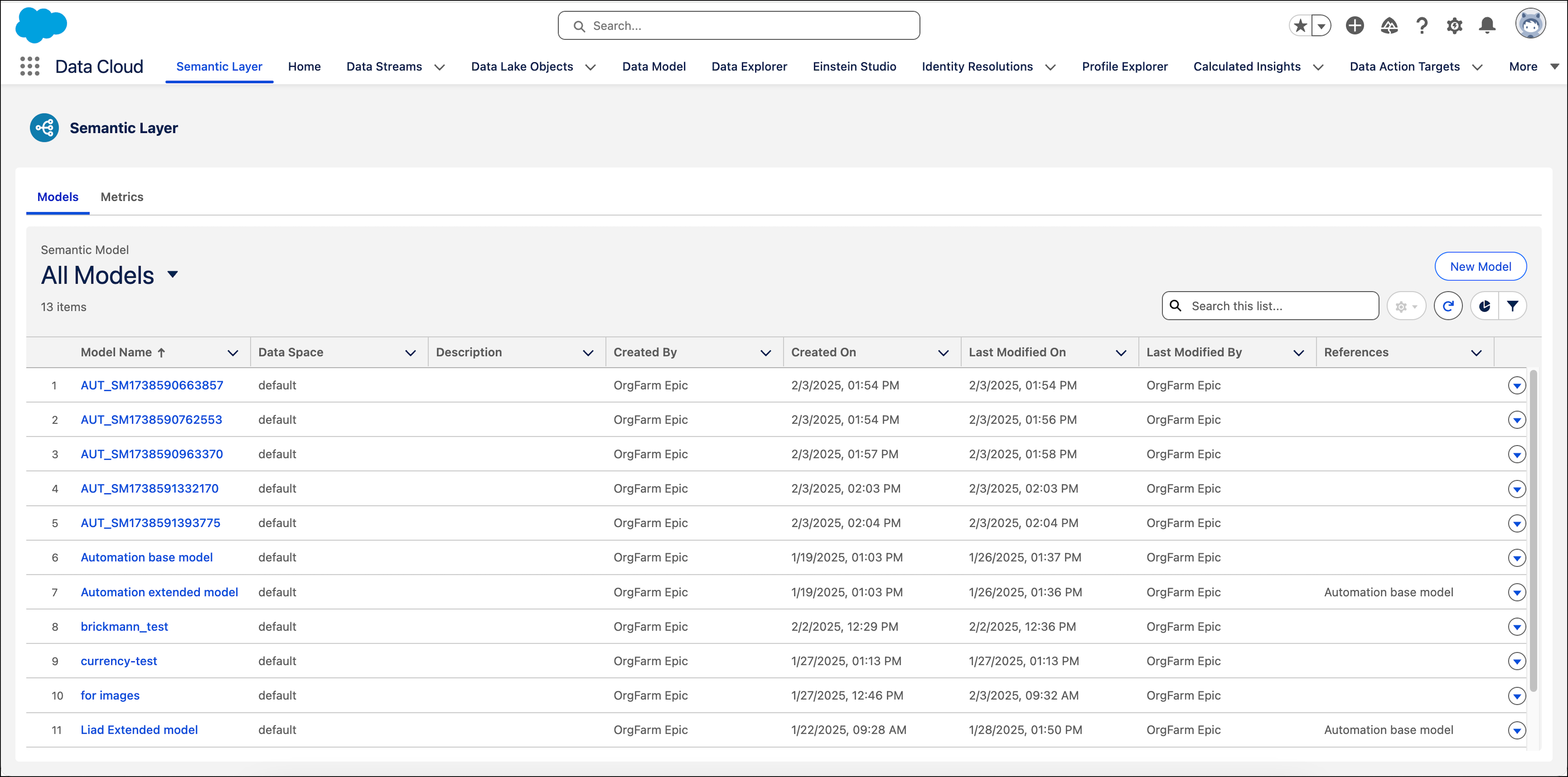
When you create or edit a semantic model, you enter the Semantic Model Builder. Here you can add or edit different definitions for your semantic model. The Semantic Model Builder contains these areas:
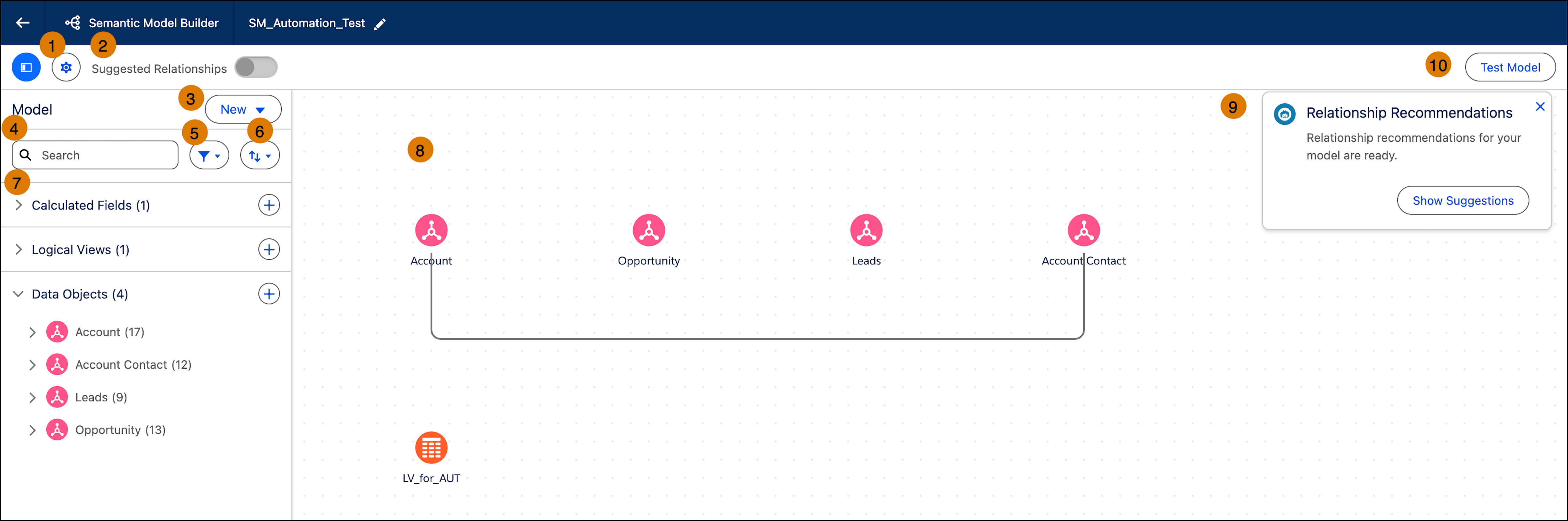
- Model Properties—Edit the semantic model’s name, API name and description (1).
- Suggested Relationships—Turn on or off suggested relationships so you can use Einstein to create automatic relationships between your data objects (2).
- New Definitions—Create new definitions for your semantic model, including metrics, calculated fields, parameters, logical views and data objects. (3)
- Search—Search for different definitions that exist in your semantic model (4).
- Filter—Filter the pane by different definitions (5).
- Sort—Sort the results, for example by descending order (6).
- Model Definitions Pane—View all the definitions that exist in your semantic model. Each time you create a new definition, it appears in this pane allowing you to edit or delete it. You can also create new definitions by clicking on the plus icon (7).
- Canvas—View all the data objects and their relationships. All of the data objects appear as icons so you can easily recognize them. If there are relationships between the objects, they appear as lines. If you hover over a relationship you can see how they're combined (8).
- Relationship Recommendations—If Einstein found recommended relationships, you can view them by clicking the Show Suggestions button (9).
- Test—Click this button to test your semantic model and make sure it works as expected (10).
Did this article solve your issue?
Let us know so we can improve!
