
Loading
About Salesforce Data 360
Table of Contents
Select Filters

          No results
          No results
          Here are some search tips

          Check the spelling of your keywords.
          Use more general search terms.
          Select fewer filters to broaden your search.

          Search all of Salesforce Help
          Dynamic Masking Types in Data 360

          Dynamic Masking Types in Data 360

          Dynamic data masking policies protect sensitive data by changing or hiding values when you query them. This is done based on user information, roles, or policy rules, but it doesn't change the data itself.

          Here are some examples of masking types.

          Redaction

          Replaces the data with X to completely hide the original content. Example: Redact the first three characters of email addresses.
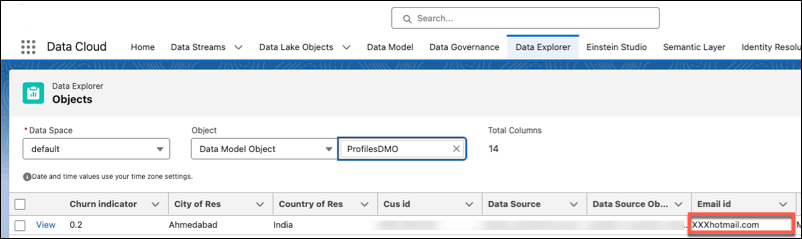
          Example of data redaction where sensitive information, such as an email address or credit card number, is partially or fully masked using placeholder characters.

          Nullification

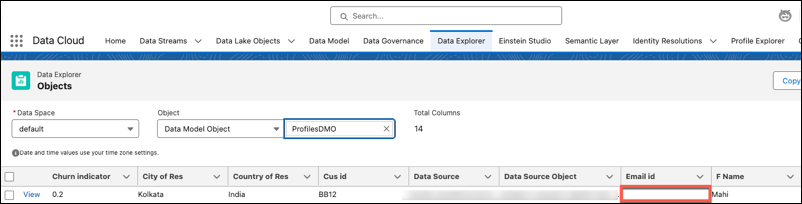
          Replaces the actual value with null, making it invisible to the user. Example: Mask a customer’s email address so it appears as null for unauthorized users.

          Note
          Note Applying nullification to a boolean field sets its value to false by default.

          Example of data nullification where sensitive fields, such as phone numbers or email addresses, are replaced with blank or null values to hide the original content.

          Datetime and Numeric Rounding

          Reduces the precision of numeric or date values while keeping the data generally useful. Example: Display only the year in a date field: 1/1/2022 instead of 11/15/2022.

           
          Loading
          Salesforce Help | Article