You are here:
Normalize Denormalized Data Use Case
In this use case, the data comes from a single Marketing Cloud Engagement data extension but must be normalized to map to the Data 360 data model objects (DMO).
The source data has two email addresses and two phone numbers for a customer. However, in the Data 360 data model, you can map only one email address and one phone number to the individual DMO. To retain the customer’s additional contact details, you normalize the contact point data before ingesting it.
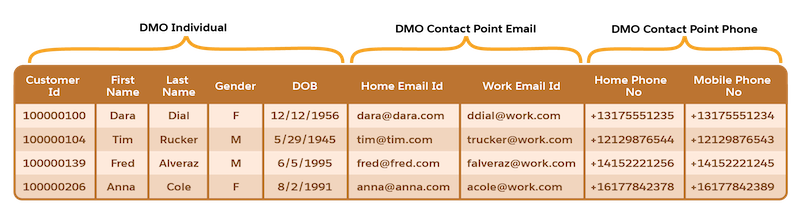
To normalize the data, divide the data into three tables that can map to the Individual DMO, Contact Point Email DMO, and Contact Point Phone DMO and define the relationship between them.
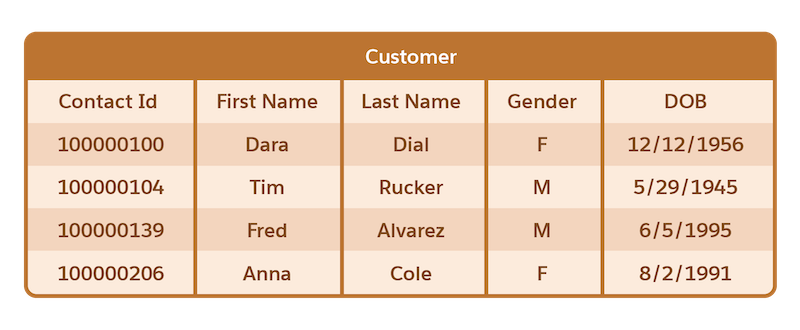
When mapping data to a DMO, each record requires a primary key that uniquely identifies it across all the data sources.
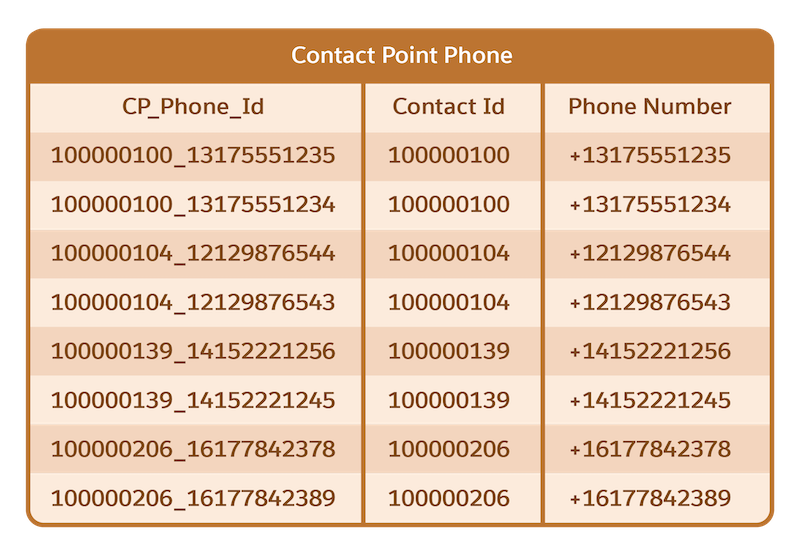
To map attributes to the Contact Point Email and Contact Point Phone DMO, you need more than the Contact Id value, because you’re ingesting multiple email addresses and phone numbers for a single Contact Id. Therefore, you extend the data at ingestion through the use of formula fields and generate primary keys.
To map to the Contact Point Phone DMO, create a primary key CP_Phone_Id using a composite key by concatenating the Contact Id and Phone Number fields. This primary key is a representative example of how primary keys can be generated at ingestion time using formula fields.
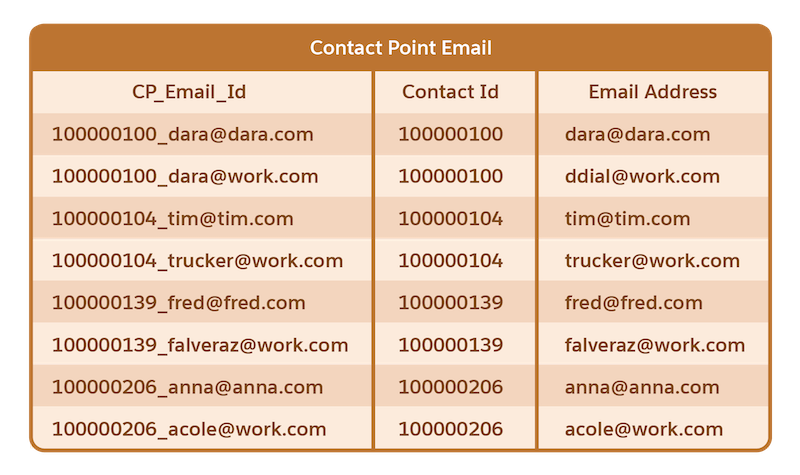
Similarly, to map to the Contact Point Email DMO, create a primary key CP_Email_Id using a composite key by concatenating the Contact Id and Email Address fields.