You are here:
Add Visibility Rule to the Record List
Control when to show or hide a Record List component based on user context or custom logic to deliver a more tailored experience.
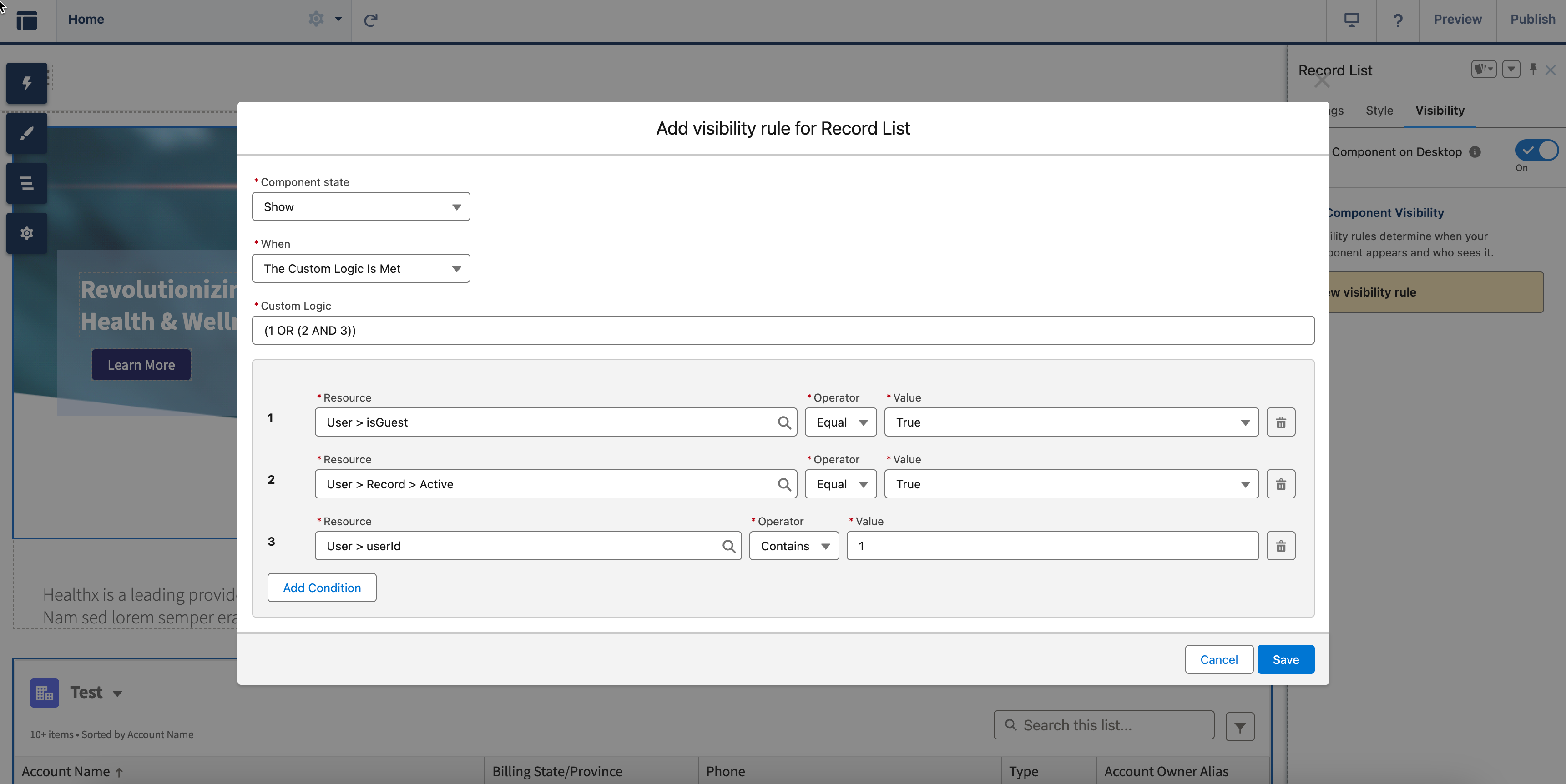
- To add a new visibility rule to the Record List, go to the Visibility tab and click New Visibility Rule.
- Click Component state and select either Show or Hide.
-
In the When dropdown, select a condition to filter a visibility
rule.
- Any condition is met
- All conditions are met
-
The custom logic is met. If you select this option, enter at least two custom logic
expressions and specify the visibility rules using these logic expressions:
-
Resource: Select a user's resource type. The available User resource types are
isGuest,Record, oruserID. -
Operator: Select a condition that applies to the field.
-
Value: Enter the value based on the resource you chose.
- To add more conditions, click Add Condition and specify additional criteria.
-
-
Save your configuration.
Did this article solve your issue?
Let us know so we can improve!
