You are here:
Lightning Bolt for Salesforce: Build Once, Then Distribute and Reuse
Lightning Bolt for Salesforce lets you quickly build and distribute industry-specific Lightning Bolt Solutions to jump-start new org capabilities. Save time by building once and then reusing. Whether it’s for your own org or you’re a consulting partner or ISV, you can reduce the time required to implement solutions and cut development costs.
Required Editions
| Available in: both Salesforce Classic and Lightning Experience |
| Available in: Enterprise, Performance, Unlimited, and Developer Editions |

A Lightning Bolt Solution is a portable package that’s packed with power. It can combine custom Lightning apps, business process flows, and Experience Builder templates and pages in an easy-to-build and distributable form. Use a Lightning Bolt Solution to share or sell a solution on AppExchange, implement an Experience Builder site with a turnkey solution or new look, or configure automation. You can publish apps or flows without an Experience Builder template or include one when you want to apply your brand.
A Lightning Bolt Solution combines one or more of the following:
- Customized Experience Builder templates—A template includes a theme layout and CSS, along with pages, content layouts, and Lightning components. Alternatively, instead of a full template, you can also export a single Experience Builder page with its content layout and components.
- Flow categories—A flow category contains one or more flows, making it easy to group flows for related business processes.
- Custom apps—Adding customized apps lets you create solutions tailored to your industry.
Lightning Bolt Solutions are flexible, so you can take advantage of them in many ways. Here are just a few examples.

Package and Distribute Your Solution
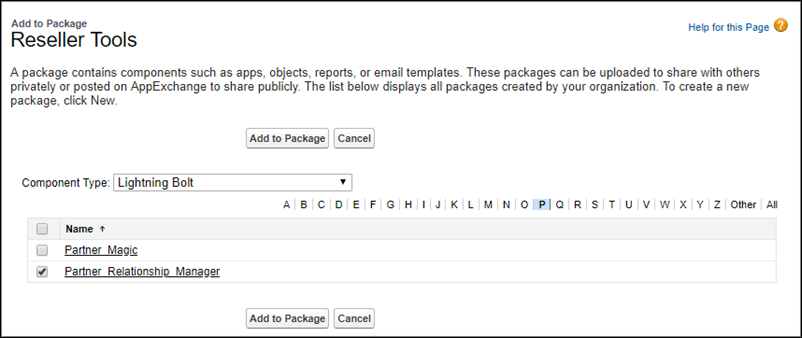
You can package and distribute solutions to use in other orgs and sites. After you create and upload a package, share the link privately with your clients, customers, or partners. Alternatively, publish your custom Lightning Bolt Solution as a managed package in AppExchange. Market your solution with an AppExchange listing in the same way that you list any other app, component, or consulting service. Describe your solution, pricing, support, and other details so that customers can determine whether your offering is right for them.
Reuse Your Own Solution
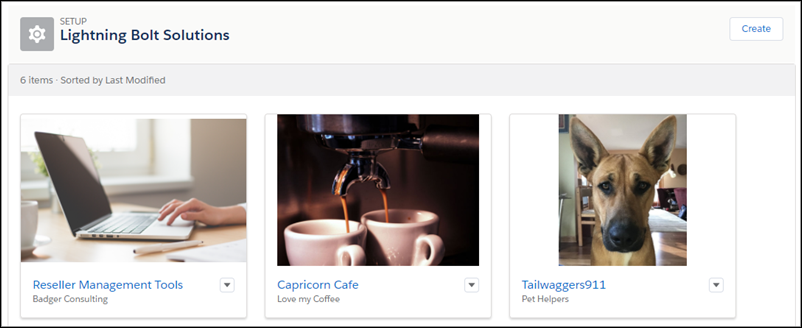
When you create a solution, it appears in the list of Lightning Bolt Solutions in your org. You can use it to build new Experience Builder sites or enhance an existing one.
- Create a Lightning Bolt Solution
Have at least one Experience Builder template, custom app, or flow category that you want to distribute? Then you’re ready to create a Lightning Bolt Solution. With Lightning Bolt Solutions, you can combine custom Lightning apps, business process flows, and Experience Builder templates and pages in easy-to-build, distributable packages. - Export a Customized Experience Builder Template for a Lightning Bolt Solution
You can customize and export an Experience Builder template to use as a base for creating Experience Builder sites. Create custom pages, layouts, and components. Export and package the template on its own or distribute it for others to use as a part of a Lightning Bolt Solution. - Export a Customized Experience Builder Theme for a Lightning Bolt Solution
Export themes that you’ve customized and use them in your own Experience Builder sites, or package and distribute them for others to use. - Export a Customized Experience Builder Page for a Lightning Bolt Solution
Export pages that you’ve customized in an Experience Builder site. Use them as a base for new pages, or package and distribute them for others to use in their sites. - Add Flows to a Lightning Bolt Solution
When you want to add flows to a Lightning Bolt Solution, group them into a flow category. Then add one or more flow categories to your solution. - Export and Packaging Considerations for Lightning Bolt Solutions
Before you export and package a Lightning Bolt Solution, keep the following considerations and limitations in mind. - Requirements for Distributing Lightning Bolt Solutions
Before Salesforce can recognize a Lightning Bolt Solution that’s ready for distribution on AppExchange, your solution must meet certain requirements. - Package and Distribute a Lightning Bolt Solution
After you create a Lightning Bolt Solution, package the solution to distribute it to other users or orgs. You can upload the package to AppExchange to share or sell your solution.
