You are here:
How Do Experience Cloud Forms Connect to Marketing Cloud Engagement?
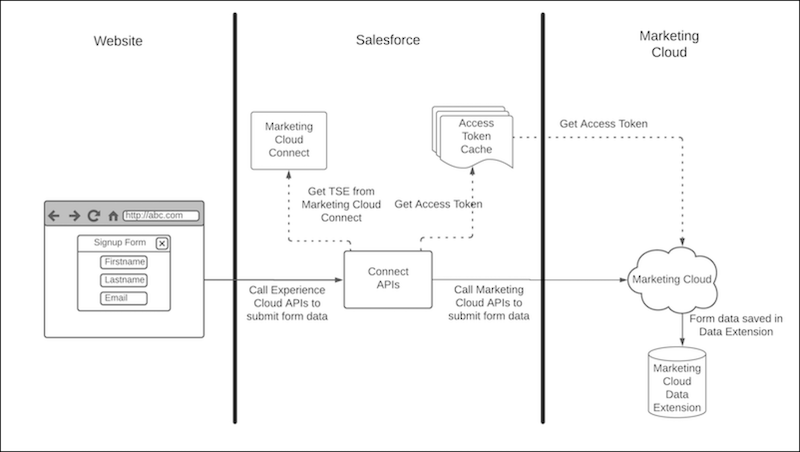
You can connect a microsite to a Marketing Cloud Engagement data extension using the Marketing Cloud Form component. Contact information is gathered from your Experience Cloud sites and then sent to Engagement. The data that is collected from your site is momentarily stored in the Salesforce Core infrastructure and then sent to your data extension. The data transferred this way is only stored in Salesforce Core infrastructure for as long as it takes to call Marketing Cloud Engagement API.
Did this article solve your issue?
Let us know so we can improve!
