You are here:
Where to Allowlist Third-Party Hosts for Experience Builder Sites
Regardless of your security level, you must allowlist all non-script resources such as images, style sheets, and fonts that are hosted outside your Experience Builder site. And if you reference external JavaScript files in your site, you must allowlist these remote hosts.
Required Editions
| Available in: Salesforce Classic and Lightning Experience |
| Available in: Essentials, Enterprise, Performance, Unlimited, and Developer Editions |
You allowlist hosts differently depending on the resource type. Non-script resources from external hosts, such as a logo or style sheet stored on a corporate site, can be shared with Lightning Experience across your org and are allowlisted in Setup. Script resources from external hosts such as JavaScript are instead specific to each site and are allowlisted in Experience Builder. Allow only external sites that you trust.
These sites are allowed automatically.
- All Salesforce-hosted data and files when referenced in your site.
- Google Analytics required sites when you add your tracking ID to the Google Analytics setting in Experience Builder. These addresses include https://www.google-analytics.com, https://stats.g.doubleclick.net, and https://www.googletagmanager.com/gtag/js. Some configurations of the Google Analytics integration require more domains to be allowlisted manually. See the Google Analytics directives from Google.
- In sites where Chatter is enabled, addresses that can be referenced by image tags in Chatter feed comments with video and the Rich Content Editor’s video insertion functionality. These addresses include https://img.youtube.com, https://i.ytimg.com, and https://i.vimeocdn.com, and addresses that can be referenced by frame tags, such as https://img.youtube.com, https://player.vimeo.com, and https://play.vidyard.com.

Where to Allow Hosts of Non-Script Resources
Non-script resources hosted outside your site use a src attribute defined by
https://any.otherdomain.com or
wss://any.otherdomain.com. Common non-script
resources include:
- Images
- Style sheets
- Fonts
- Media (audio and video)
- URLs using script interfaces
- Resources contained in frame elements
- Third-party APIs
- WebSocket connection
For these non-script resources, you allow hosts via Content Security Policy (CSP) directives in Trusted URLs in Setup. The resources are then available for all your Experience Builder sites. See Manage Trusted URLs.
Where to Allow Hosts of Script Resources
For remote script resources such as JavaScript, you allowlist hosts in Experience Builder from Settings and then Security & Privacy.
After you select a security level, you can add hosts in the Trusted Sites for Scripts area that appears. To use remote resources in your other Experience Builder sites, you must allowlist each resource separately per site.
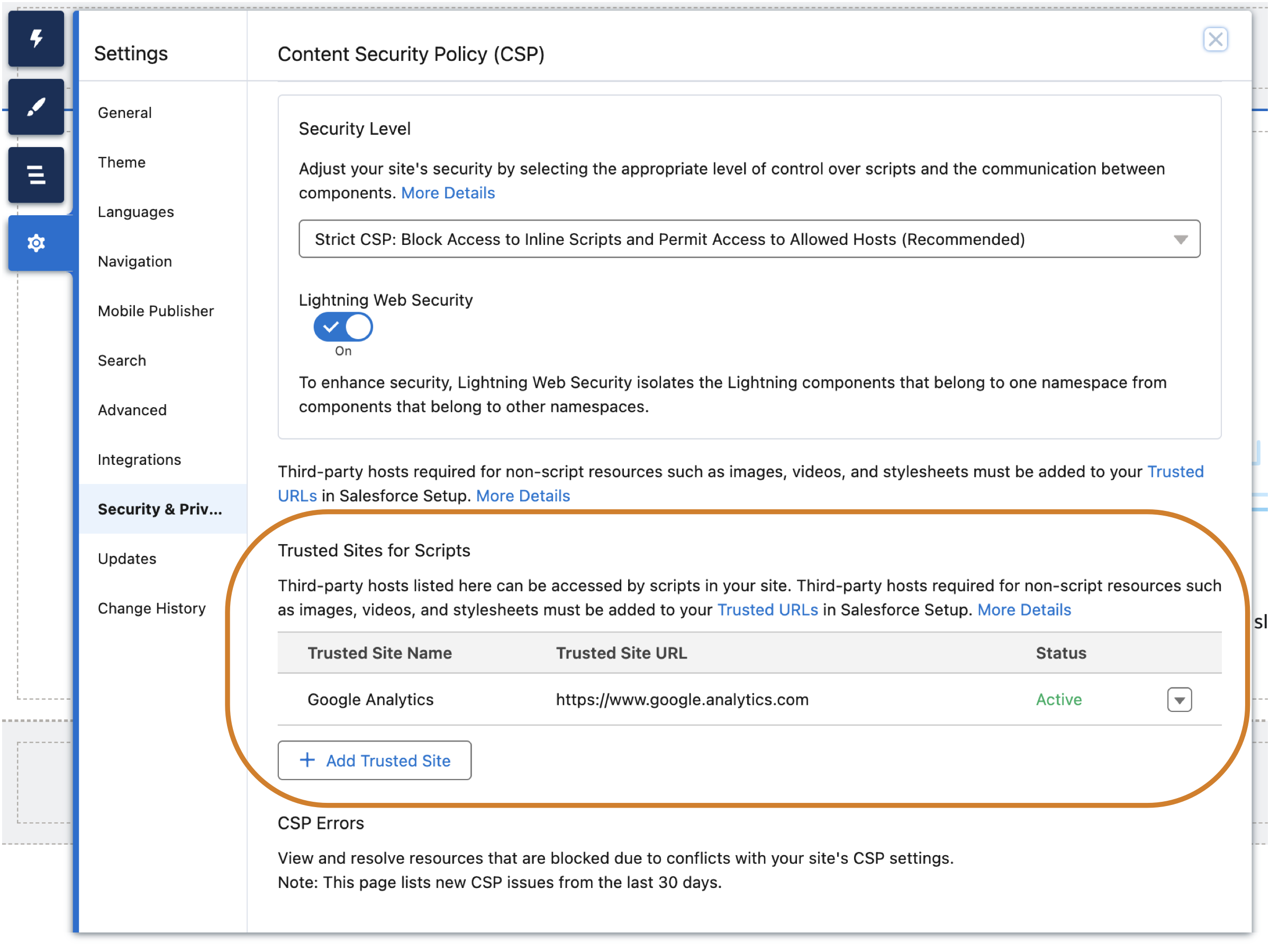
From the Trusted Sites for Scripts section, you can edit or delete a site in the allowlist. You can also activate or deactivate trusted sites, which makes it easy to test or maintain your site without deleting sites from the site configuration. And if you change to a different CSP security level, these allowed sites remain, which permits you to switch security levels easily.
