You are here:
Case Comments Publisher
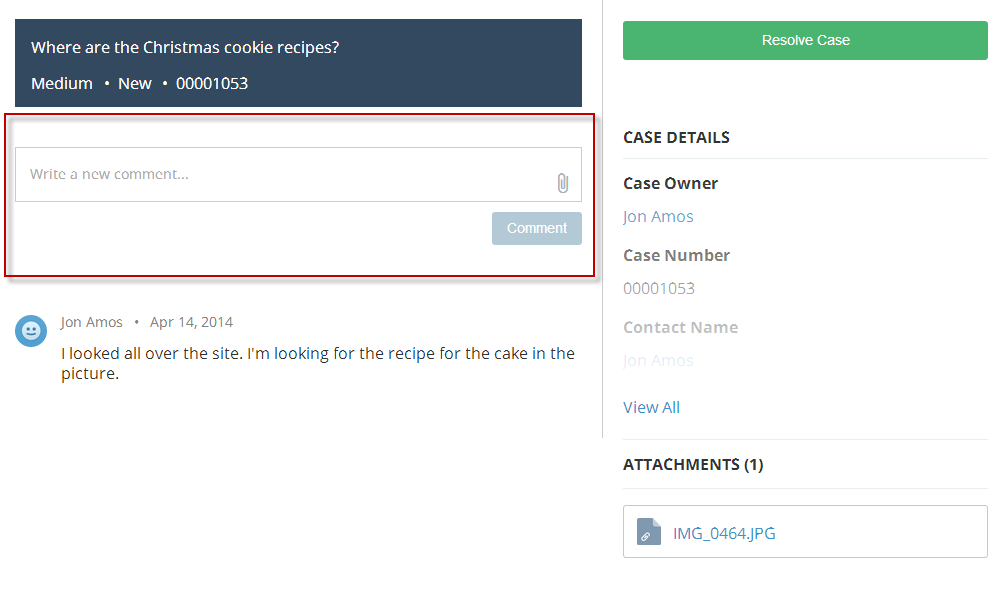
Use the Case Comments Publisher component to let customers and agents collaborate using comments on cases. Your customers can open cases, post comments, upload attachments, and check the status of their cases from any of their devices.
The component provides a chronological, filterable list of comments your customers and agents have had within the context of a case. It includes case activities, internal and external comments, attachments, and status changes. When authenticated users add a comment to a case, they can add a file to the case as an attachment. So when a customer creates a case using a mobile phone, they can take a picture with their phone's camera and attach it to the case.

By default, users can attach any supported file type that is 5 MB or less. You can restrict the types of files that users can upload by changing the default values for content types on the Library tab.
- Select the Case Comments Publisher component in the page you're configuring.
-
To configure properties for the component, select
the Properties pane: