You are here:
Record Detail
Add the Record Detail component to a record detail or a custom page to show record information stored in Salesforce. This component is a great way to share information with site members who need it most, such as partners.
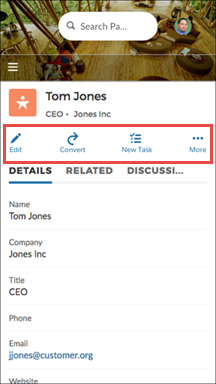
Users accessing the site on a mobile device have access to actions from the record detail page. For example, a partner user with create and edit access to accounts can create accounts or update an account as needed. However, edit inline, available on desktop, doesn’t function in mobile or tablet display.

Note To display the record feed, use one the feed components with the feed publisher
component. To show the related records, use the Related Record List component. To show a combination of record details, related
lists, and the record feed together, we recommend using the composite Record Information Tabs component.
- Select the Record Detail component in the page you're configuring.
-
In the property editor, configure the properties for the component.
Property Details Record ID The record ID. Typically, this field automatically picks up the record ID when the page loads.

Example
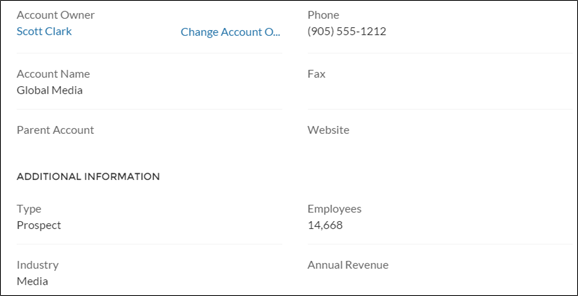
Example of a Record Detail component on a site.
Example of actions on a mobile device.
Did this article solve your issue?
Let us know so we can improve!
