You are here:
Totals
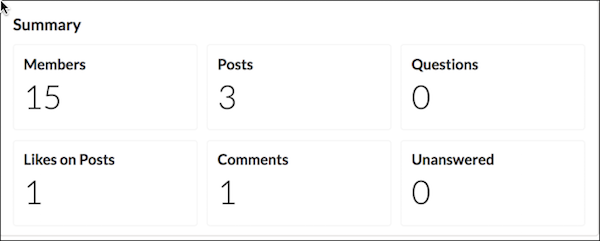
The Totals component displays count summaries related to the site group, such as number of posts, members, and likes.
The Totals component displays as Summary on a page. It’s visible only to users who have reporting permissions in orgs that have group engagement. You can also choose to make the component visible only to group managers.
- Select the Totals component in the page that you're configuring.
-
In the property editor, configure the properties
for the component.
Property Details Group ID The group’s ID. Typically, this field is populated when the page loads. Visible only to managers To make the chart visible only to group managers, select the box.

Example
Did this article solve your issue?
Let us know so we can improve!
