You are here:
User Profile Stats
The User Profile Stats component displays many of the user’s Chatter statistics for the community. Stats include the number of posts and comments made, likes received, followers, and people they’re following.

Note Beginning in Summer ’26, Chatter is turned off by default in
all new orgs. For any features in these orgs that require access to Chatter functionality or
the Chatter APIs, turn on Chatter by going to and selecting Enable. For details, see Chatter Is Turned Off by Default in New
Orgs Beginning in Summer ’26.
The user statistics that appear in the User Profile Stats component are visible to all members of the community. This visibility lets community members see how active other members are.
- Select the User Profile Stats component on the page.
-
In the property editor, configure the properties
for the component.
Property Details User ID Don’t update this field. The system supplies this value. User Stats Title Title of the component. The default value is Influence. Display Reputation To display the reputation level, check the box.

Example Sample User Profile Stats component: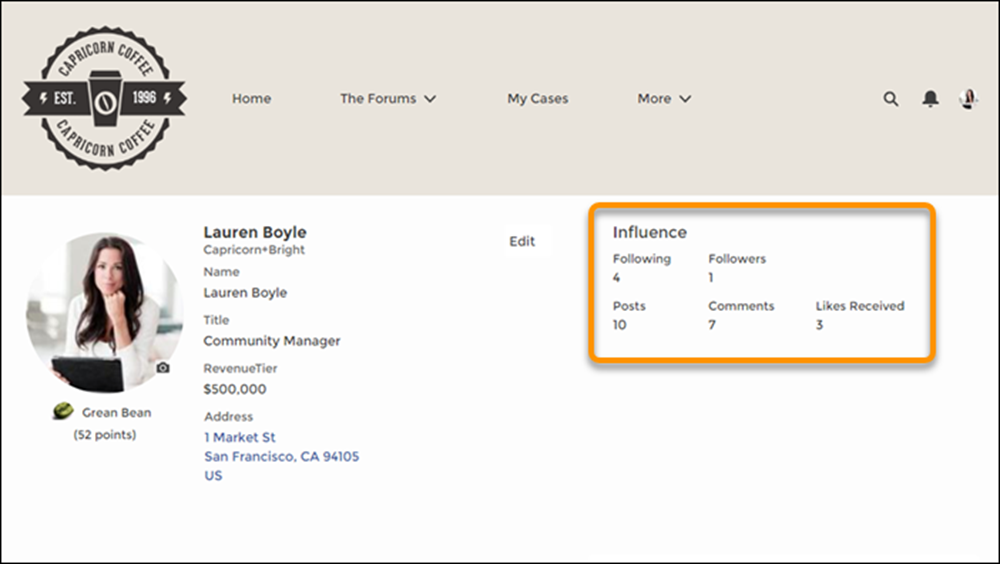
Did this article solve your issue?
Let us know so we can improve!
