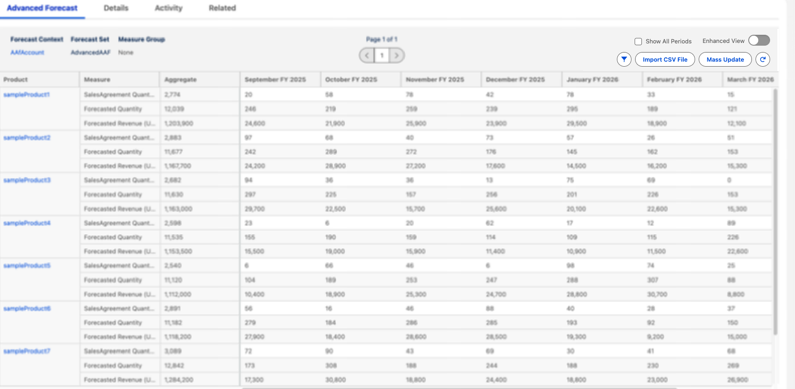
Track advanced account forecasts to spot patterns across various dimensions and compare
forecast values between different periods. You can view forecast data for an advanced account
forecast set use record broken down by dimensions and across different periods. You can switch
between various measure groups to view forecasts for desired metrics.
Required Editions
Available in: Lightning Experience
Available in: Enterprise, Unlimited, and Developer
Editions
User Permissions
Needed
To view advanced account forecasts
Read permission on Advanced Account Forecast
To view the forecast data, wait for the data processing engine run to complete. The
Advanced Account Forecast Set Use records show data only after the data processing engine
definitions runs are completed.
From the App Launcher, find and select Advanced Account Forecast Set
Uses.
Open an advanced account forecast set use record, and go to the Advanced Forecast
tab.
To view forecasts specific to measures that are part of a group, select a measure
group.
To view the forecast data for all periods, click Show All
Periods.
If the forecast data spans multiple rows, click the forward and back arrows to navigate
between pages.
To switch to the Enhanced view, turn on the toggle. The default view doesn’t include
many features that come with the Enhanced view.
In the Enhanced view, you can resize columns, and those widths are retained on your system
until you reset them. You can also undo or redo cell edits, scroll through large datasets
while keeping key rows and columns fixed, navigate across cells using your keyboard, and
view data more clearly with a simplified header layout.
Note In Advanced Account Forecast, only the first 1,000 adjustment
records are shown in the grid. To view more, use filters such as product, time period, or
measure group to narrow the results.
Did this article solve your issue?
Let us know so we can improve!
Loading
Salesforce Help | Article
Cookie Consent Manager
Cookie Consent Manager
General Information
Required Cookies
Functional Cookies
Advertising Cookies
General Information
We use three kinds of cookies on our websites: required, functional, and advertising. You can choose whether functional and advertising cookies apply. Click on the different cookie categories to find out more about each category and to change the default settings.
Privacy Statement
Required Cookies
Always Active
Required cookies are necessary for basic website functionality. Some examples include: session cookies needed to transmit the website, authentication cookies, and security cookies.
Functional Cookies
Functional cookies enhance functions, performance, and services on the website. Some examples include: cookies used to analyze site traffic, cookies used for market research, and cookies used to display advertising that is not directed to a particular individual.
Advertising Cookies
Advertising cookies track activity across websites in order to understand a viewer’s interests, and direct them specific marketing. Some examples include: cookies used for remarketing, or interest-based advertising.