
You are here:
Turn On Smart Approvals
To skip reviewing previously approved steps in an approval resubmission, turn on Smart Approvals.
- From Setup, find and select Flows.
- Open the flow that you use for managing approvals.
- Select an approval step.
-
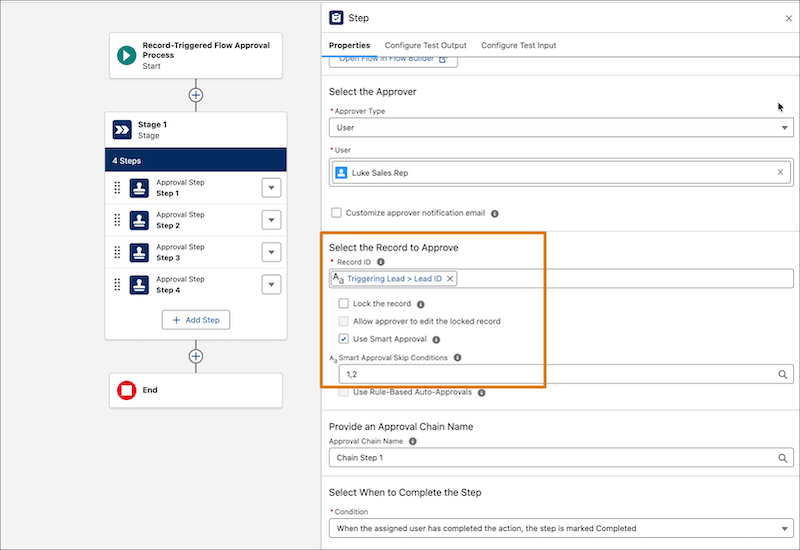
In the step’s properties tab, select Use Smart Approval.
-
To skip conditions from smart approvals evaluation, enter each condition number separated
by a comma in the Smart Approval Skip Conditions field.
If you specify an invalid value or provide a resource, the conditions aren’t skipped during the evaluation.
- Save your changes.
Did this article solve your issue?
Let us know so we can improve!
