
Loading
Feature degradation | Gmail Email delivery failureRead More
Automotive Cloud
Table of Contents
Select Filters

          No results
          No results
          Here are some search tips

          Check the spelling of your keywords.
          Use more general search terms.
          Select fewer filters to broaden your search.

          Search all of Salesforce Help
          Create Dealer Visit Key Performance Indicators

          Create Dealer Visit Key Performance Indicators

          Create Generic Visit Key Performance Indicator records to relate an assessment indicator definition to a visit task context. For example, a visit task, Quarterly Product Recalls, can be related to an assessment indicator definition, Number of Damaged Spare Parts. The sales manager can estimate an expected value based on the average number of damaged spare parts reported by dealers over the past few years per visit. During the visit, the district manager or evaluation officer can check with the dealer and capture the actual value based on how many damaged spare parts exist in a showroom. The sales manager can then find the information for both expected and actual values on the Generic Visit Key Performance Indicator record.

          Required Editions

          Available in: Enterprise, Unlimited, and Developer Editions.
          User Permissions Needed
          To create generic key performance indicators:
          • Partner Visit Management permission set
          • Create access on Generic Visit Key Performance Indicator
          1. From the App Launcher, find and select Generic Visit Key Performance Indicators, and then click New.
          2. Search for and select a Visit Task Context record.
          3. Search for and select an Assessment Indicator Definition record.
          4. Based on the field type of the assessment indicator, define the expected value.
          5. Save your changes.
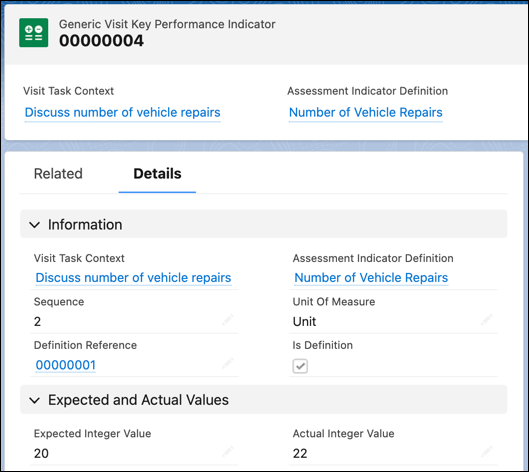
            A visit key performance indicator record.

          After a visit task is completed, the actual value for the assessment indicator is populated.

           
          Loading
          Salesforce Help | Article