Loading
Mail Delivery Issue Impacting Email to Salesforce UsersRead More
Automotive Cloud
Table of Contents
Select Filters

          No results
          No results
          Here are some search tips

          Check the spelling of your keywords.
          Use more general search terms.
          Select fewer filters to broaden your search.

          Search all of Salesforce Help
          Take a Tour of the Funding Workbench Console

          Take a Tour of the Funding Workbench Console

          After a loan or lease proposal has been reviewed, rehashed, and accepted by the customers and approved by the dealers, the funding process begins. This final phase involves the lender disbursing funds to the dealer, so the customer can take the vehicle home. The Funding Workbench console helps with this flow, from the dealer uploading documents to the creation of action items for the funding analyst and the analyst's verification of those items and related documents.
          Required Editions

          Available in: Lightning Experience
          Available in: Enterprise, Unlimited, and Developer Editions.

          Key Personas Involved

          • Dealer/Finance Rep: Collaborates directly with the customer to finalize contract terms. They gather signed documents from the customer and upload them for the funding analyst's review.
          • Funding Analyst: Acts as a checkpoint to disperse funds to the dealer. They ensure the contract complies with lending guidelines, is in the correct format, and includes all required documents. The funding workbench is where the funding analyst reviews and approves the funding or rejects it with actionable feedback.

          Workflow

          The Funding Workbench provides a simplified process for the upload and verification of documents required for making final funding decisions for a loan or lease proposal on a single console page.

          Scenario As shown on Org
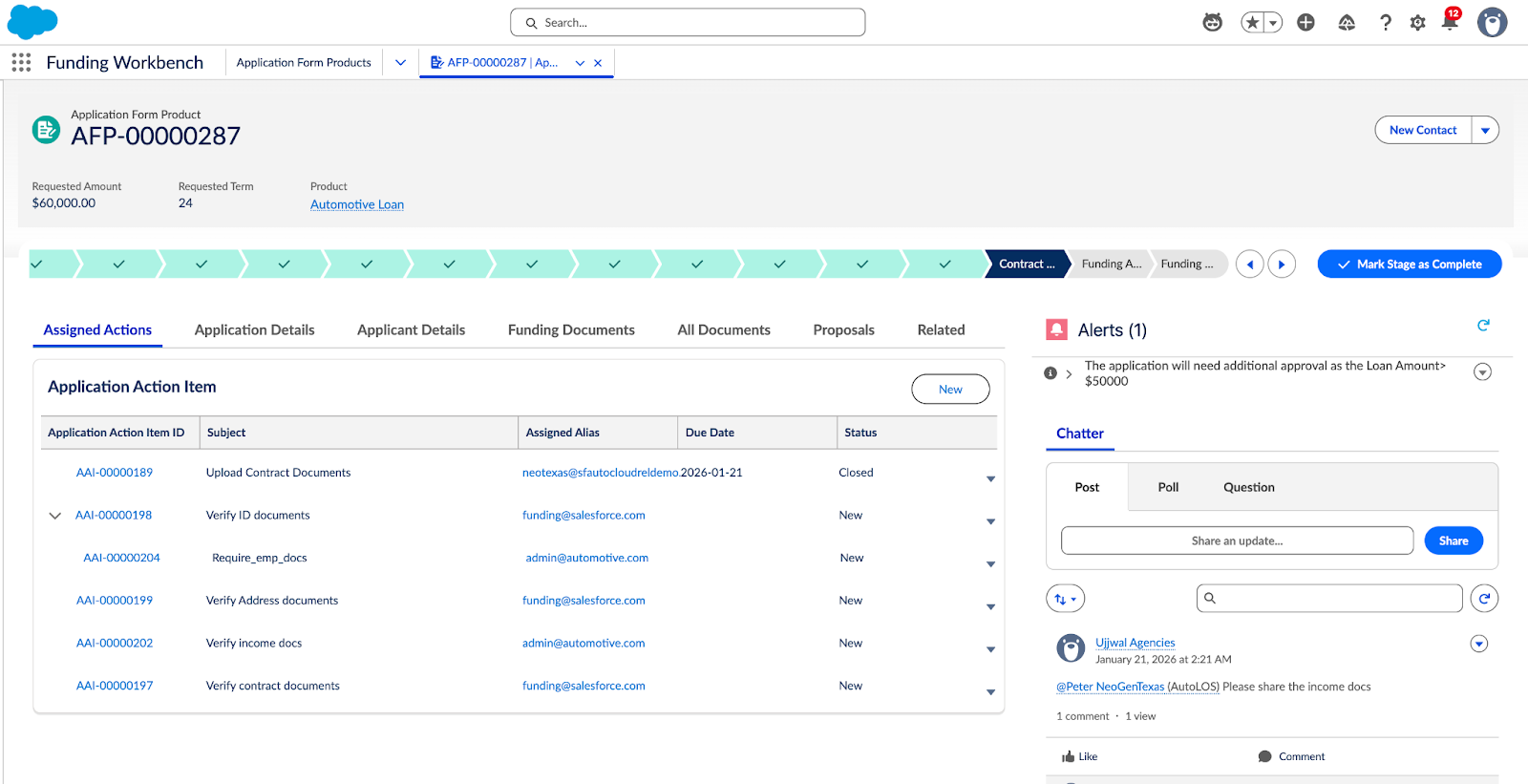
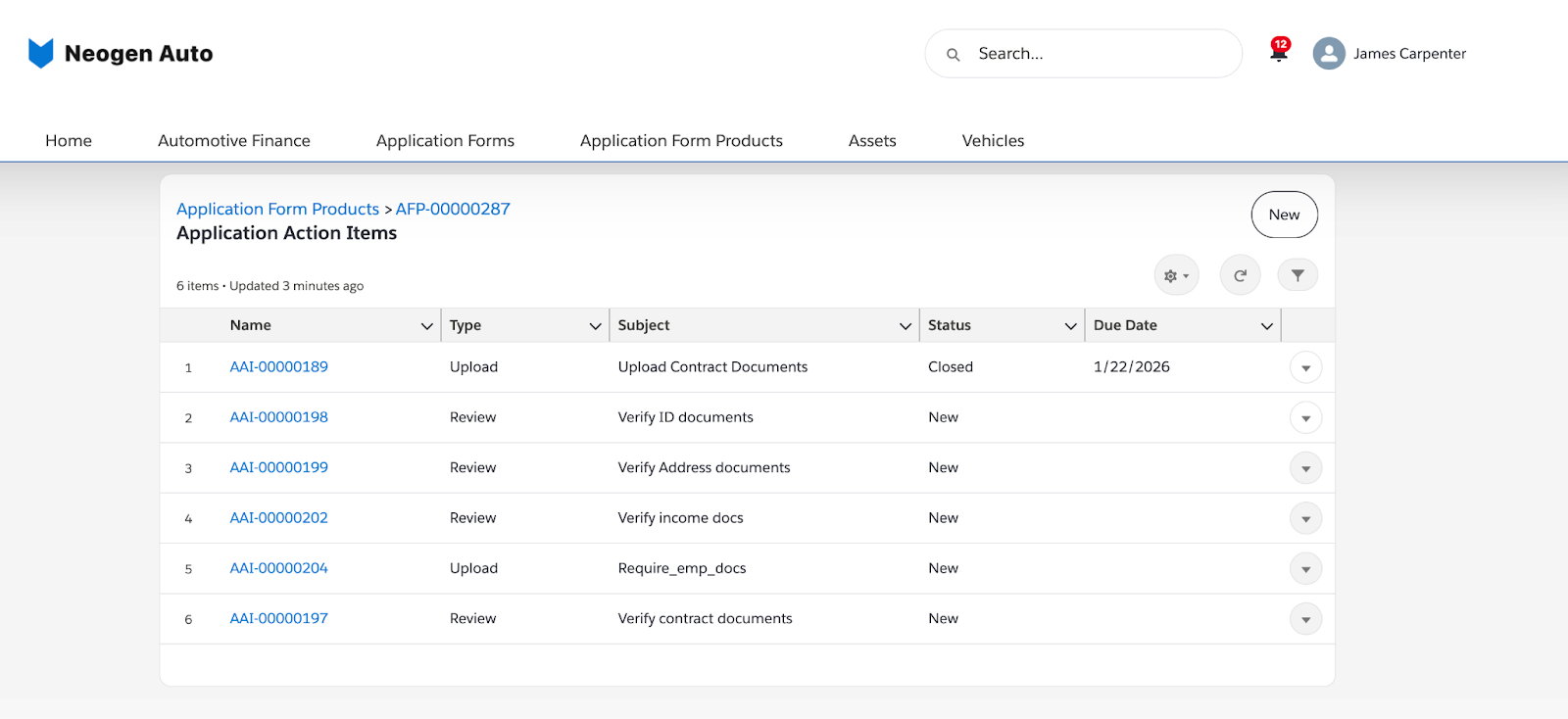
          Once a loan has been approved and accepted, the Funding Analyst initiates an action item for the dealer for an application form product. AAI

          The dealer then uploads the necessary documentation, such as, the driver’s license, signed contract, application form, and insurance documents on the dealer portal.

          Upon uploading the required files, the dealer marks the action item as complete.

          AAI on Dealer portal
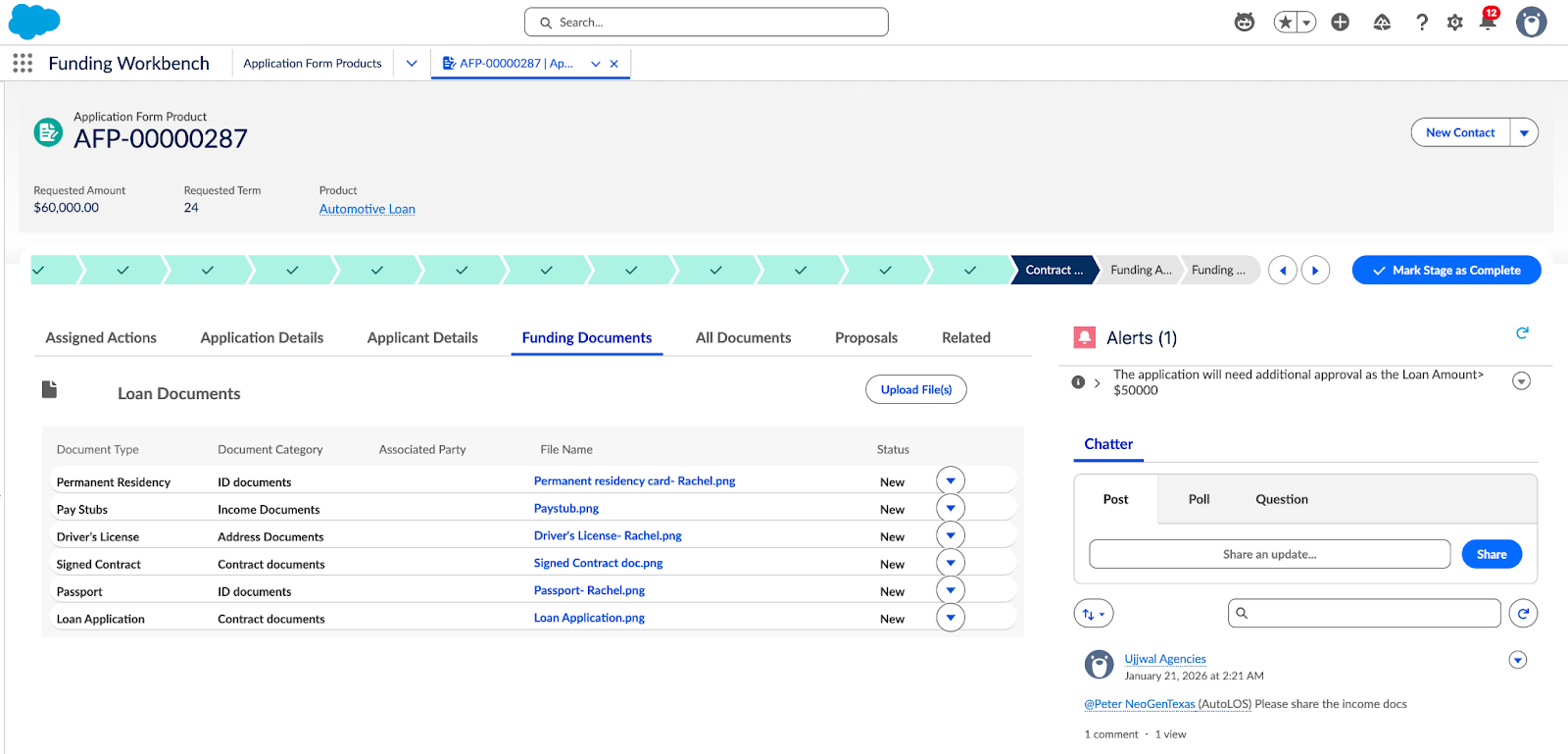
          A Funding Analyst can then review the uploaded documents for accuracy and compliance as well as view the tasks created for them to work on. Loan documents
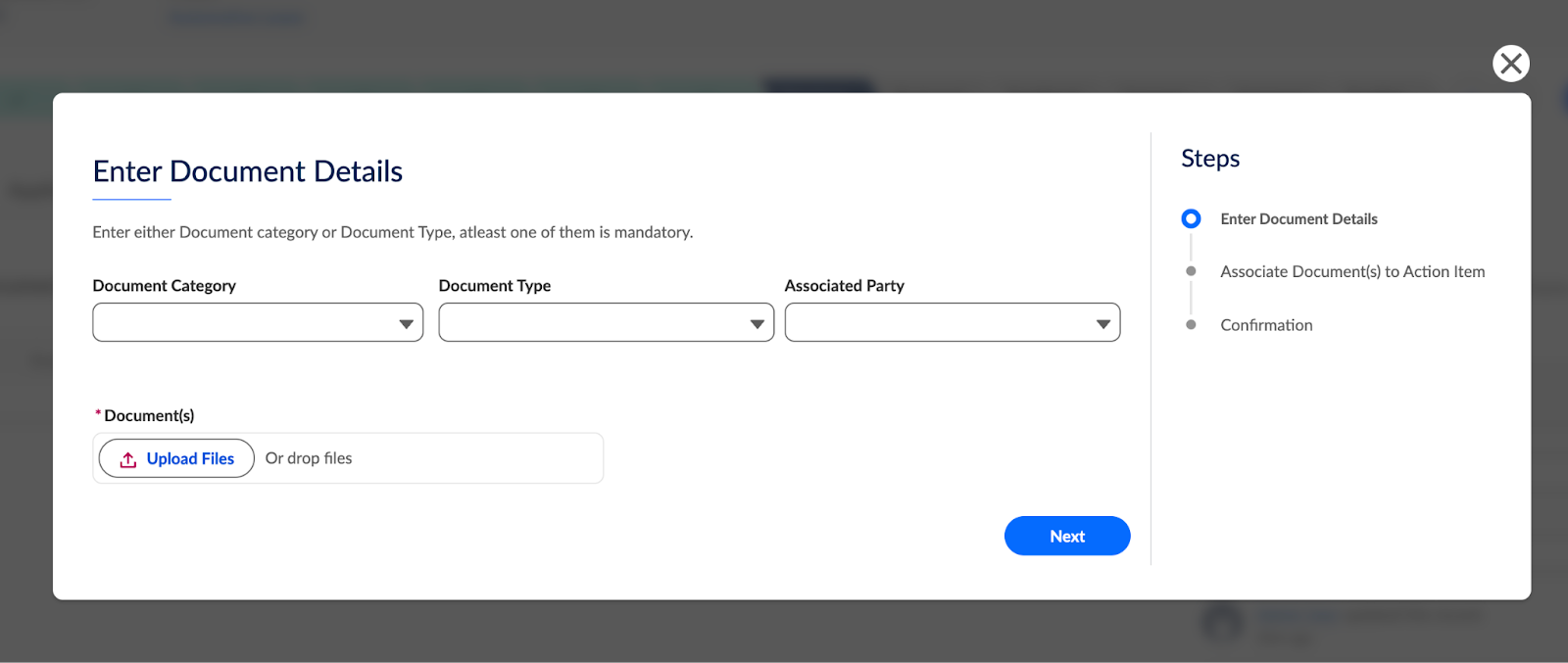
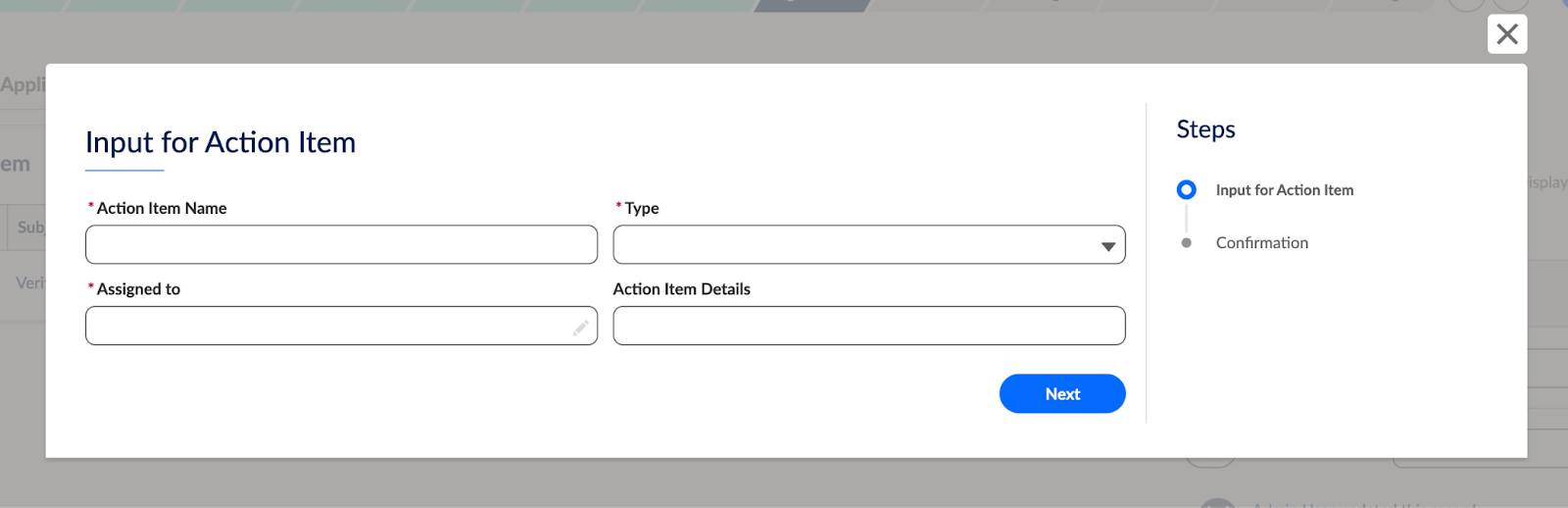
          If documents are missing or incorrect, the analyst can upload more documents and create tasks corresponding to a document type or category, create another action item for the dealer, or create subtasks. The dealer can then rectify the issue and restart the verification loop.

          Document upload

          Action Item selection

          Following a successful review, the analyst updates the application status to either Funding Approved or Rejected. Use the Timeline component on the Application Form Product page to view all the tasks and interaction summaries. Users can also utilise the Chatter component on the Application Form Product page to communicate with each other regarding the funding decisions.

           
          Loading
          Salesforce Help | Article