You are here:
Example: Chart of Accounts and Dual Journal Entries
Explore an example to understand how chart of accounts are set up and how dual transaction journals are created based on the configured general ledger accounts and account assignment rules.
Chart of Accounts
SmartBytes is a large enterprise company with multiple legal entities. Their Accounting admin creates general ledger accounts for all legal entities, and then creates a list view similar to a chart of accounts for each legal entity.
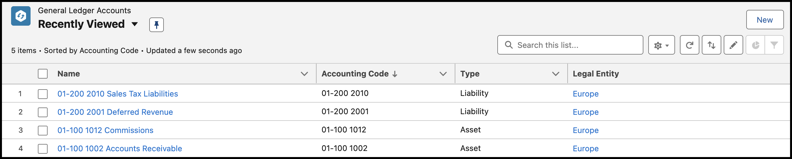
Notice that the admin defines the accounting codes clearly to easily differentiate the general ledger accounts.
Dual Transaction Journals
SmartBytes provides high-tech services to their customers in Europe. Their accounting team wants to create transaction journals automatically as soon as each invoice line is posted, for these rules:
- Recognize 80% of the charge amount towards accounts receivable, and the remaining 20% towards commissions.
- Recognize 100% of tax amount towards sales tax liabilities.
To achieve this, the Billing admin enables the Create Transaction Journals for Transactions feature and the Accounts Receivables admin configures a general ledger account assignment rule with filter criteria and general ledger journal entry rules.
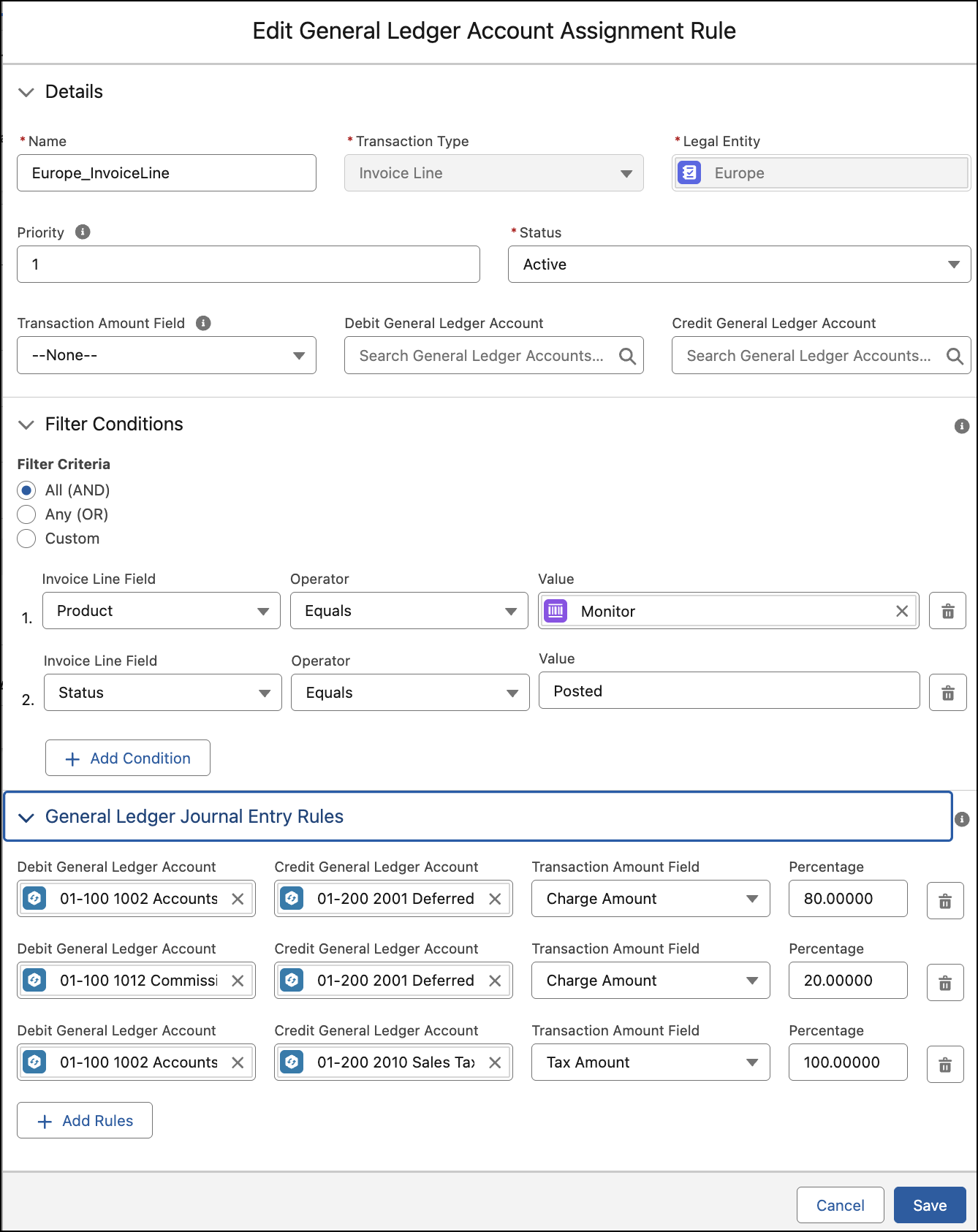
The Accounts Receivables admin configures the rule with these details.
- Transaction Type: Invoice Line
- Legal Entity: Europe
- Priority: 1
To apply this rule, the admin defines these filter criteria.
- Product: Software
- Invoice Status: Posted
To use the charge amount for transaction journals, the admin defines these general ledger journal entry rules with a percentage split of 80 and 20.
- General Ledger Journal Entry Rule 1:
- Debit General Ledger Account: 01-100-1002 Accounts Receivable
- Credit General Ledger Account: 01-200-2001 Deferred Revenue
- Transaction Amount Field: Charge Amount
- Percentage: 80
- General Ledger Journal Entry Rule 2:
- Debit General Ledger Account: 01-100-1012 Commissions
- Credit General Ledger Account: 01-200-2001 Deferred Revenue
- Transaction Amount Field: Charge Amount
- Percentage: 20
To use the tax amount for transaction journals, the admin defines another general ledger journal entry rule.
General Ledger Journal Entry Rule 3:
- Debit General Ledger Account: 01-100-1002 Accounts Receivable
- Credit General Ledger Account: 01-200-2010 Sales Tax Liabilities
- Transaction Amount Field: Tax Amount
- Percentage: 100
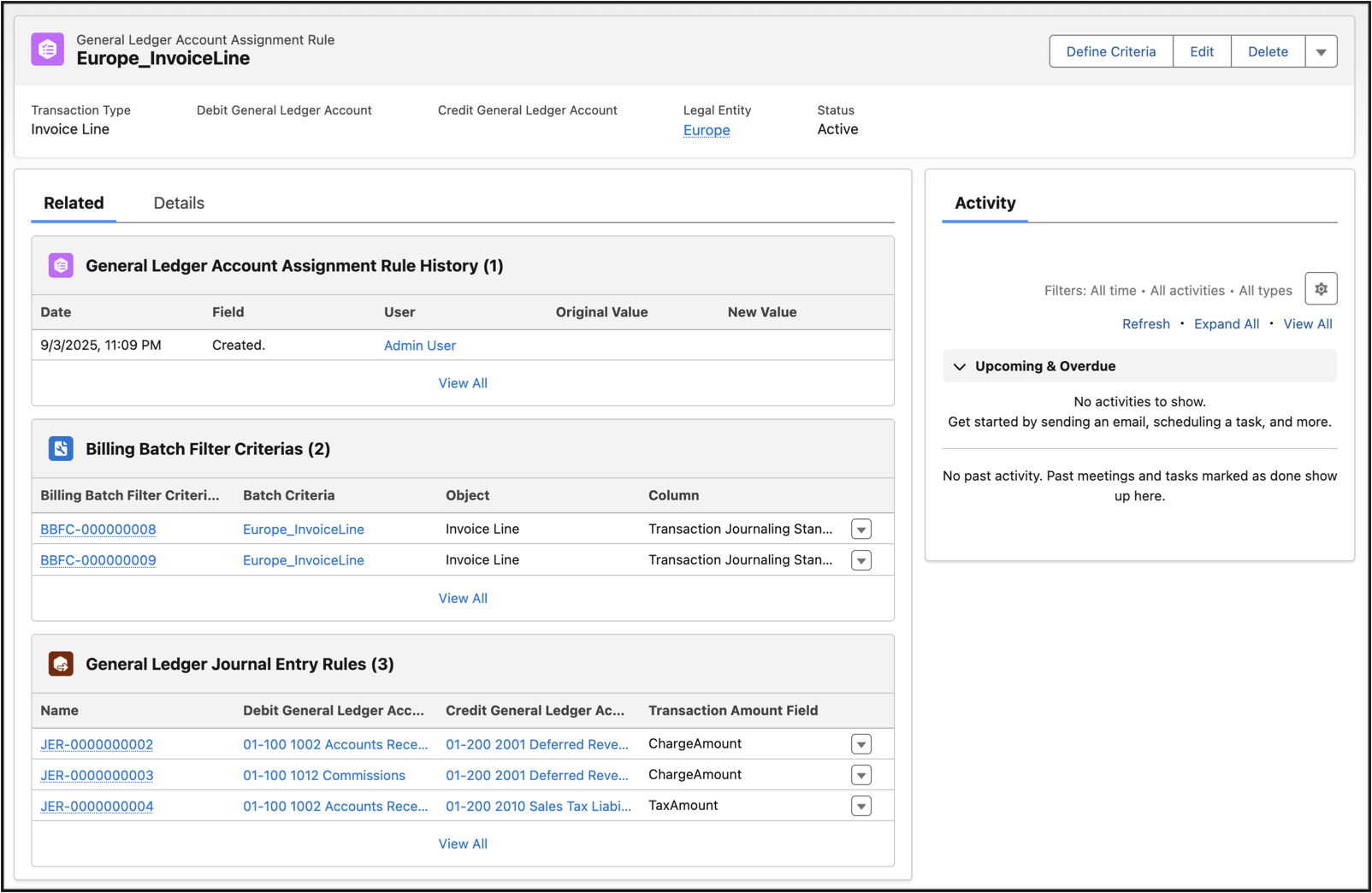
When the general ledger account assignment rule is activated, one General Ledger Account Assignment Rule record, two Billing Batch Filter Criteria records, and three General Ledger Journal Entry Rule records are created immediately.
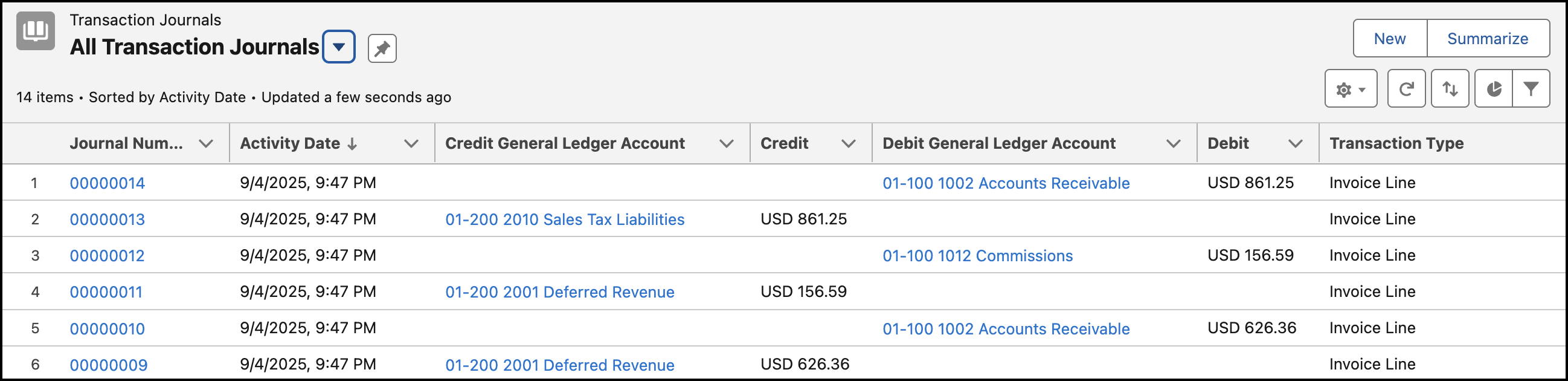
As soon as invoice lines are posted, four transaction journals are created based on the charge amount and two transaction journals are created based on the tax amount for each invoice line.
- A transaction journal is created for the 01-100-1002 Accounts Receivable account with 80% of invoice’s charge amount as the debit amount.
- A transaction journal is created for the 01-200-2001 Deferred Revenue account with 80% of invoice’s charge amount as the credit amount.
- A transaction journal is created for the 01-100-1012 Commissions account with 20% of invoice’s charge amount as the debit amount.
- A transaction journal is created for the 01-200-2001 Deferred Revenue account with 20% of invoice’s charge amount as the credit amount.
- A transaction journal is created for the 01-100-1002 Accounts Receivable account with 100% of invoice’s tax amount as the debit amount.
- A transaction journal is created for the 01-200-2010 Sales Tax Liabilities account with 100% of invoice’s total tax amount as the credit amount.