You are here:
Examples: Configure Payment Retry Rule Sets and Retry Rules
Let’s explore a few examples for creating and configuring payment retry rule sets and rules.
Create Org Default Payment Retry Rule Sets
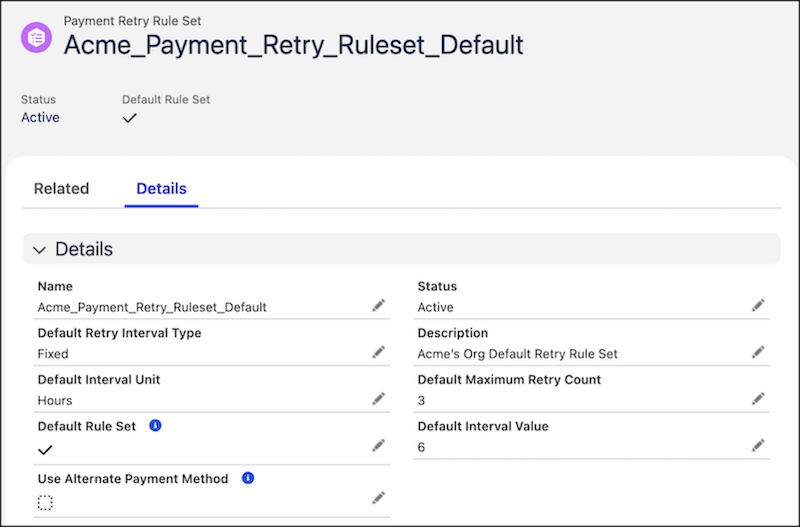
Let’s say the Payments Admin at Acme Corp wants to create an org wide payment retry rule that retries all failed payments at regular intervals of six hours for a maximum of three attempts. To do this, the admin creates a new payment retry rule set with these details.
- Name: Acme_Payment_Retry_Ruleset_Default
- Description: Acme’s Org Default Retry Rule Set
- Status: Active
- Default Rule Set: Yes
- Default Retry Interval Type: Fixed
- Default Maximum Retry Count: 3
- Default Interval Unit: Hours
- Default Interval Value: 6
Create Payment Retry Rules that Inherit Default Values of the Payment Retry Rule Set
Let’s say the Payment admin at SmartBytes wants to create a payment retry rule set with two payment retry rules for two different gateway error categories for the Stripe payment gateway. The payment retry rules inherit the same interval unit, type, and value as the payment retry rule set.
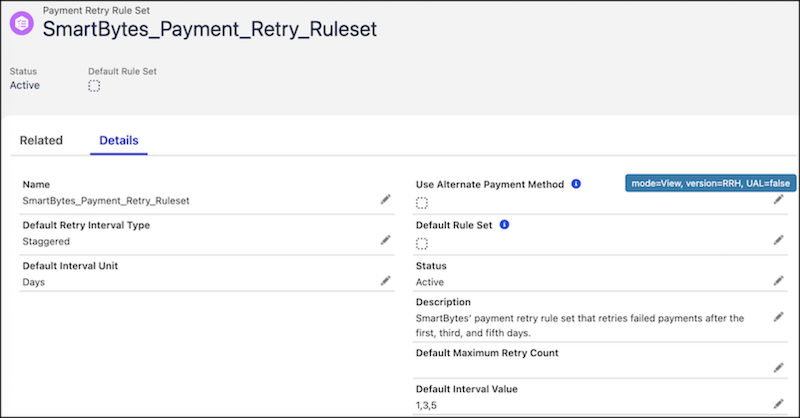
Let’s first create a payment retry rule set with these details and include the default values for retry interval type, interval unit, and interval value.
- Name: SmartBytes_Payment_Retry_Ruleset
- Description: SmartBytes’ payment retry rule set that retries failed payments after the first, third, and fifth days.
- Status: Active
- Default Retry Interval Type: Staggered
- Default Interval Unit: Days
- Default Interval Value: 1,3,5
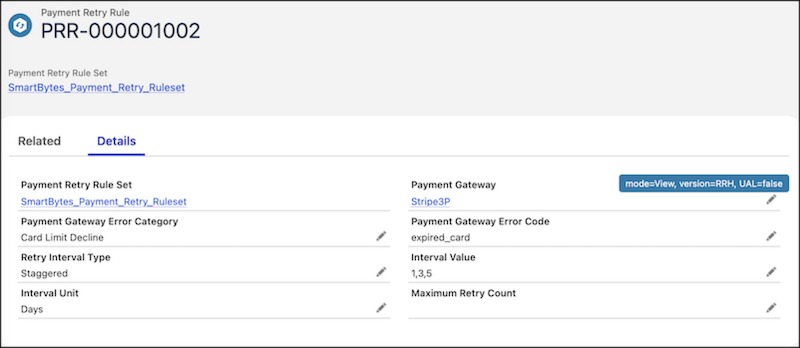
Let’s now create the first payment retry rule for the Stripe payment gateway for an error category such as “Card Limit Decline”. To do this, click New on the Related tab of “SmartBytes_Payment_Retry_Ruleset” rule set. Enter these details for the payment gateway, error category, and error code, and save your changes.
- Payment Gateway: Stripe3P
- Payment Gateway Error Category: Card Limit Decline
- Payment Gateway Error Code: expired_card
When saved, the new payment retry rule (“PRR-000001002”) automatically inherits the retry interval type (“Staggered”), the interval unit (“Days”), and interval value (“1,3,5”) from the payment retry rule set.
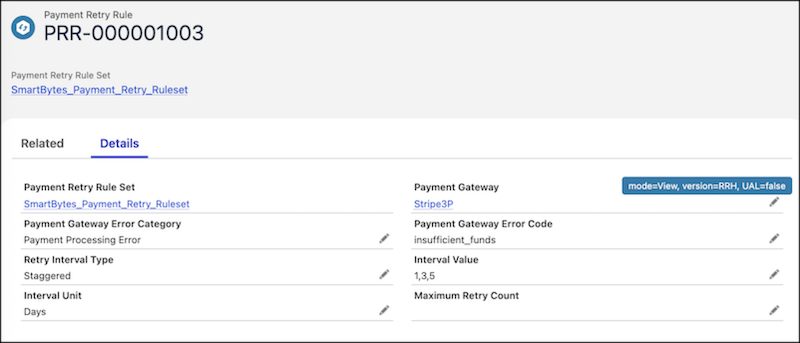
Let’s now create the second payment retry rule for the Stripe payment gateway for an error category such as “Payment Processing Error”. To do this, click New again on the Related tab of “SmartBytes_Payment_Retry_Ruleset” rule set. Enter these details for the payment gateway, error category, and error code, and save your changes.
- Payment Gateway: Stripe3P
- Payment Gateway Error Category: Payment Processing Error
- Payment Gateway Error Code: insufficient_funds
When saved, the new payment retry rule (“PRR-000001003”) automatically inherits the retry interval type (“Staggered”), the interval unit (“Days”), and interval value (“1,3,5”) from the payment retry rule set.
Create a Payment Retry Rule Set with Multiple Payment Retry Rules
Let’s say the Payment admin at SmartBytes wants to create a payment retry rule set with multiple payment retry rules for each payment gateway error category. The payment retry rule set is configured to retry failed payments at fixed intervals, but the payment retry rules are configured to retry failed payments at staggered intervals.
The admin creates a payment retry rule set with these details.
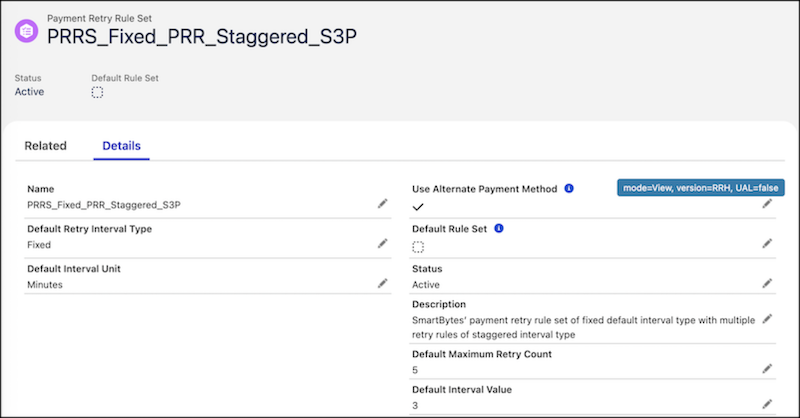
- Name: PRRS_Fixed_PRR_Staggered_S3P
- Description: SmartBytes’ payment retry rule set of fixed default interval type with multiple retry rules of staggered interval type
- Use Alternate Payment Method: Yes
- Status: Active
- Default Retry Interval Type: Fixed
- Default Maximum Retry Count: 5
- Default Interval Unit: Minutes
- Default Interval Value: 3
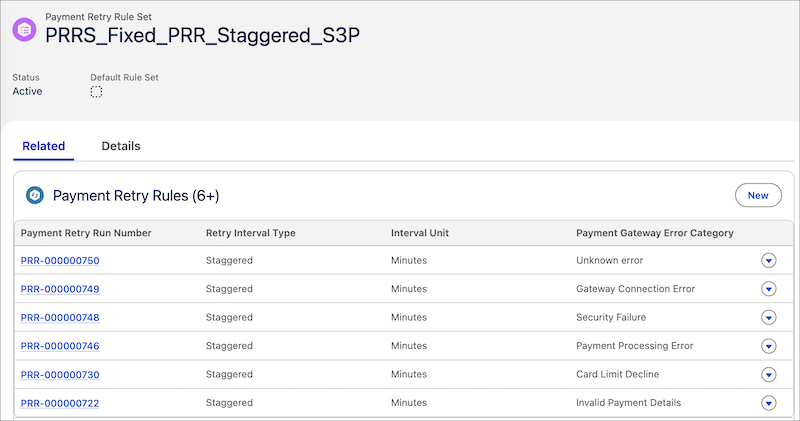
When saved, the payment retry rule set is configured with these details.
Let’s now create a payment retry rule for the Stripe payment gateway for an error category “Invalid Payment Details”. To do this, click New on the Related tab of “PRRS_Fixed_PRR_Staggered_S3P” rule set. Enter these details for the payment retry rule, and then save your changes.
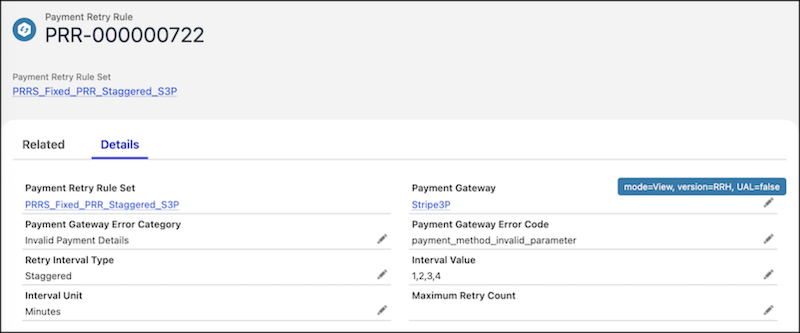
- Retry Interval Type: Staggered
- Interval Unit: Minutes
- Interval Value: 1,2,3,4
- Payment Gateway: Stripe3P
- Payment Gateway Error Category: Invalid Payment Details
- Payment Gateway Error Code: payment_method_invalid_parameter
When saved, the new payment retry rule (“PRR-000000722”) is created with the retry interval type (“Staggered”), the interval unit (“Minutes”), and interval value (“1,2,3,4”), overriding the default values of the payment retry rule set.
Similarly, you can create more payment retry rules for other payment gateway error categories of the Stripe3P payment gateway. The Related tab of the payment retry rule set displays the list of all payment retry rules created as part of the rule set.