
You are here:
Mapping Objects for Asset-Based Ordering
Using Object Mapper, you can move items, such as line item attachments and custom child objects throughout the asset-based ordering cycle.
Object Mapper moves data from one object to another. The Object Mapper can take more objects through the asset-based ordering process. Object Mapper maps child line items and their related objects and fields.
For example, you may have created an object Subsidiary as a child of the line item object. You can specify that Subsidiary is moved with the line item objects.
By default, asset-based ordering takes quotes, orders, assets, and their associated line items through the process. You can add more objects using Object Mapper. If you do not specify an object mapping, only the header and header line items are moved. If you specify an object map but the field mappings do not exist, the process will not fail. However, a log entry notes this issue.
In Energy & Utilities Cloud, each asset is usually mapped to a service point. Other mappings are possible. For example, an asset can be mapped to a unit rate or to a contract. However, these alternative mappings often require custom configurations.

You can reset the object maps using the Object Maps Maintenance job under Vlocity CMT Administration → Maintenance Jobs → Object Maps Maintenance job.
Object Mapper uses the custom object Custom Object Map (CustomObjectMap__c) to store the object mapping, which has the following custom fields:
Custom Field |
Description |
Example |
|---|---|---|
Source Parent Object SourceParentObject__c |
Stores the source parent object name. |
Opportunity |
Destination Parent Object DestinationParentObject__c |
Stores the destination parent object name. |
Quote |
Source Child Object SourceChildObject__c |
Stores the source child object name |
OpportunityLineItem |
Destination Child Object DestinationChildObject__c |
Stores the destination child object name. |
QuoteLineItem |
Parent Source Reference Field PartentSourceReferenceField__c |
Stores parent source reference field |
OpportunityId in OpportunityLineItem |
Parent Destination Reference Field ParentDestinationreferenceField__c |
Stores child target reference field |
QuoteId in QuoteLineItem |
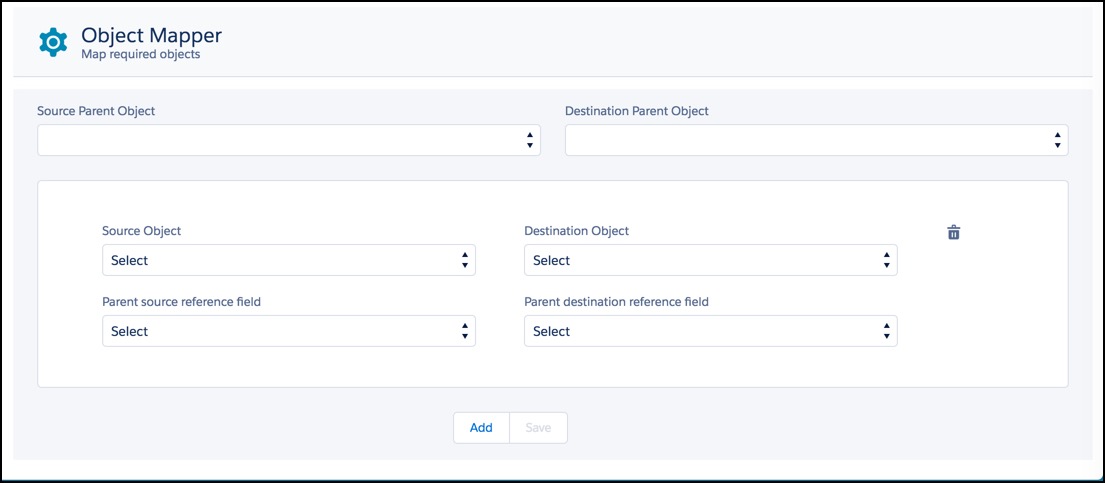
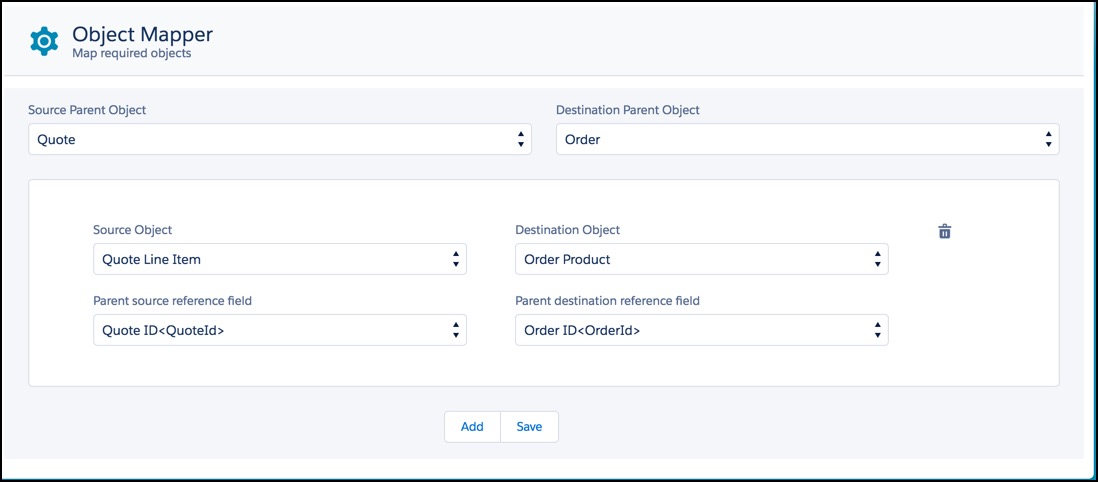
- Go to the Object Mapper tab.
- Select the Source Parent Object, for example, Quote.
- Select the Destination Parent Object, for example, Order.
- From Source Object, select the child object to map.
- From Destination Object, select the child object to map.
- From Parent source reference field, select the parent object field to map.
- From Destination source reference field, select the destination object field to map.
-
To add more mappings, click Add.
 Note
NoteIf you click Add in error, to delete the mapping, click the trash icon to the right of the picklists. When the message opens, click Delete.
- When you are done mapping child objects, click Save.
- Delete Object Mappings
You can use the Object Mapper to delete object mappings. - Editing Object Mappings
You can use the Object Mapper edit object mappings.
