
You are here:
Set Up Integration Orchestration in Financial Services Cloud
Integration Orchestration employs advanced decision-making processes using context service with Business Rules Engine to generate the integration plan.
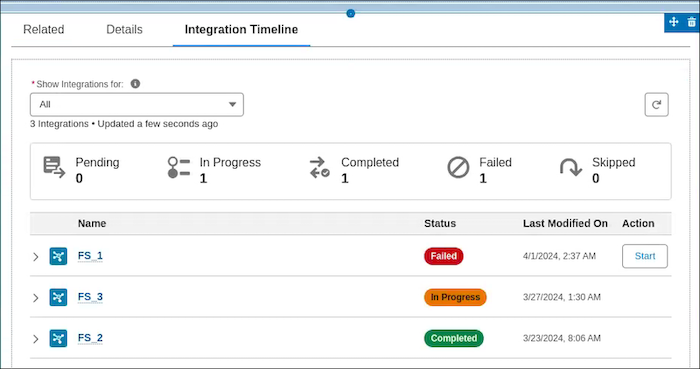
Generate an integration plan and run the plan by using invocable actions in the flow. Review the status of the integration callouts and track integrations by using the Integration Execution Status Lightning Web Component.

- Prepare Integration Procedures and Omnistudio Data Mapper
As a prerequisite to setting up integration definitions, create the Data Mapper and the relevant integration procedures to define the integrations. - Create Integration Definitions for Integration Orchestration
An integration definition is a framework to set up integrations with different external endpoints quickly and efficiently. - Create and Map Context Definitions
Define the context structure in which you want to determine the parameters for Integration Orchestration. The data from the context service is mapped as inputs to the Business Rules Engine (BRE). - Decision Table and Expression Set Configuration
Define the required fields and attributes to create decision tables and expression sets. - Build a Flow with Invocable Actions
You can invoke build context, create and execute integration plan to orchestrate integrations. - View the Integration Execution Status with Integration Orchestration
Give your users a comprehensive view of all the integration callouts. Users can easily manage manual and automatically-triggered integrations–all in one place.
Did this article solve your issue?
Let us know so we can improve!
