
You are here:
Configure Intelligent Document Automation for Financial Services Cloud
Configure the Intelligent Document Automation Settings for Authorization and Consent.
Intelligent Document Automation provides a number of settings that control record sharing and how much information is captured when gathering consent responses.
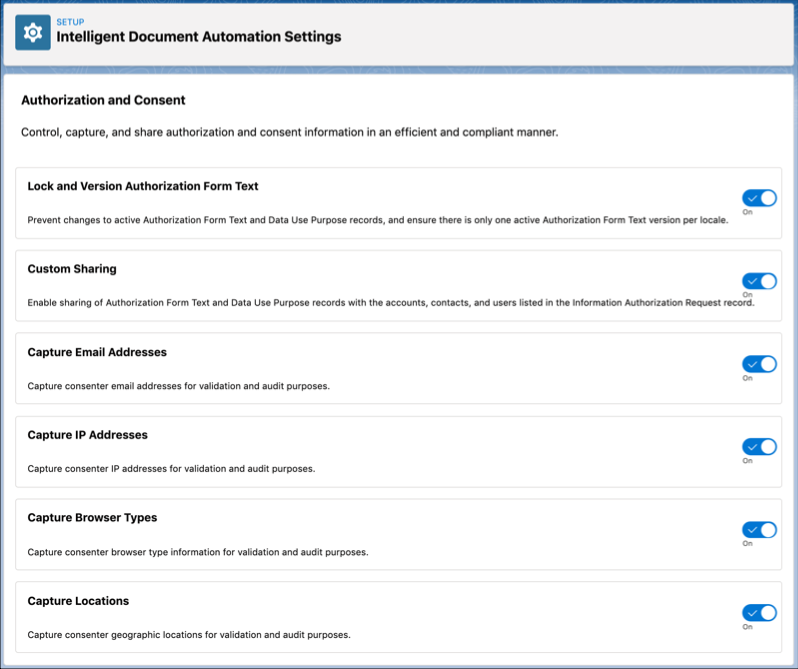
To change these settings:
- From Setup, enter intelligent in Quick Find. Under the Intelligent Document Automation heading, click Intelligent Document Automation Settings.
- To enable a setting, set its toggle to On.
Did this article solve your issue?
Let us know so we can improve!
