
View and Act on Web Recommendations on the ARC Einstein Relationship Insights Component
Select a record on the ARC Relationship Graph to view and act on web recommendations in the ARC Einstein Relationship Insights component.
Required Editions
| Available in: Lightning Experience |
| Available in: Professional, Enterprise, and Unlimited Editions |
| User Permissions Needed | |
|---|---|
| To view ARC Einstein Relationships Insights | Financial Services Cloud Extension OR FSC Sales AND FSC Package AND Einstein Relationship Insights Starter OR Einstein Relationship Insights Growth |
For example, on an ARC Relationship Graph, click an account record to see its relationship insights. In the chart view, the colorful recommendations are records in your Salesforce org and the gray recommendations are new. Take actions such as link a recommendation to the record or create a record.
- Navigate to a record page and click the ARC graph tab.
- Select an account or contact record card.
- In the ARC Einstein Relationship Insights component, view web recommendations for the selected record.
- On the component, click the toggle to switch from the graphical version to the smart tags version.
-
To create a record, click the plus icon on a gray web recommendation.
- Select Object Type and click Next.
- Select record type and click Next.
-
Details from the selected web recommendation are populated in the record window.
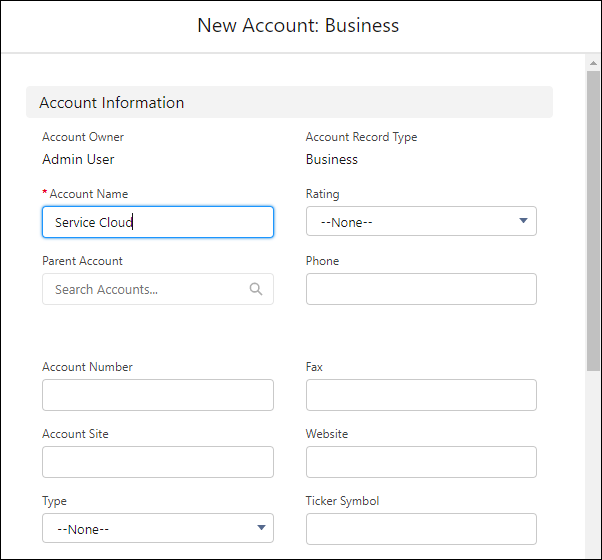
- Add more details as needed.
- To create the record, click Save.
-
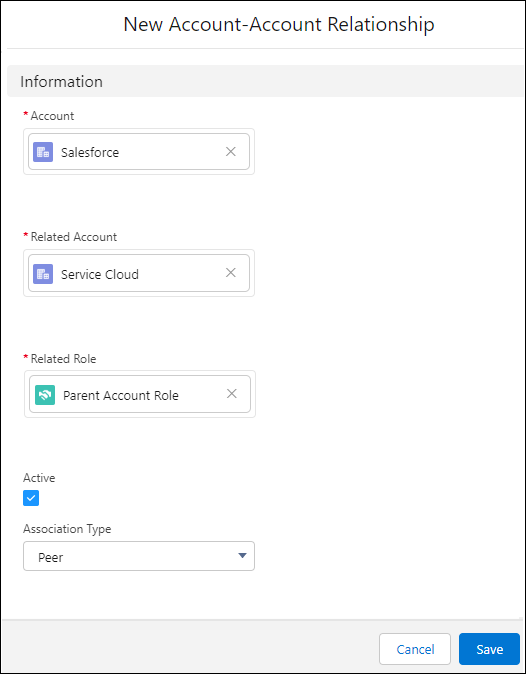
Link the new record to the record selected on the ARC graph. In the New Relationship
window:
 Note To link records, the Financial Services Cloud Managed Package must be installed in your Salesforce Org. If you can’t complete these steps, contact your Salesforce admin for help.
- Confirm that the first record is the one that you want to link to the new record.
- Confirm that the second record is the record that you created.
- To link the two records, select the related role.
- Select Active.
- Select an Association Type.
-
Click Save.
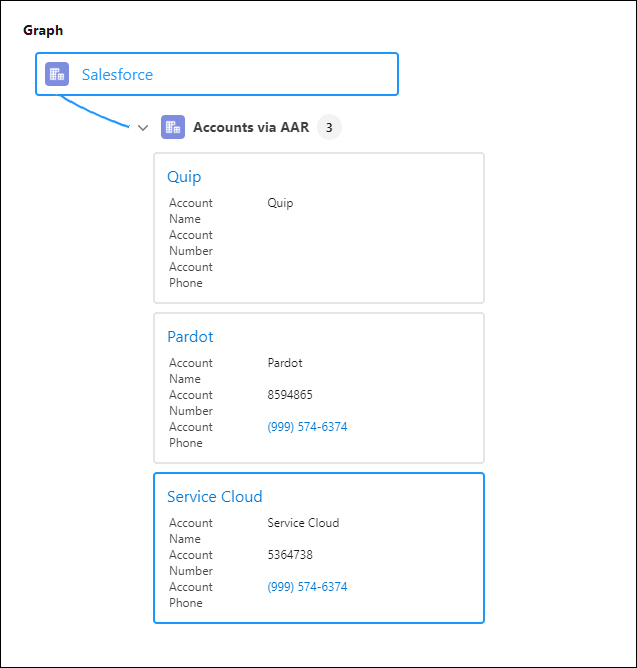
The new record displays on the ARC graph.
Did this article solve your issue?
Let us know so we can improve!
