
Flow Screen Input Component: Button Picklist from Field
Display labels from a collection variable in a list of buttons.
Required Editions
| Available in: Lightning Experience |
| Available in: Professional, Enterprise, and Unlimited Editions |
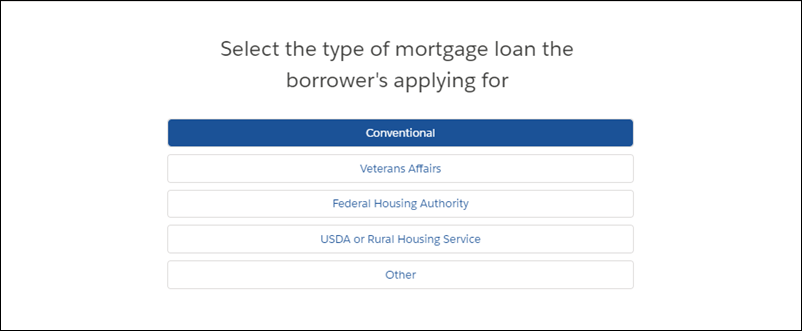
For information about adding screen components to your flow screen, see Screen.

Note This screen component requires Lightning runtime.
Configure the Button Picklist from Field Component
| Attribute | Description |
|---|---|
| Label | User-friendly text that displays above the component. This attribute accepts single-value resources. The value is treated as text. |
| Object API Name | The API name of the object that the picklist field belongs to. |
| Picklist API Name | The API name of the picklist field. |
| Required | Requires users to select a value before they can move to the next screen. |
| Selected Value | The default value for the component. |
Store the Button Picklist from Field Component in the Flow
All attributes are available to store in flow variables, but the Selected Value attribute is the most likely attribute to store. The value is assigned when the user navigates to the next screen.
To store the user’s action, map the Selected Value attribute to a variable.

Tip By default, screen components that run on Lightning runtime version 58 and
prior have no memory. If a user enters a value, and then does one of the these, the value is
lost. a) Navigates to another screen and returns to the component’s screen. b) Pauses the flow
then resumes it. c) Navigates to the next screen and triggers an input validation error.
Tip Setting the attribute enables a flow to remember the value. The flow stores the
value automatically. If you store values manually, store the attribute’s output value in a
variable.
Did this article solve your issue?
Let us know so we can improve!
