
You are here:
Flow Builder for Insurance and Retail Banking
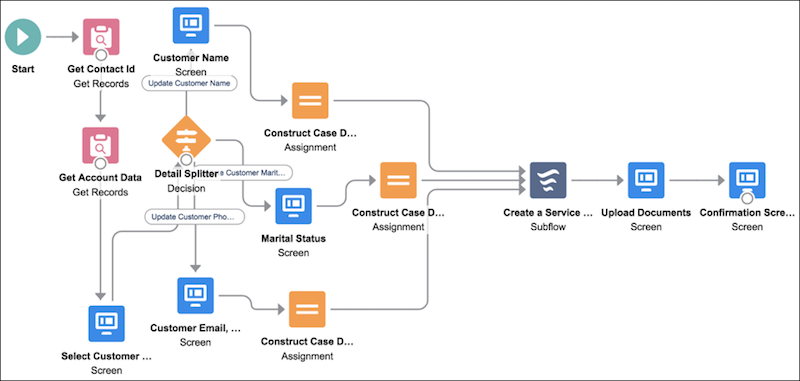
The Lightning Flow for Financial Services Cloud package includes flows that are specific to retail banking and insurance. The flows help your service reps handle customer service requests better and more efficiently. The flows are installed as standard flow templates. You can also clone the templates to customize them according to your business processes.
The flows provide step-by-step guidance for common service requests, such as a change of address, nominee, or beneficiary, without the need to navigate to different screens.
- Install Flow Builder for Financial Services Cloud
Install the Lightning Flow for Financial Services Cloud package from your preferred browser. - Configure Flow Builder for Financial Services Cloud
Before you can use the flow templates to create flows, create a support process and a case record type. You then link the case record type to the Create Service Request subflow. You can use an existing case record type or support process. However, we recommend that you create a separate support process and case record type dedicated to the flow-related cases. - Create and Manage Flows
You can customize the provided flows to meet your needs and add quick actions.
Did this article solve your issue?
Let us know so we can improve!
