
Loading
Feature degradation | Gmail Email delivery failureRead More
Table of Contents
Select Filters

          No results
          No results
          Here are some search tips

          Check the spelling of your keywords.
          Use more general search terms.
          Select fewer filters to broaden your search.

          Search all of Salesforce Help
          Choose an Option for Metrics Calculations for Multiline Policies

          Choose an Option for Metrics Calculations for Multiline Policies

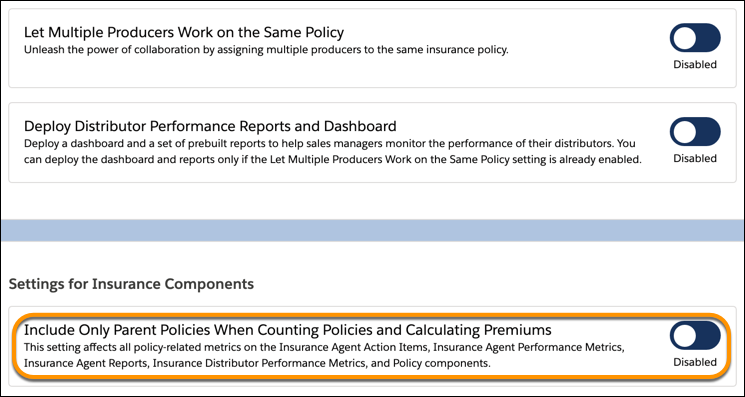
          Include only parent policies or both parent and child policies in metrics calculations, depending on how premiums are populated for multiline policies. For example, if premiums are populated for child policies and also aggregated at the parent level, then include only parent policies in calculations. By default, metrics count policies and premiums at both parent and child levels.
          Required Editions

          Available in: Lightning Experience
          Available in: Professional, Enterprise, and Unlimited Editions
          1. From Setup, in the Quick Find box, enter Insurance Settings, and then select Insurance Settings.
          2. Enable Include Only Parent Policies When Counting Policies and Calculating Premiums.
            Deploy Distribution Performance Reports and Dashboard
            Note
            Note This change affects all policy-related metrics on the Insurance Agent Action Items, Insurance Agent Performance Metrics, Insurance Agent Reports, Insurance Distributor Performance Metrics, and Policy components.
           
          Loading
          Salesforce Help | Article
