
Example Visit Recommendation Strategy
Here’s an example to show how an admin can create a visit recommendation strategy in a Salesforce org.
Required Editions
| Available in: Professional, Enterprise, and Unlimited editions where Consumer Goods Cloud is enabled. |
For example, the admin wants to create a strategy where visits are recommended for stores associated with the Northern Trail Outfitters account. Visit recommendations must be created for high priority flagship stores.
- From Setup, in the Quick Find box, enter Next Best Action, and select Next Best Action.
- Click New Strategy.
- Enter this information:
- Name: Store Visit Recommendation Strategy
- API Name: Store_Visit_Recommendation_Strategy
- Click Done.
- Drag the Load element onto the canvas.
- Provide these details:
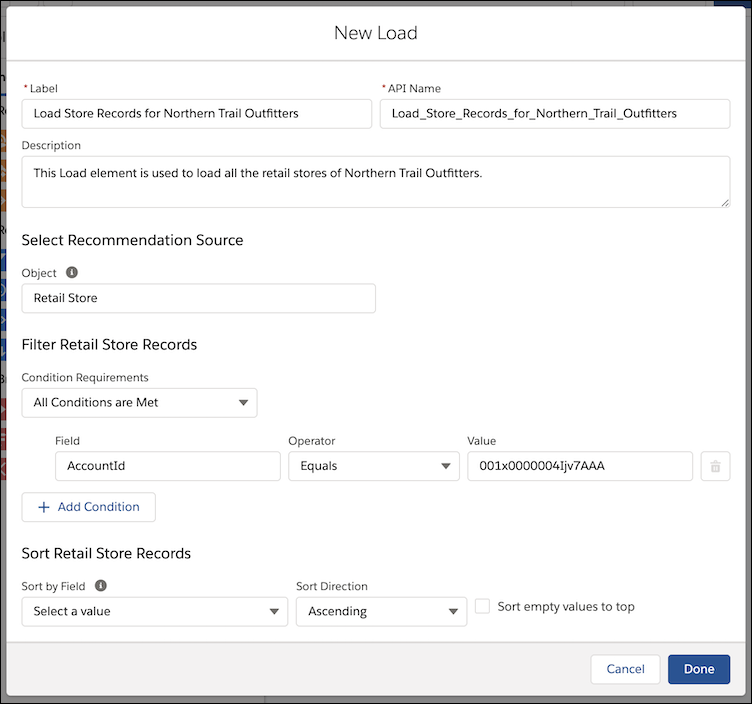
- Name: Load Store Records for Northern Trail Outfitters
- API Name: Load_Store_Records_for_Northern_Trail_Outfitters
- Object: Retail Store
- Condition Requirements: All Conditions Are Met
- Conditions:
- Field: AccountId
- Operator: Equals
- Value: 001x0000004Ijv7AAA
The value is the account ID of Northern Trail Outfitters' Account record.
- Click Done.
- Drag the Map element onto the canvas.
- Provide these details:
- Name: Map Store Records for Recommendations
- API Name: Map_Store_Records_for_Recommendations
- In the Map Values to Fields section, provide these details:
Field Value Type ActionReference "Run_Einstein_Visit_Recommendations_Strategy"
 Note This value is the API name of the flow that the admin has already created to run this strategy.
Text StoreId Id
Note The Id uniquely identifies each store for which recommendations must be provided.Text Description "Recommendations provided for retail store visits" Text Reasons "High priority store&Flagship store" Text 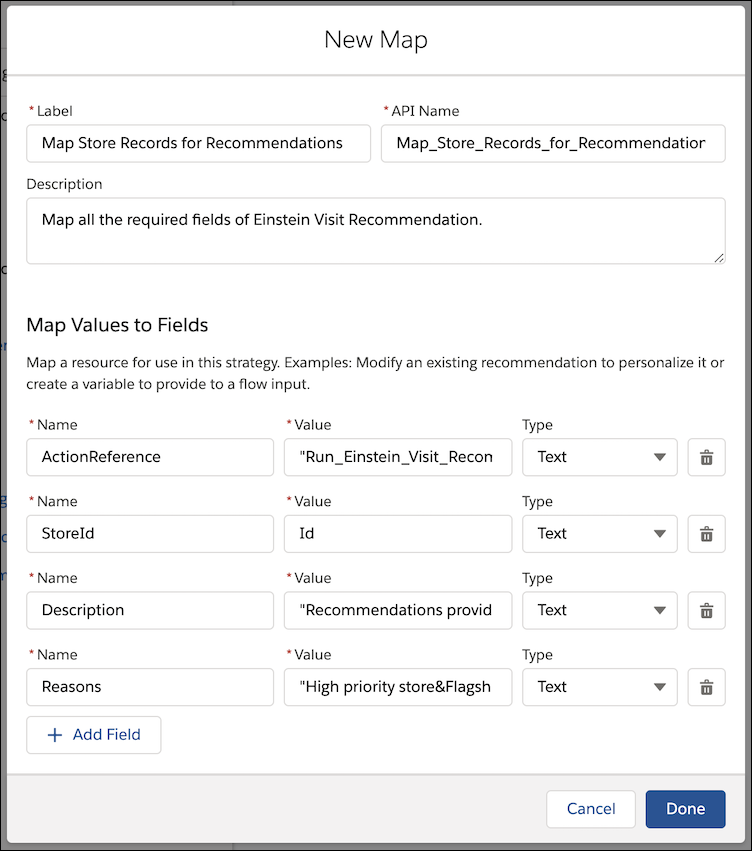
- Click Done.
- Drag the Map element after the Load element.
- Drag the Filter element onto the canvas.
- Provide these details:
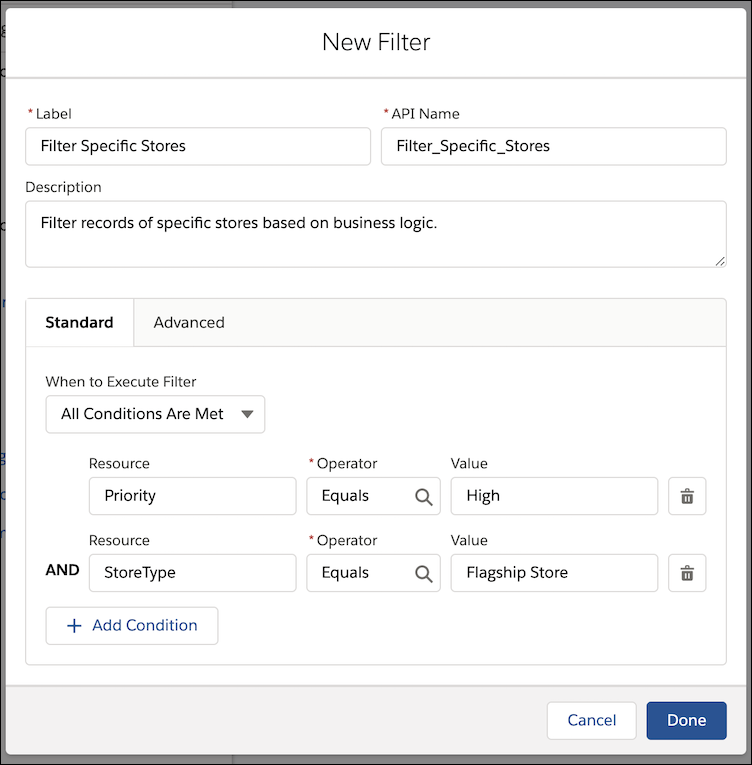
- Name: Filter Specific Stores
- API Name: Filter_Specific_Stores
- When to Execute Filter: Any Condition is Met
- First condition:
- Resource: Priority
- Operator: Equals
- Value: High
- Second condition:
- Resource: StoreType
- Operator: Equals
- Value: Flagship Store
- Click Done.
- Drag the Map element after the Map element.
- Save the strategy.
Did this article solve your issue?
Let us know so we can improve!
