Loading
Insurance
Table of Contents
Select Filters

          No results
          No results
          Here are some search tips

          Check the spelling of your keywords.
          Use more general search terms.
          Select fewer filters to broaden your search.

          Search all of Salesforce Help
          Add Claim Loss Payments

          Add Claim Loss Payments

          Claims adjusters enter payment details when they intend to issue a payment for an item or injury involved in a claim.

          1. On a claim, click the Financials tab, and then click New Loss Item.
          2. Enter loss item details.

            Coverage

            The related open coverage.

            Description

            A brief description of the loss item.

            Payee

            The person who receives a payment.

            Benefit Type

            If benefit types are available for this claim coverage, the benefit type that applies.

            If there aren't benefit types available for this claim coverage, the Benefit Type field doesn't appear on the UI.

            Currency

            In orgs with multiple currencies enabled, the currency of the payment detail record. This currency applies to both the claim amount and the adjusted amount.

            Claim Amount

            The claim amount for this loss.

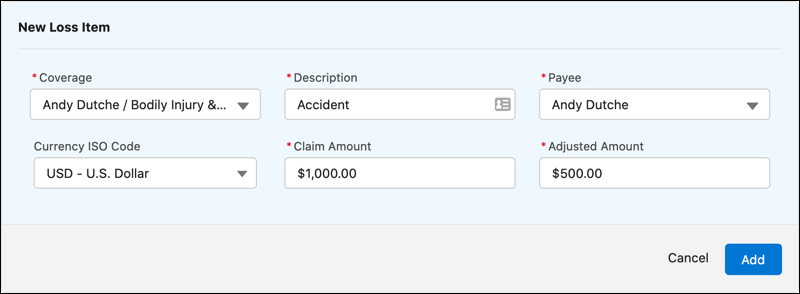
            When you press Tab to advance from Claim Amount to the next field, Vlocity calculates the Adjusted Amount, taking into account any deductibles or limits that apply to this loss.

            The Adjustment Reason field (read-only) describes why the adjustment occurred to the claim amount.

            Adjusted Amount

            The amount to pay when a payment is issued for the payment detail. Typically the adjusted amount is the claim amount minus any adjustments.

            New Loss Item with Claim Amount

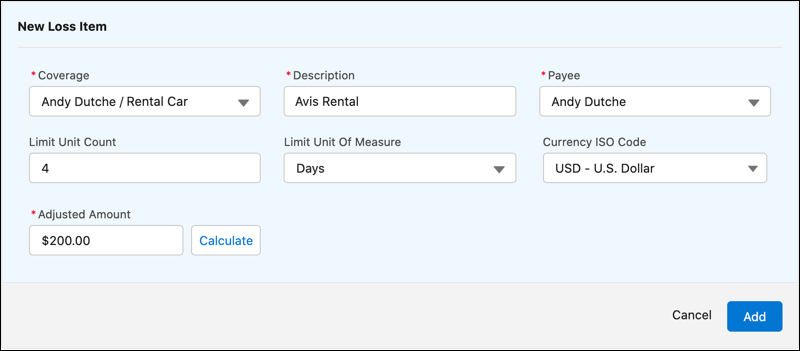
            This New Loss Item form can be configured to show different fields. If the administrator configures the form without the Claim Amount field, the form shows a Calculate button.

            New Loss Item with Calculate button

            To learn how this form is configured, see Customize the Claim Loss Payment Detail Form.

            To learn about the logic used to calculate the adjusted amount when the Claim Amount field is removed from the form, see InsClaimItemService:calculateCoverages.

          3. Click Add.
            The loss item appears as a line item under the appropriate coverage.
           
          Loading
          Salesforce Help | Article