You are here:
Add Required Coverage Rules
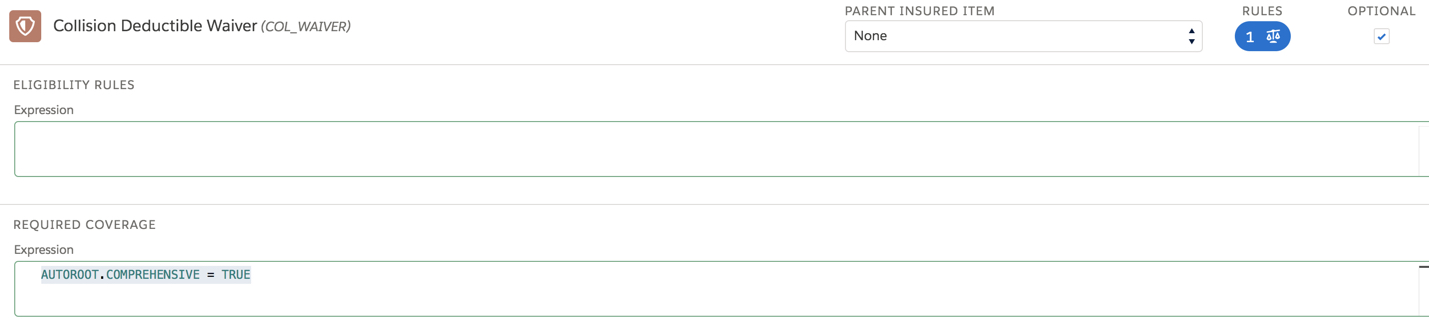
You can create rules that describe the situations where some insurance policies require a specific optional coverage. For example, an Auto policy requires Collision Deductible Waiver coverage when Comprehensive coverage is selected.
The syntax for required coverage rules is:
<productCode.attributeCode> <operator> < literal and/or function>
Here's what the example rule looks like:
The following services used in OmniScripts and Integration Procedures run required coverage rules.
-
InsProductService:getRatedProducts
Runs these rules by default. No need to set any remote options.
-
Set
runRequiredCoverage=true.
Required coverage rules are also run on the Quote UI when you add a root product.
To learn more, see Single Root Quoting.
