You are here:
Insurance Application Suite Renew a Policy from the Policy UI
A customer service rep or internal insurance agent with access to the Policy UI can renew policies from that UI.
-
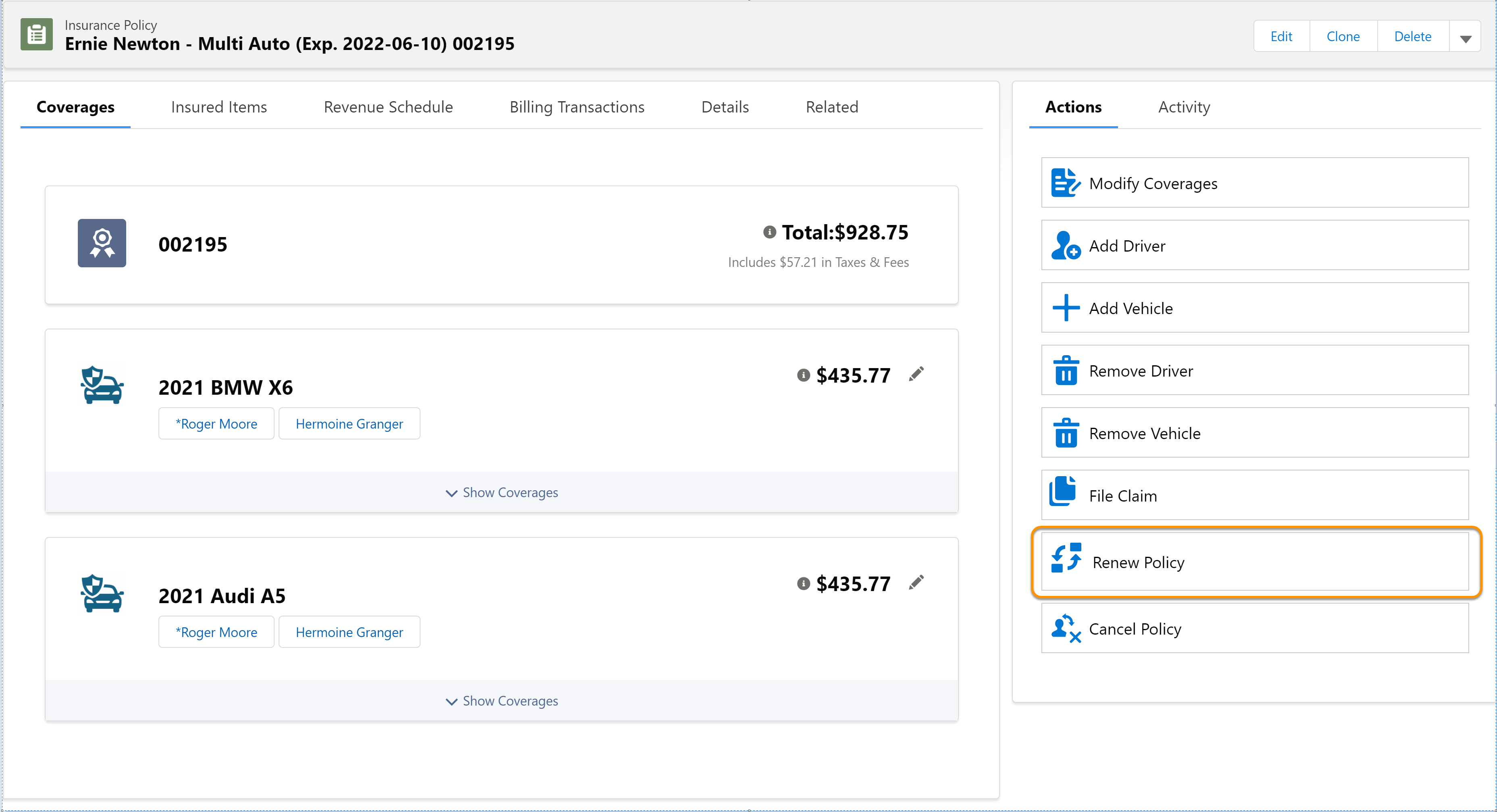
If a policy has been up for renewal within the last 30 days or will be
up for renewal in the next 30 days, you see the Renew
Policy option under Actions in
the policy record.
From Actions, click Renew Policy.
-
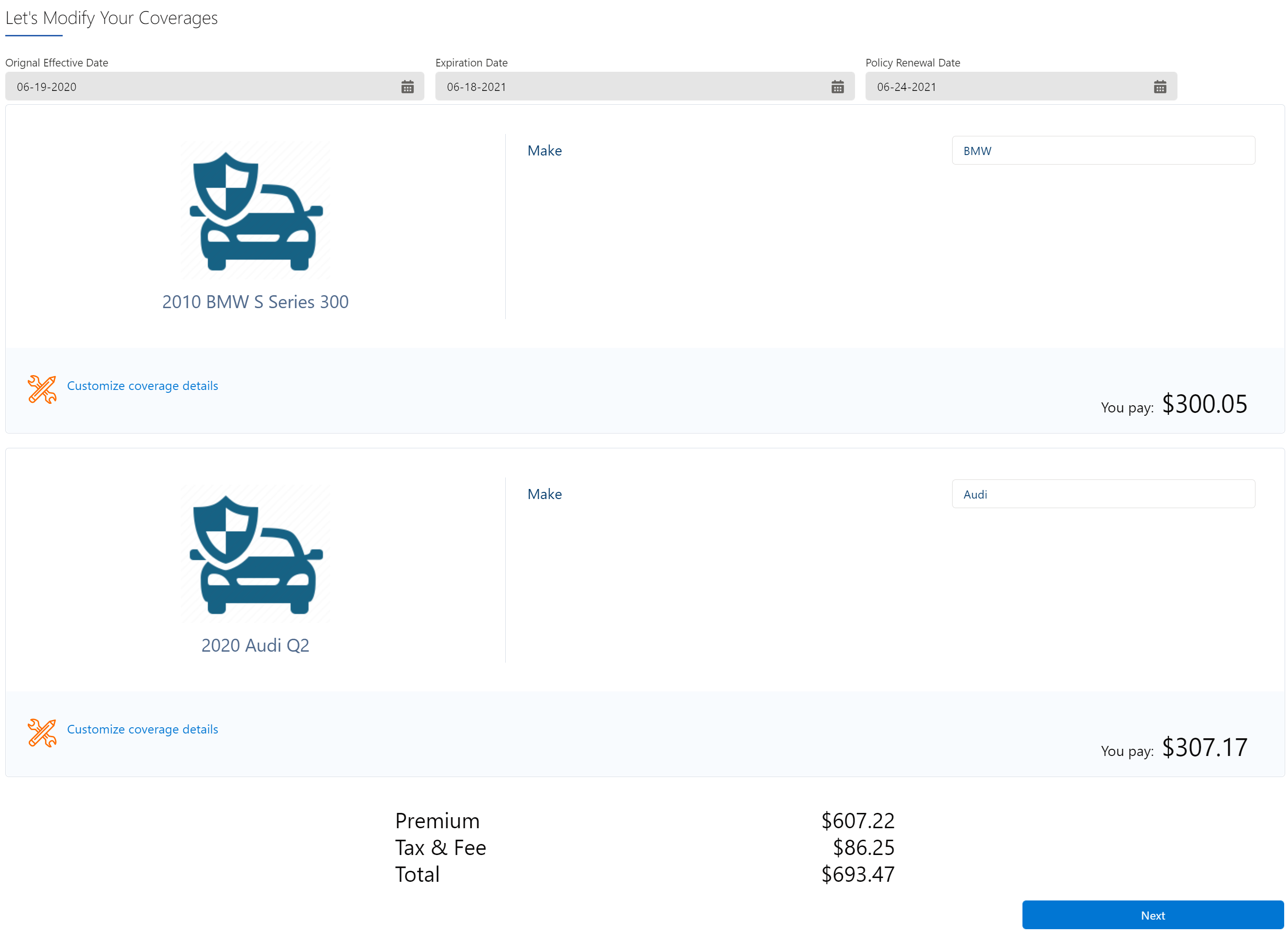
Next, you can modify the coverages if you'd like. When you're done,
click Next.
-
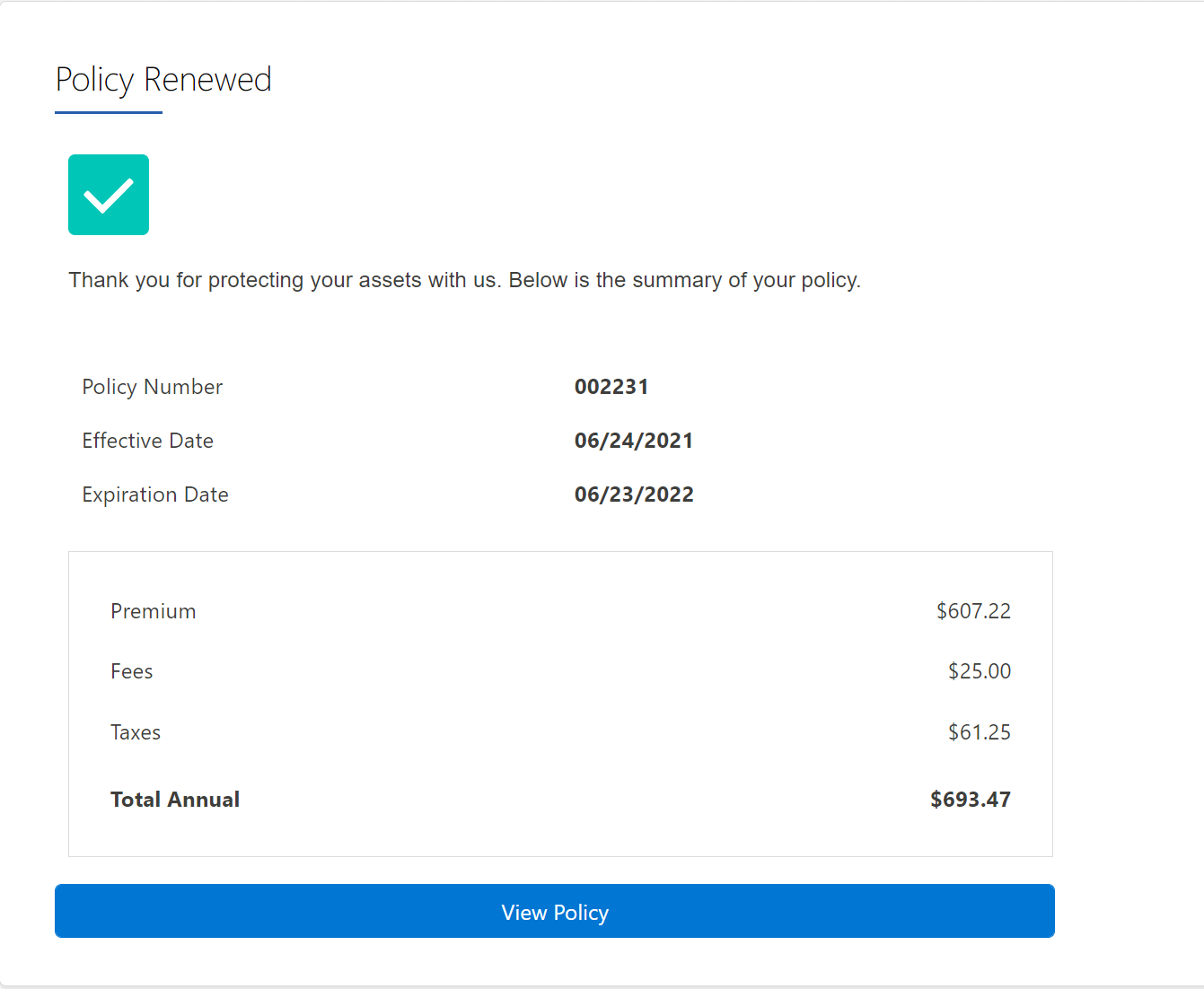
That's really all there is to it! The policy is renewed. To see the
new policy, click View Policy.
Did this article solve your issue?
Let us know so we can improve!
