You are here:
Auto Claims Initiate Recovery
Claims adjusters have the responsibility of deciding how much money can be given for each claim. With the Claim Adjuster App, users can now quickly create a recovery record from the claim record.
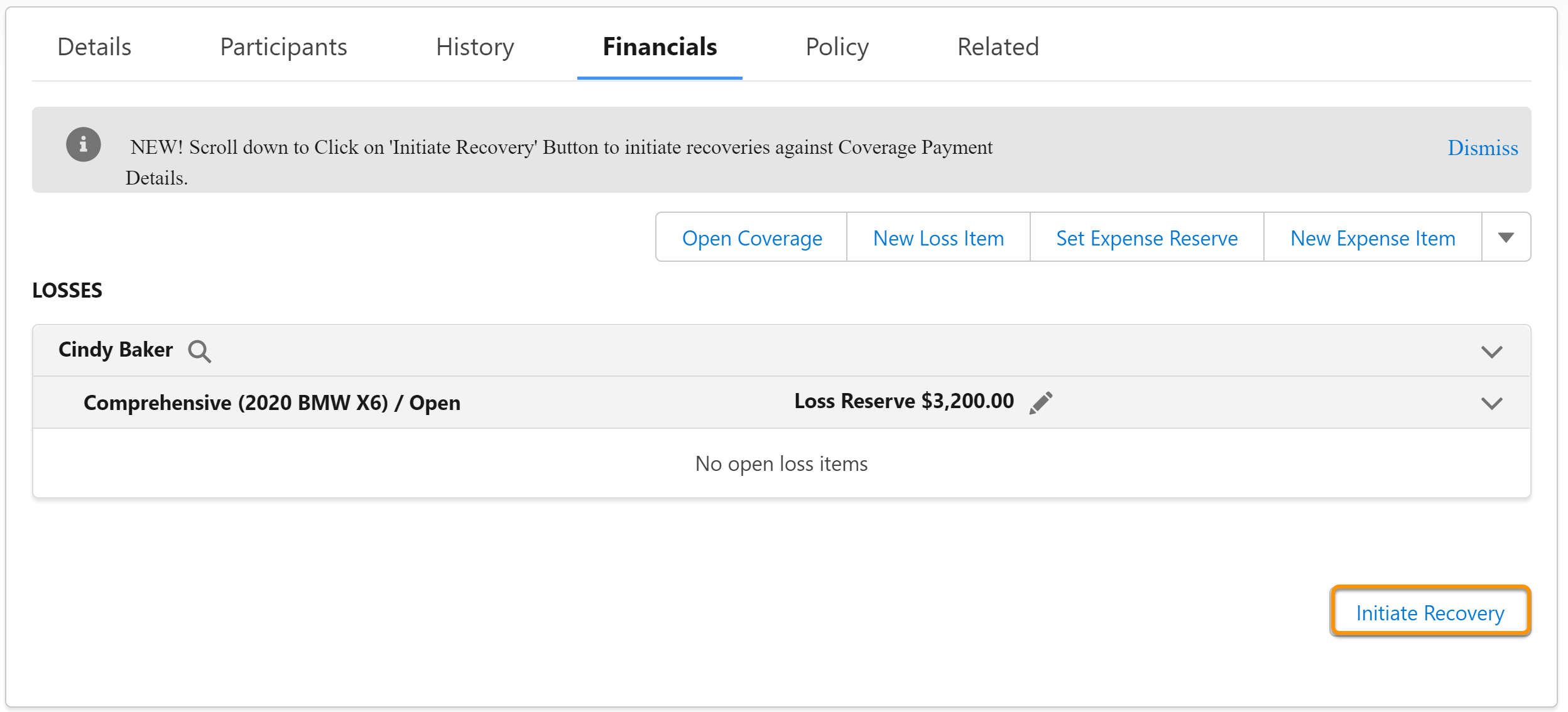
- Navigate to the Financials tab of the claim record.
-
Click Initiate Recovery.
-
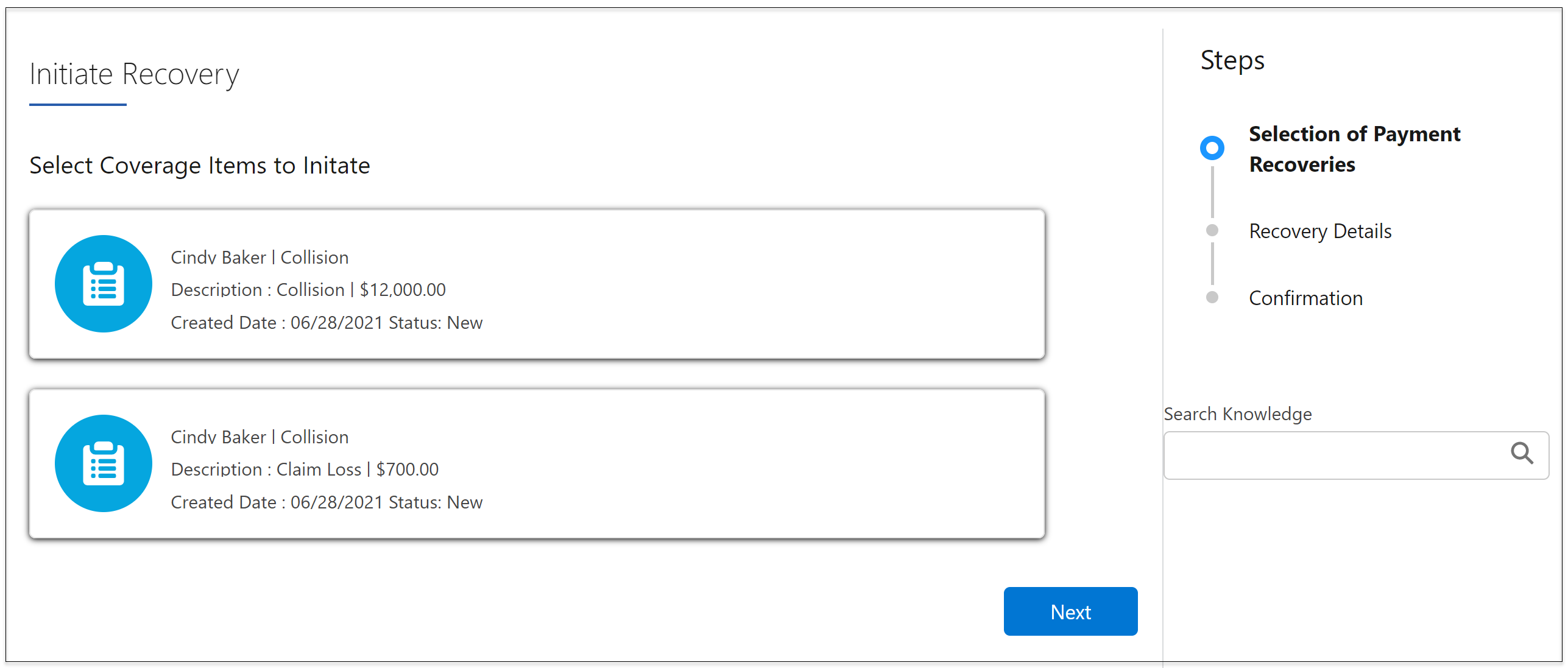
Select the coverages to initiate recovery and click
Next.
-
Select the coverage to add recovery details, and click
Save. When you're done, click
Next.
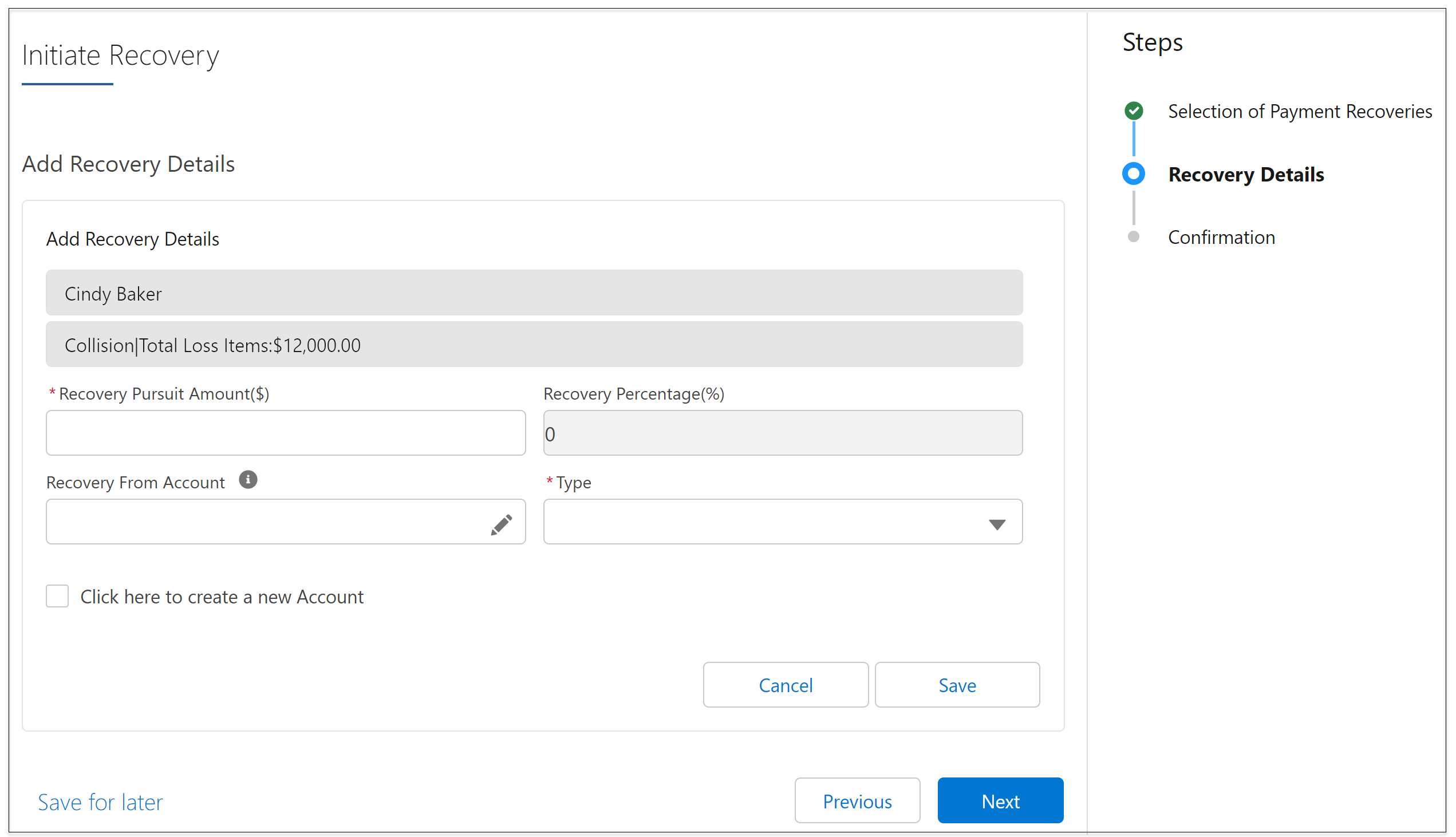
- That's it! The recovery is initiated and you see a confirmation.
- Now navigate to the Related on the claim record and scroll down to Claim Recoveries.
-
Select the claim recovery record you just created and click the pencil
icon in the Recovered Amount field.
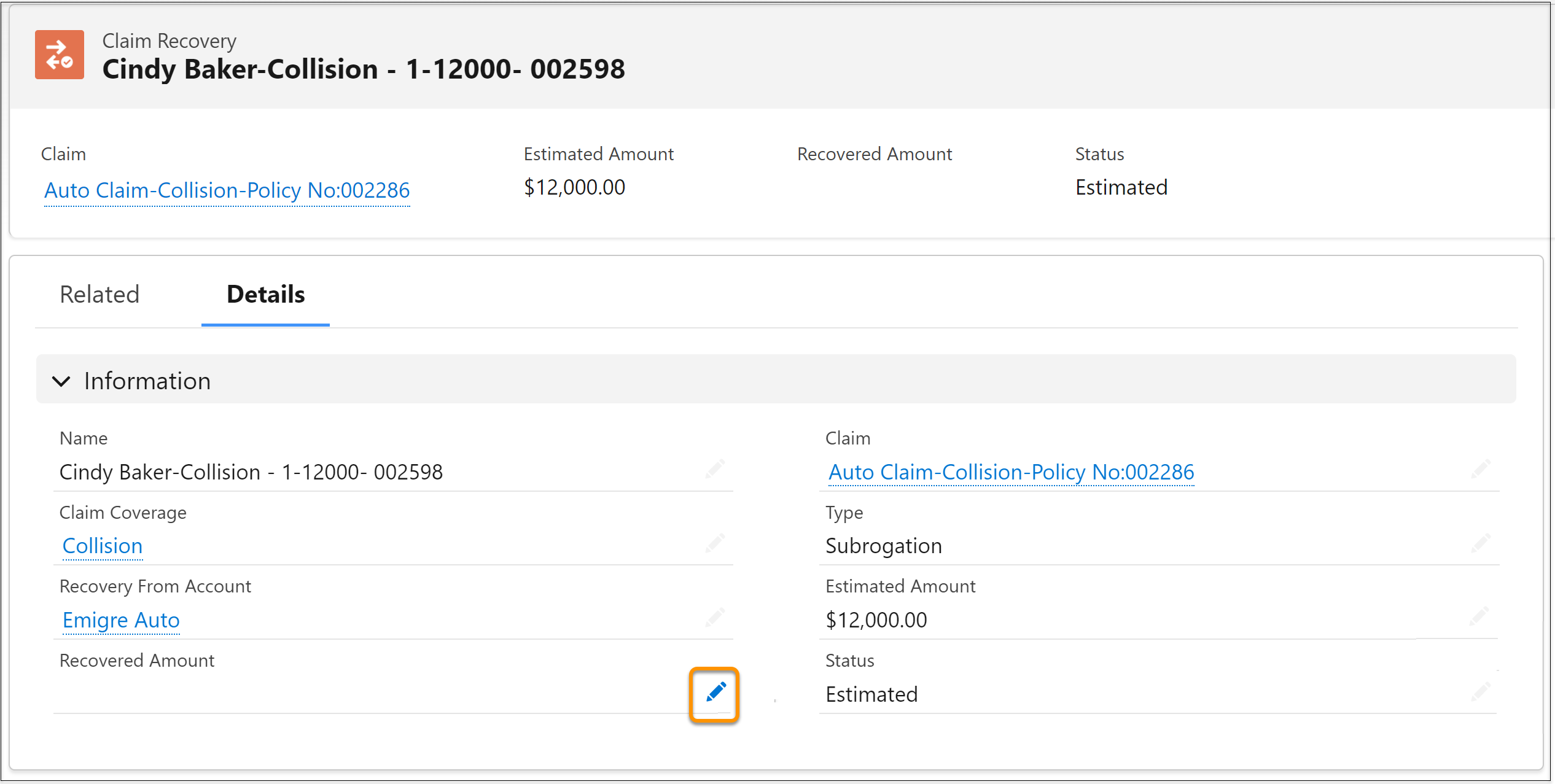
- Enter the recovered amount and click Save.
-
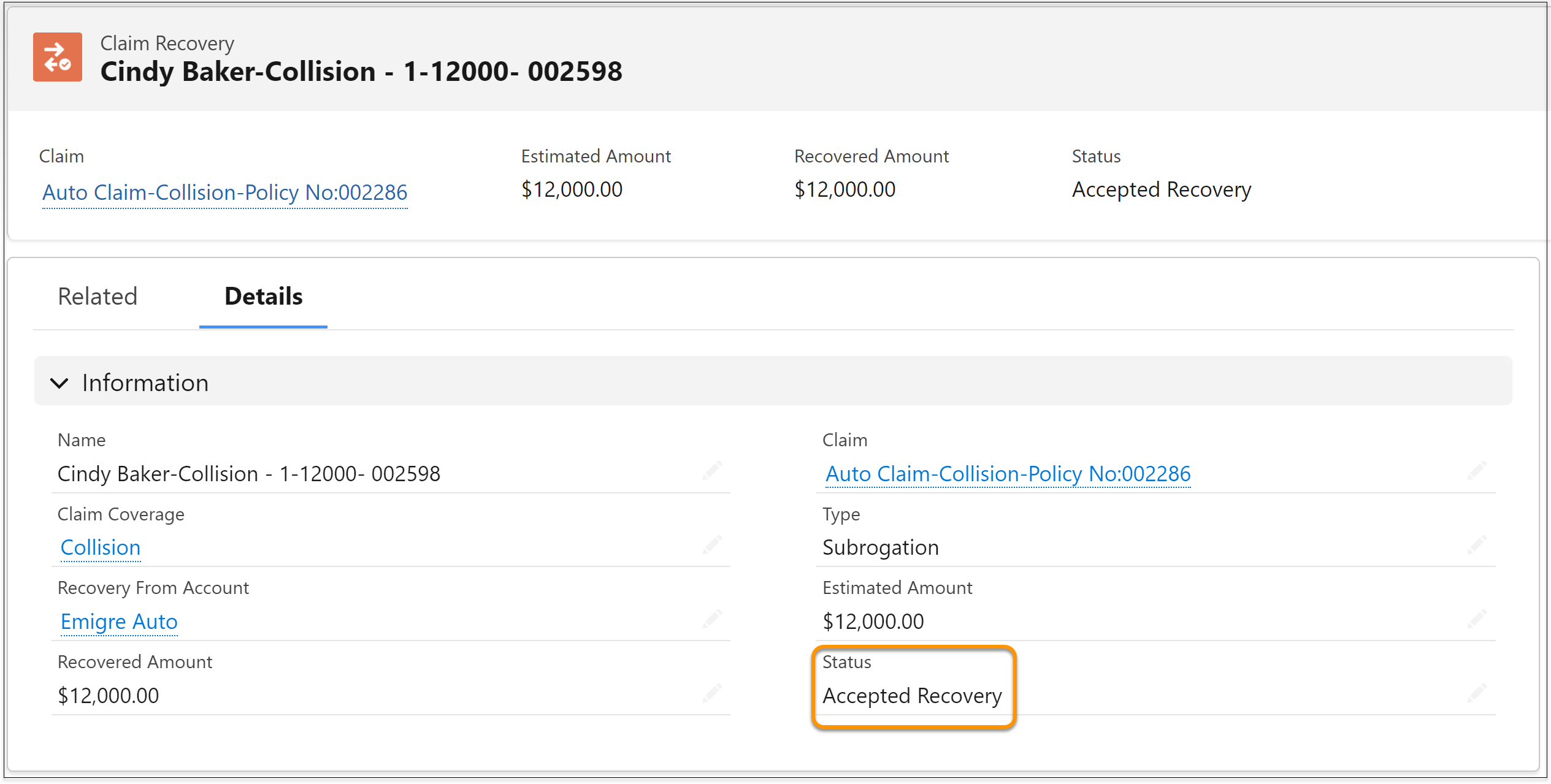
If the recovered amount is equal to the estimated amount, the Status
changes to Accepted Recovery.
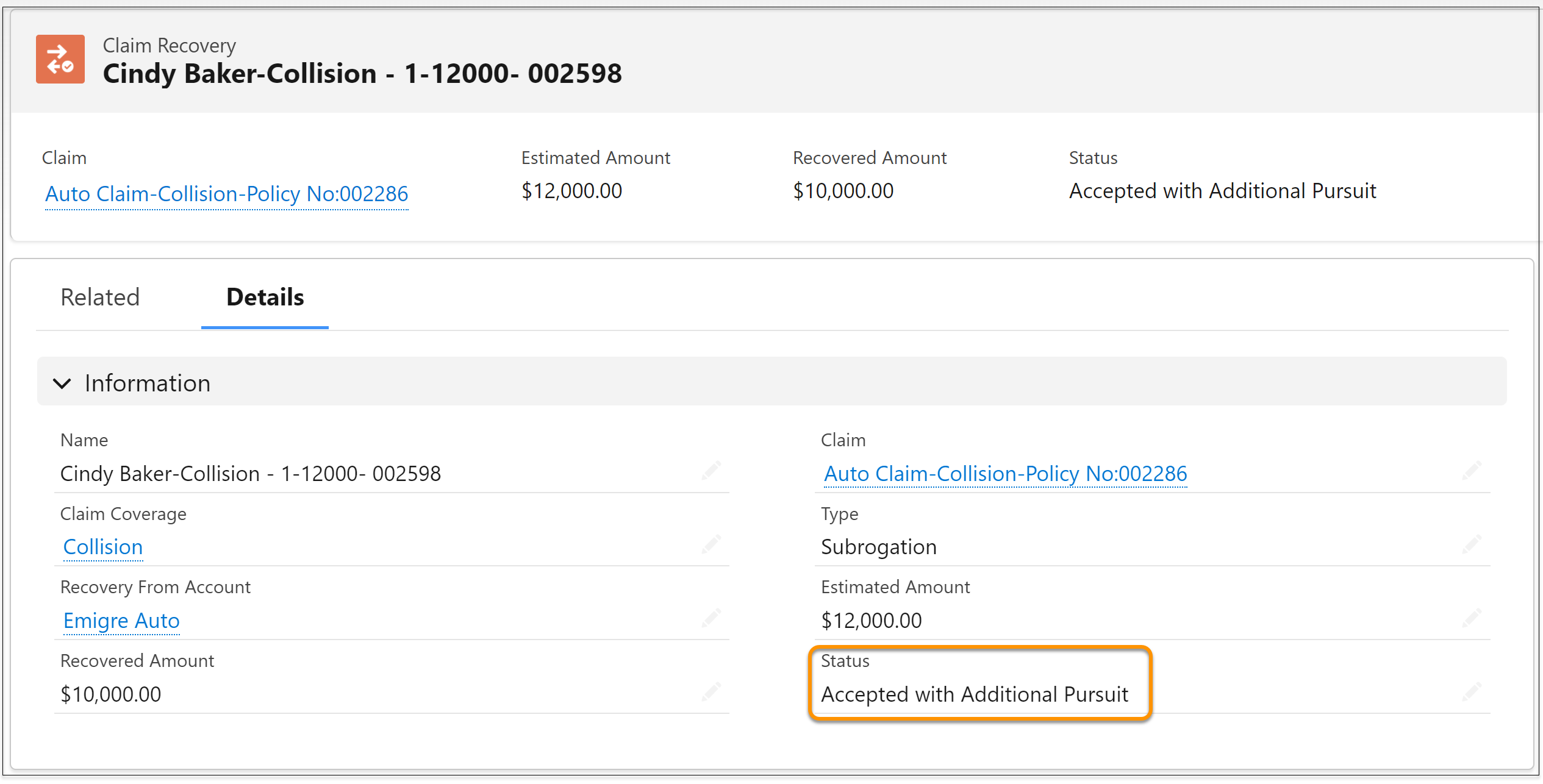
If the recovered amount is less than the estimated amount, the Status changes to Accepted with Additional Pursuit.
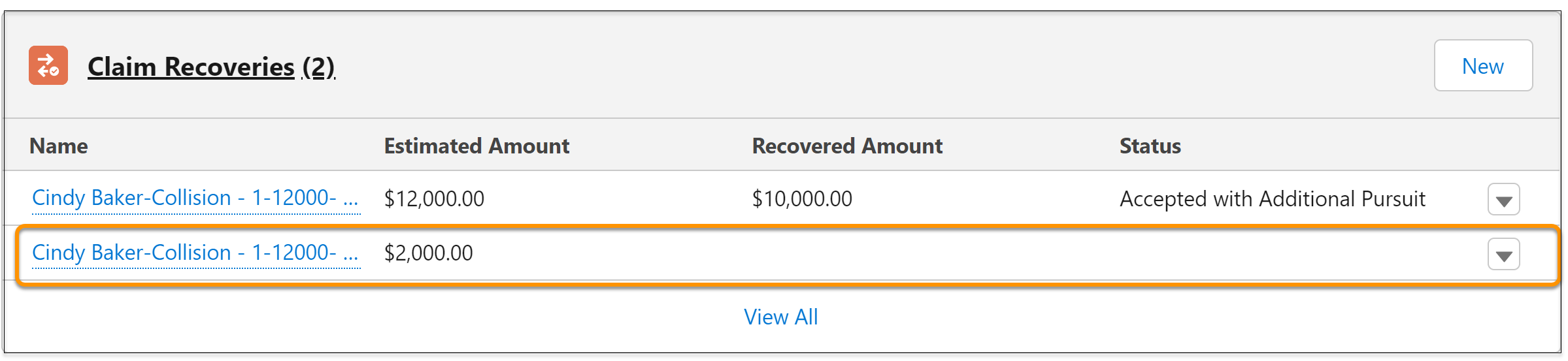
The system automatically creates a new record for the amount that still needs to be recovered. You can edit this record again to enter the recovered amount and update the status.
- How Auto Claims Initiate Recovery Works
The claim recovery workflow is built using the ClaimRecovery OmniScript. You can find this OmniScript in OmniStudio OmniScripts under Type/Subtype: ins/ClaimRecovery and OmniScript Name: ClaimRecovery.
Did this article solve your issue?
Let us know so we can improve!
