You are here:
Auto Quote OmniScript
Look under the hood of the Auto quote process with details of the quote OmniScript.
For details of the quoting flow for Commercial Auto products, see the Commercial Quote Business Process.
All our screenshots are currently in Lightning style. Your spin may look different because it's using the Newport style in the Broker Portal and Customer Portal.
The name of the auto quote OmniScript is:
-
List name: auto/Quote
-
OmniScript Name: Auto Quote
You can launch this OmniScript from the following applications, where it can be accessed by the types of users described:
-
Broker Portal (Newport)
For use by brokers and agents
-
Interaction Console (Lightning)
Internal insurance agent
-
Vlocity Admin Lighting Experience (Newport)
-
Internal insurance agent
-
Vlocity admin
-
The process flow for this OmniScript looks like this:
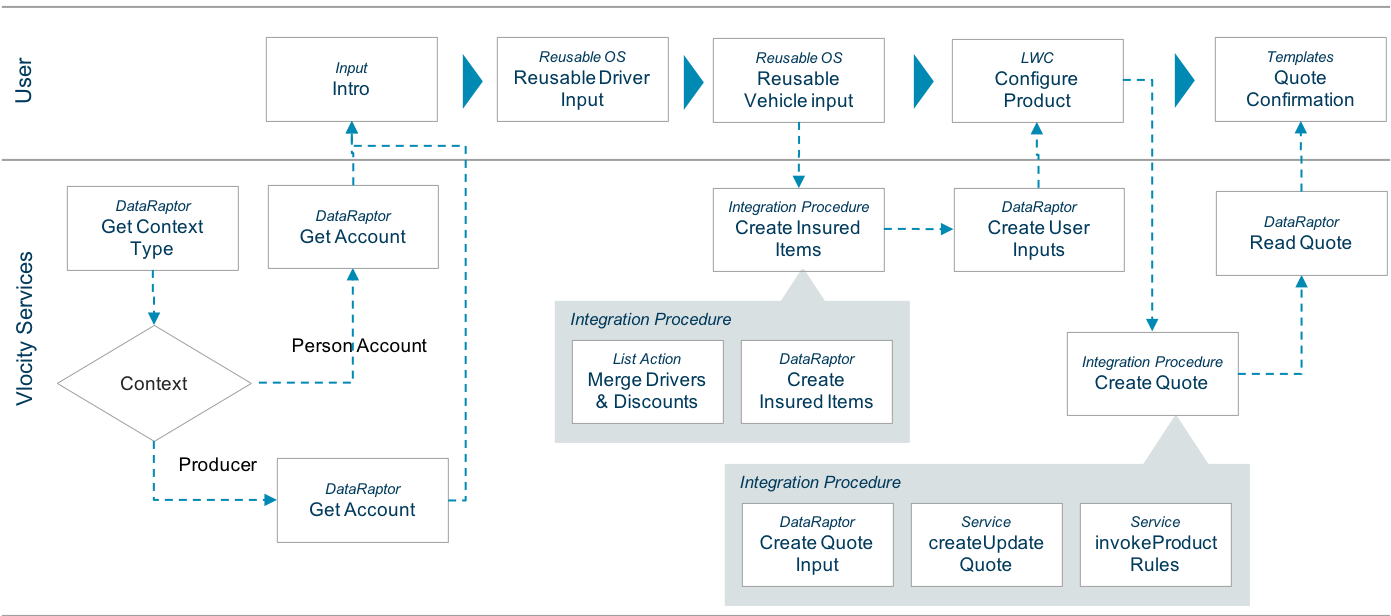
The Auto Quote OmniScript calls two other OmniScripts. The first of these is the ReusableDriverInput OmniScript. It has its own process flow, which looks like this:
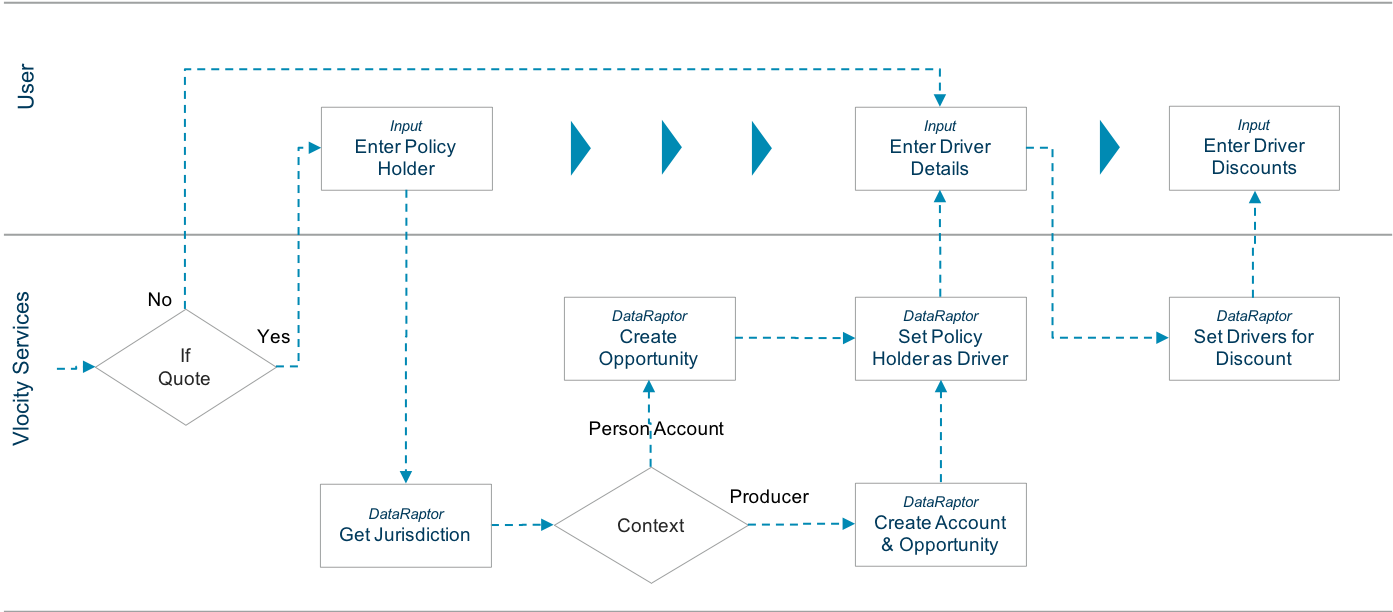
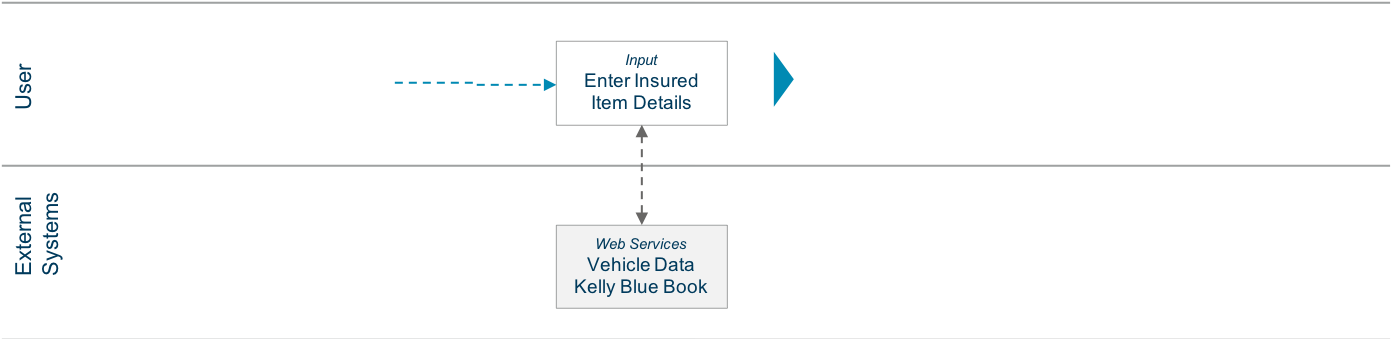
The second OmniScript called by the Auto Quote OmniScript is the ReusableVehicleInput OmniScript. Its process flow looks like this:
- How Auto Quote OmniScript Works
This section describes how someone who goes through the Auto Quote OmniScript to create a quote will see and interact with it. - What's in Auto Quote OmniScript
The Auto Quote is LWC Enabled. It's built using LWCs you can learn about in.Insurance Lightning Web Component UI Development Kit
