You are here:
autoRateVehicles
This calculation procedure rates all vehicles to be insured.
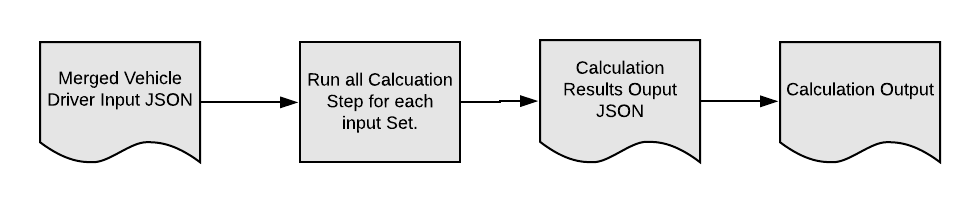
It includes variables, constants, and calculation steps. Some of those calculation steps are matrix lookups that call specific calculation matrices.
We expect that you'll create your own calculation procedure to rate vehicles for your auto insurance products. You can use autoRateVehicles as a model, and make changes to it so you can see how calculation procedures work.
The meat of the calculation procedure is its calculation steps. Here's what each step of the autoRateVehicles calculation procedure does:
-
Does a matrix lookup on the value of the car.
-
Does a matrix lookup on the car symbol.
-
Does a matrix lookup on the year of the car.
-
Does a matrix lookup to see if the car uses alternative fuel.
-
Does a matrix lookup to see whether the car has stability controls.
-
Does a matrix lookup to see whether the car has anti-theft protection.
-
Does a matrix lookup to see whether the car has anti-lock brakes.
-
Calculates the Bodily Injury & Property Damage.
-
Calculates the Uninsured Motorist.
-
Calculates the Medical payments.
-
Calculates the CCD.
-
Calculates the Collision.
-
Does a matrix lookup for the Collision deductible.
-
Does a matrix lookup for the Uninsured Motorist.
-
Does a matrix lookup for the Medical payment limit.
-
Does a matrix lookup for a Bodily Injury & Property Damage.
-
Does a matrix lookup to get the CCD deductible.
-
Calculates the Bodily Injury & Property Damage coverage premium.
-
Calculates the premium for Uninsured Motorist coverage.
-
Calculates the Medical payments premium.
-
Calculates the premium for CCD coverage.
-
Calculates the premium for Collision coverage.
-
Calculates the premium for Rental Car coverage.
The calculation matrices called by autoRateVehicles are:
Calculation Matrix Name |
Description |
|---|---|
autoCarAltFuel |
Handles customer input that says whether a car uses alternative fuels or not. Takes a true or false input, and returns percentage outputs. Cars with alternative fuels rate out at lower prices than cars without. |
autoCarBrakes |
Handles customer input that says whether a car has anti-lock brakes or not. Takes a true or false input, and returns percentage outputs. Cars with anti-lock brakes rate out at lower prices than cars without anti-lock brakes. |
autoCarStability |
Handles customer input that says whether a car has anti-lock brakes or not. Takes a true or false input, and returns a percentage output. Cars with stability control rate out slightly lower than cars without it. |
autoCarSymbol |
Takes a numeric input. Returns percentage outputs. |
autoCarTheft |
Handles customer input that says whether a car has an antitheft device or not. Takes a true or false input. Returns a percentage output. |
autoCarValue |
Takes a numeric input. Returns numeric and percentage outputs. |
autoCarYear |
Handles customer input of the car's year. Takes a numeric input. Returns percentage outputs. |
autoDeductCCD |
Handles the deductible a customer chooses. Takes a numeric input. Returns a percentage output. The higher the deductible chosen, the lower the rating. |
autoLimitBIPD |
Handles limits for bodily injury and property damage a customer chooses. Takes numeric inputs. Returns a percentage output. |
autoLimitMED |
Handles the limit a customer chooses for medical expenses. Takes a numeric value. Returns a percentage output. The higher the limit chosen, the higher the rating. |
autoLimitUM |
Handles the limit for uninsured motorists a customer chooses. Takes a split numeric value. Returns a percentage output. |
deductCOLL |
Handles the deductible a customer chooses for collision coverage. Takes a numeric value. Returns a percentage output. |
You can (and probably will) make changes to these calculation matrices to reflect the ratings for your auto insurance products.
To learn how to work with calculation matrices, see https://help.salesforce.com/s/articleview?id=xcloud.os_calculation_matrices.htm&type=5.
To learn the basics about Vlocity Insurance rating procedures for pricing insurance products, see Learn About Rating Procedures.
