You are here:
Batch Load Attribute Rules
You can write scripts to batch load attribute rules directly into the database.
-
PCI IDs for all coverages you want to add rules to on coverages, insured items, and insured parties
or
Product IDs for all coverage specs, insured items, and insured parties you want to add rules to
-
Product IDs for all root products with product-level attributes you want to add rules to
-
AttributeUniqueCodes for the attributes you want to add rules to
-
Values or conditions the rule will apply to
-
Type of each rule
-
Definition of each rule
-
Result of the rule evaluating true and false
When you create your script, make sure of the following:
-
Attribute rule data is stored in the
AttributeAssignment__c.RuleData__cfield -
Set
HasRule__cto true

Hide Rule Structure
In the UI, a hide rule looks like this:
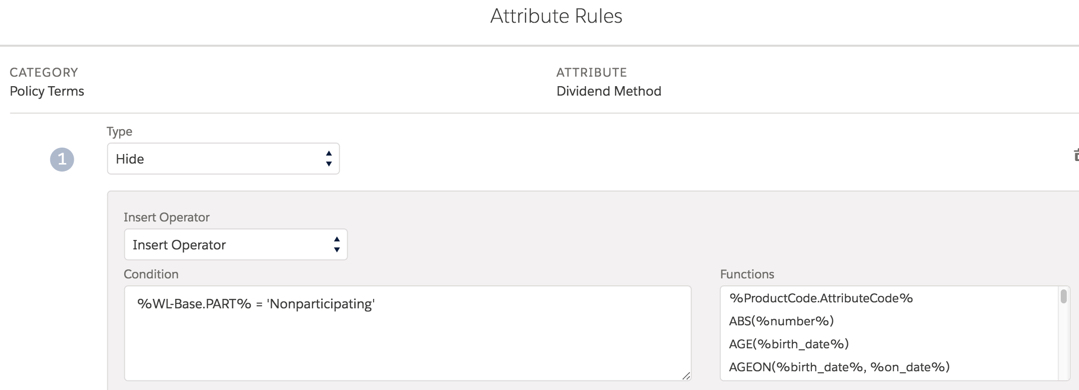
For hide rules, the following information is stored in the
AttributeAssignment__c.RuleData__c field:
[{
	"ruleType": "Hide",
	"messageType": {},
	"expression": "%ARF.Deductible% == 500",
	"messageText": ""
}]
For the expression, enter the condition under which the rule will evaluate to true and Vlocity will hide the attribute from the user. You can use any valid expression put together using standard formula syntax.
Set Value Rule Structure
In the UI, a set value rule looks like this:
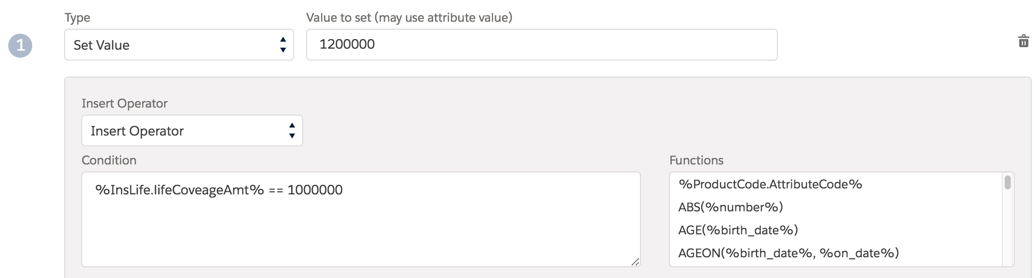
For set value rules, the following information is stored in the
AttributeAssignment__c.RuleData__c field:
[{
	"ruleType": "Set Value",
	"messageType": {},
	"expression": "%InsLife.lifeCoveageAmt% == 1000000",
	"messageText": "",
	"valueExpression": "1200000"
}]
For the expression, enter the condition under which the rule will evaluate to true. You can use any valid expression put together using standard formula syntax.
The valueExpression is the value you want Vlocity to set if the
rule condition in the expression field is met. valueExpression can be a
constant or formula.
Message Rule Structure
In the UI, a message rule looks like this:
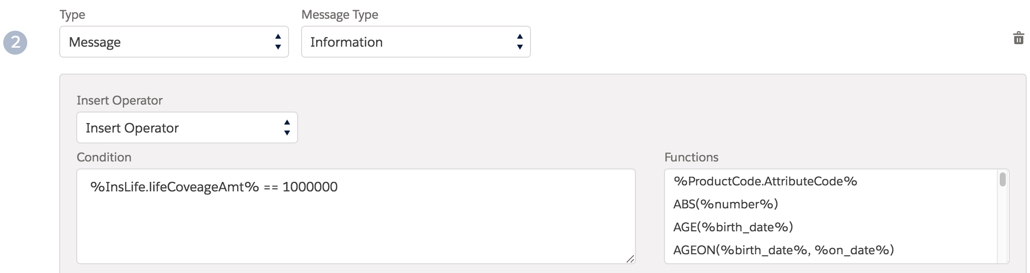
For message rules, the following information is stored in the
AttributeAssignment__c.RuleData__c field:
[{
	"ruleType": "Message",
	"messageType": {
		"code": "INFO"
	},
	"expression": "%InsLife.lifeCoveageAmt% == 1000000",
	"messageText": "Maximums is auto set to $1200000 because Coverage Amount is $250000"
}]
For the expression, enter the condition under which the rule will evaluate to
true and the display the message set in the messageText field to the
user. You can use any valid expression put together using standard formula syntax.
