You are here:
Bulk Enroll Members
You can bulk enroll up to 10,000 census members into their selected plans and policies.
After you upload the group census data, click Enroll.
The InsEnrollmentServiceStd:enrollMembersAsync service creates policies for
the group census members and calculates the employer contribution based on the group
class specified for the primary members. To learn about the other tasks the service
performs, see InsEnrollmentServiceStd:enrollMembersAsync. To learn about how the employer contribution is calculated
for the created policies, see Configure Data to Populate Employer Contribution in Policy Records.
A message confirms that the enrollment request has been initiated and provides a request ID.
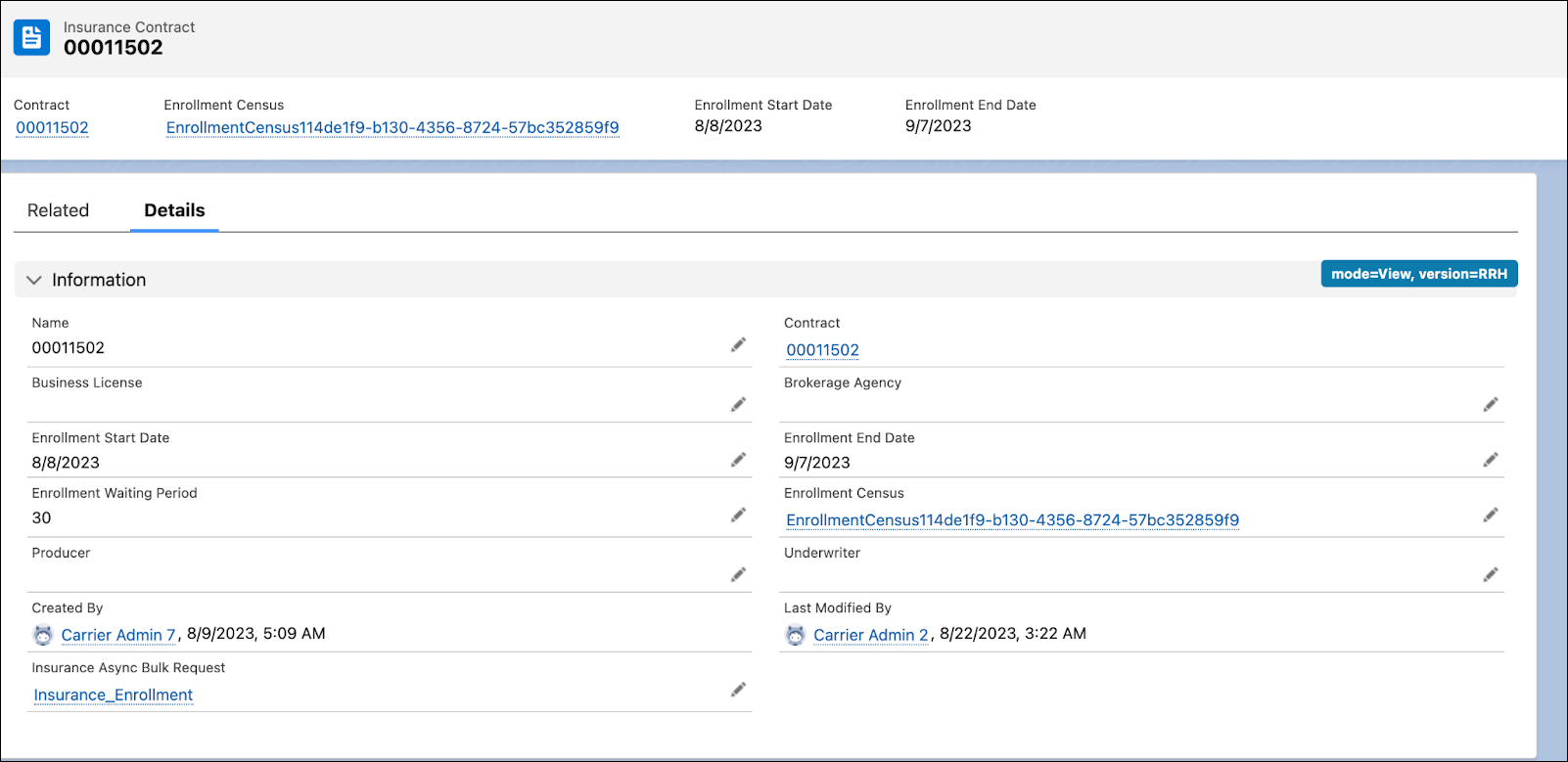
On the Insurance contract, the custom Insurance Async Bulk Request field shows the request ID link, and the Enrollment Census field shows the census ID of the census object with the uploaded members.
- Bulk Enrollment Errors
The most common errors in asynchronous census enrollment occur because of incorrect or incomplete input in the census. But flow configuration and exceptions can also cause asynchronous rating errors. The batch job status can help you locate where in the enrollment process an error happened. - Error Handling for Bulk Enrollment
During the bulk enrollment process, errors may occur during a CSV file upload or because of missing or inaccurate data processes by asynchronous enrollment job. Get notified when the enrollment is completed and receive a list of errors if enrollment couldn't be completed.
