You are here:
Business Owners Quote OmniScript Flow
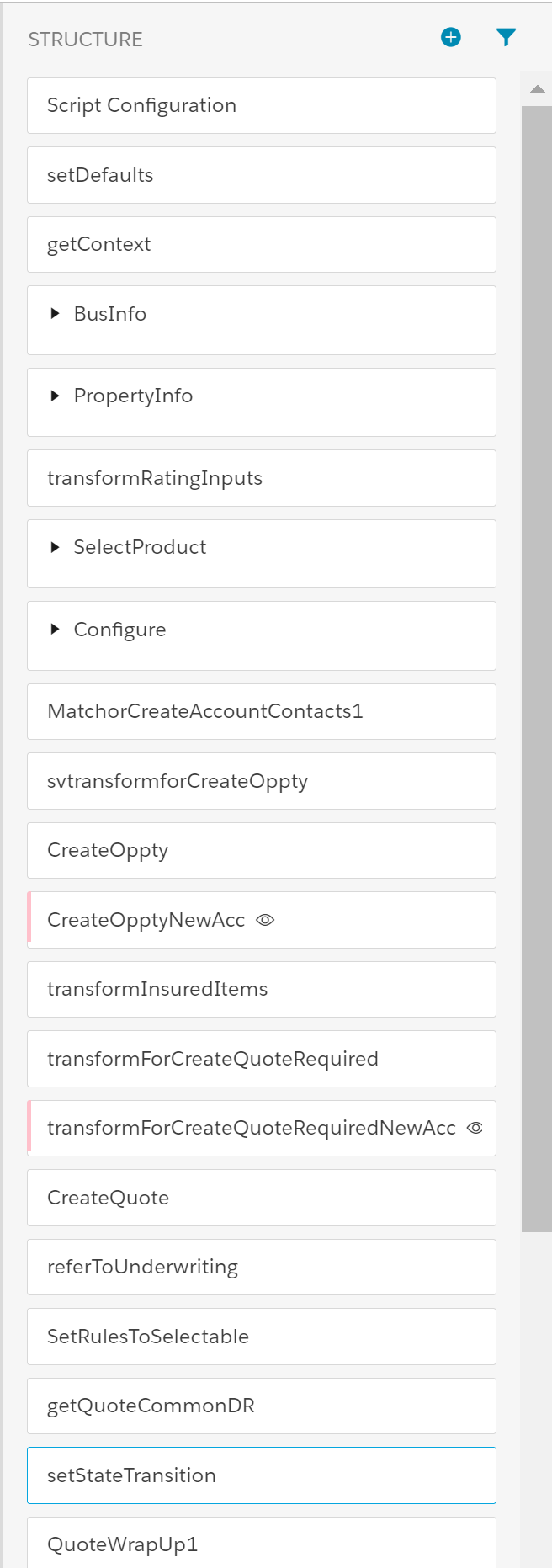
The quoting flow for Business Owners' insurance is run by the BOP Quote OmniScript. Depending on the user, this OmniScript from be launched from different applications.
The business owners quote for Economy and Superior Business products uses the OmniScript:
-
List Name: bop/Quote
-
OmniScript Name: BOP Quote
You can launch this OmniScript from the following applications, where it can be accessed by the types of users described:
If you are: |
Launch the OmniScript from: |
|---|---|
Internal Insurance Agent |
Interaction Console (Lightning) Vlocity Admin (Newport) |
Vlocity Admin |
Vlocity Admin (Newport) |
The Quote OmniScript calls two other OmniScripts:
-
MatchorCreateAccountContacts1
-
QuoteWrapUp
For information on the quoting process for Essential Business Product, see the Commercial quoting process.
How Business Owners Quote OmniScript Flow Works
Let's go through what users interacting with the Business Owners Quote OmniScript will see.
The workflow starts with providing basic business information. The Effective Date defaults to today but can be updated.

Next, the user enters information about the business to be insured.

You can click AutoFill on any page to fill out data quickly when you test this OmniScript.

The user then has to pick a base package. The data collected so far maps to the attribute values defined on the product model. This data is transformed into a format that is expected by the get rated products service to calculate the product prices.

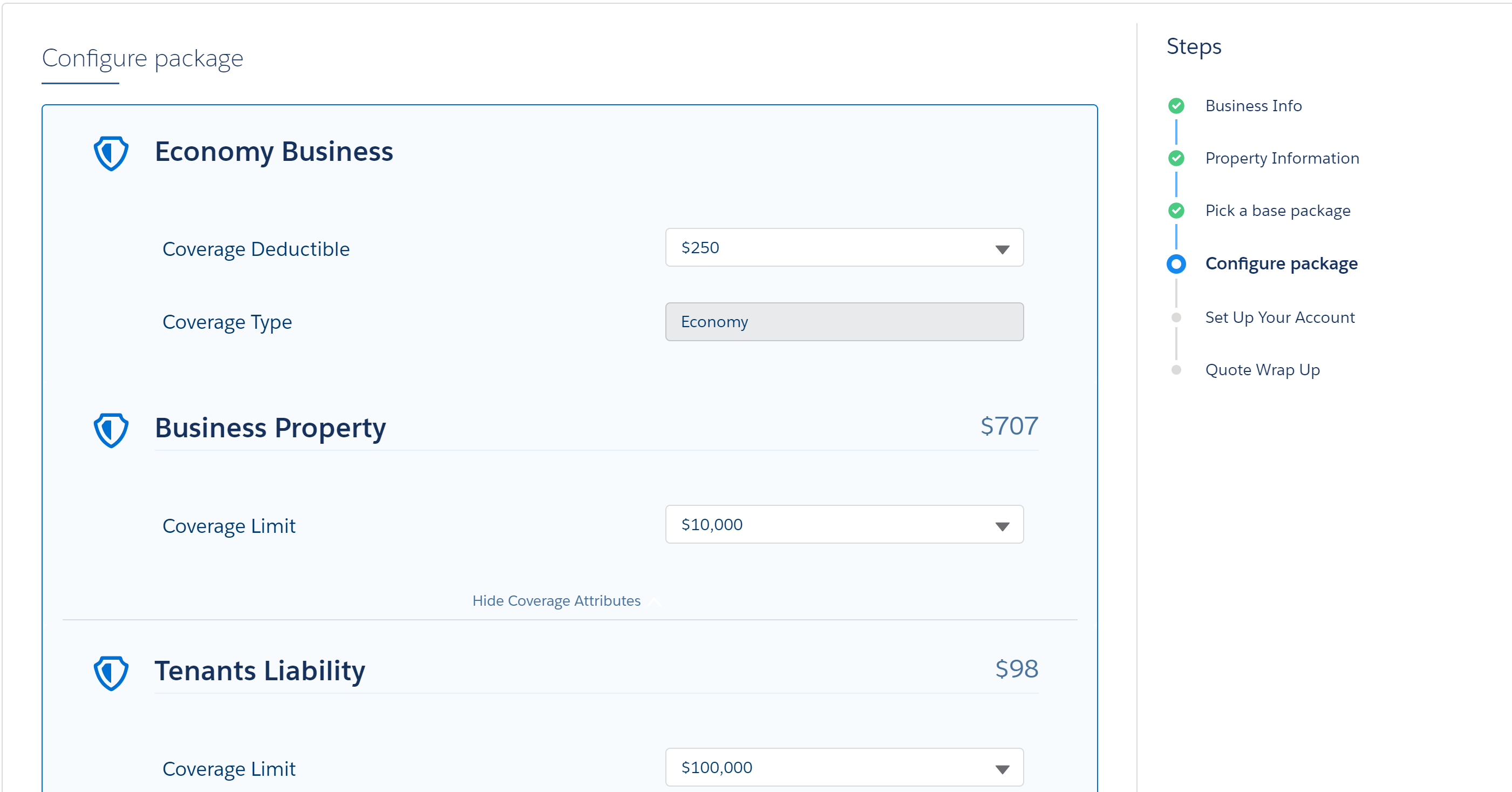
Now it's time to review the coverages, make changes to any of the values, and add, remove, or modify values on optional coverages. If you make any changes here, the reprice service is invoked that then returns the updated prices.
Then the user sets up their account by either searching for an existing account or creating a new one.

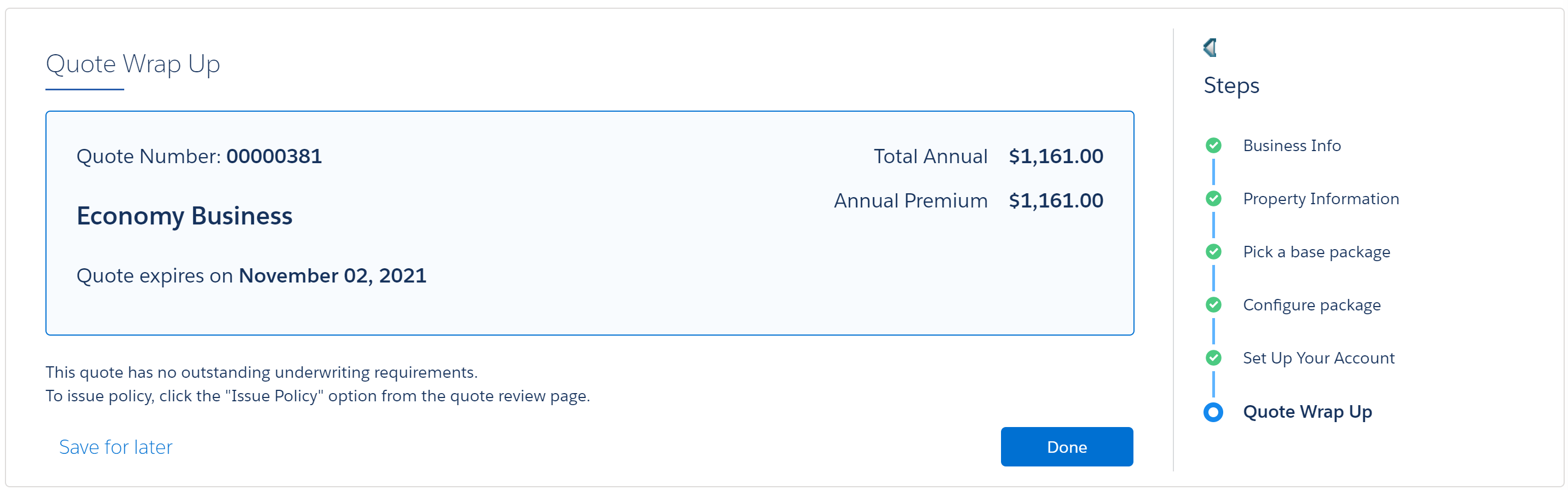
Lastly, this OmniScript calls the QuoteWrapUp OmniScript to conclude the quoting process. The UI displays the quote number, the total annual premium, and the date the quote expires.