You are here:
Configure the Bulk Enrollment OmniScript
Customize the OmniScript that guides users through uploading census data for Group Benefits bulk enrollments and that creates the related objects in the Salesforce data model.
- From the App Launcher, find and select OmniScripts.
-
Click Import and upload the sample
LGE OS.jsonfile you extracted from theLargeGroupEnrollment_Artifactsstatic resource. -
Add the Bulk Enrollment OmniScript with insOsEnrollmentCensus Lightning web component to the account page.
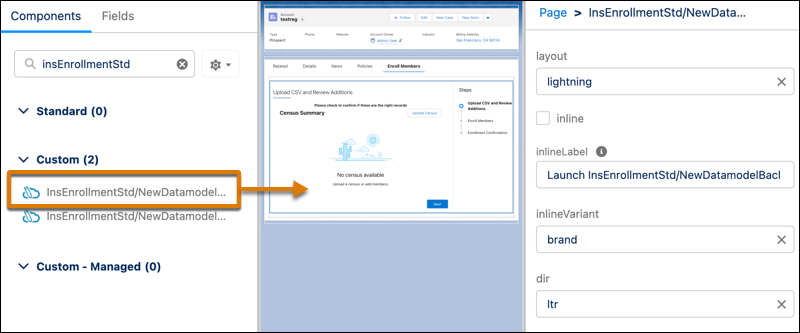
-
Open the OmniScript and reactivate it.
For new hire enrollments, also complete these steps:
-
In the imported OmniScript, for the upload step that uses insOsEnrollmentCensus LWC, add a isNewHire input property and set it to
true.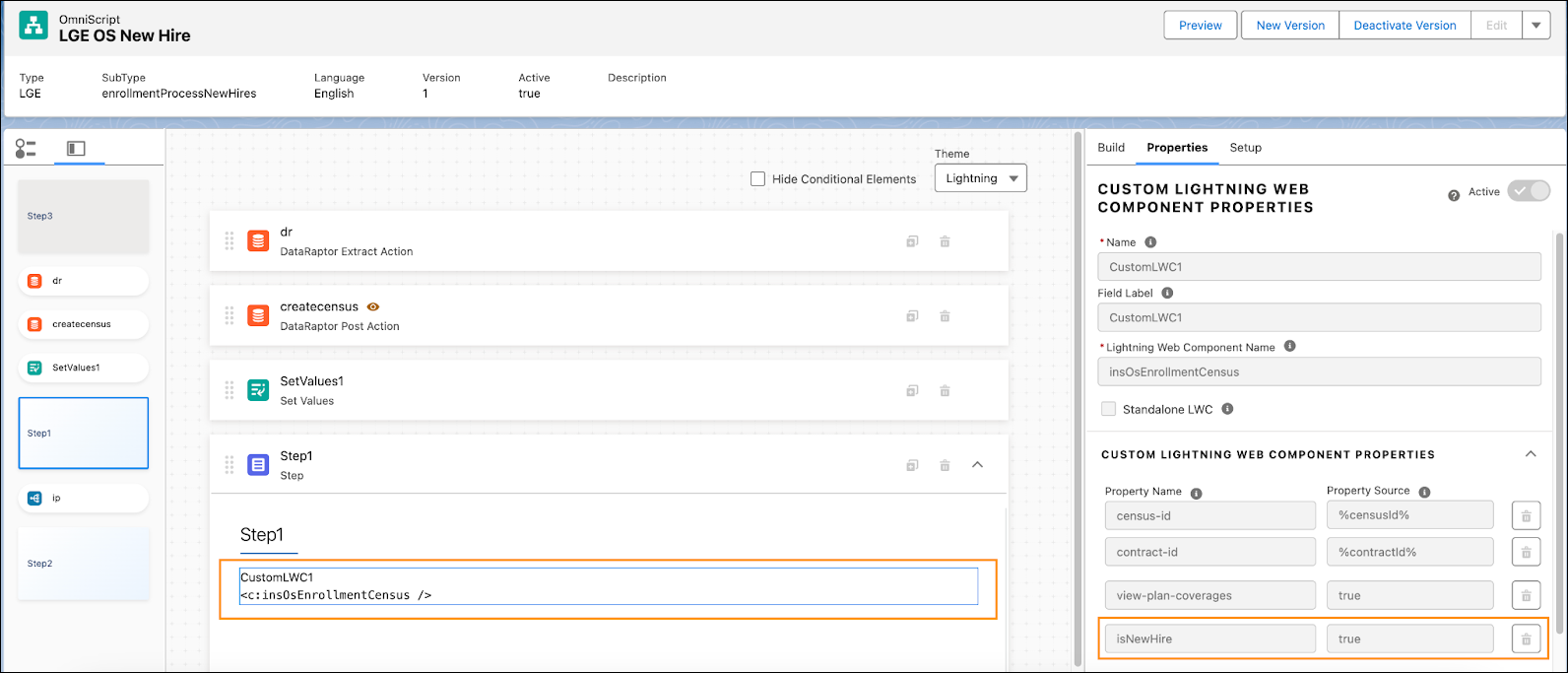
-
In the step that calls the Integration Procedure after the census upload, there's a remote action to call the
InsEnrollmentServiceStd:enrollMembersAsync. For that remote action, add a isNewHire remote action and set it totrue.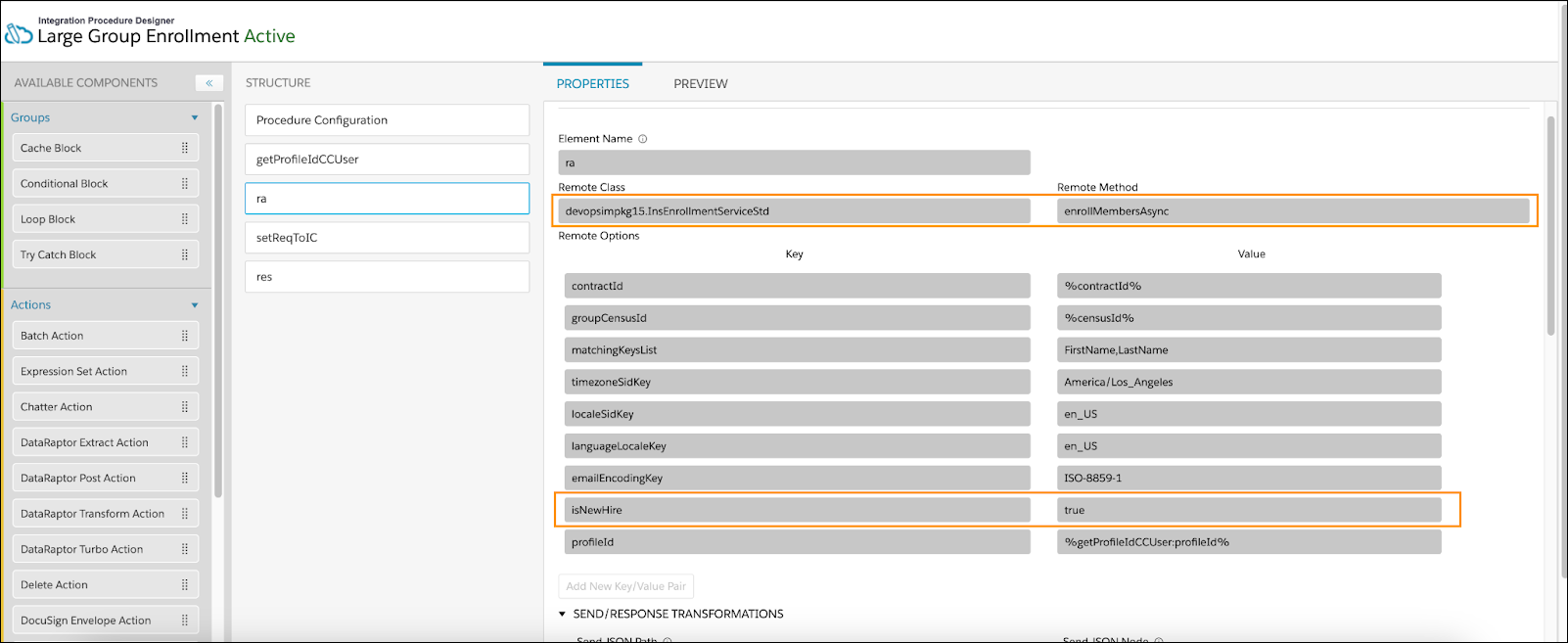
- Reactivate the OmniScript.
-
In the imported OmniScript, for the upload step that uses insOsEnrollmentCensus LWC, add a isNewHire input property and set it to
- Get to Know the Default Configuration and Possible Customization for Bulk Enrollment OmniScript
Understand the default configuration of bulk enrollment OmniScript and customize it according to your business requirement.
Did this article solve your issue?
Let us know so we can improve!
