You are here:
Configure the FlexCard to Launch New Hire Enrollment OmniScript on Group Account Page
After you configure the FlexCard to launch the New Hire Enrollment OmniScript on the Group Account page for the new hire enrollment process.
- From App Launcher, find and select Vlocity Cards.
-
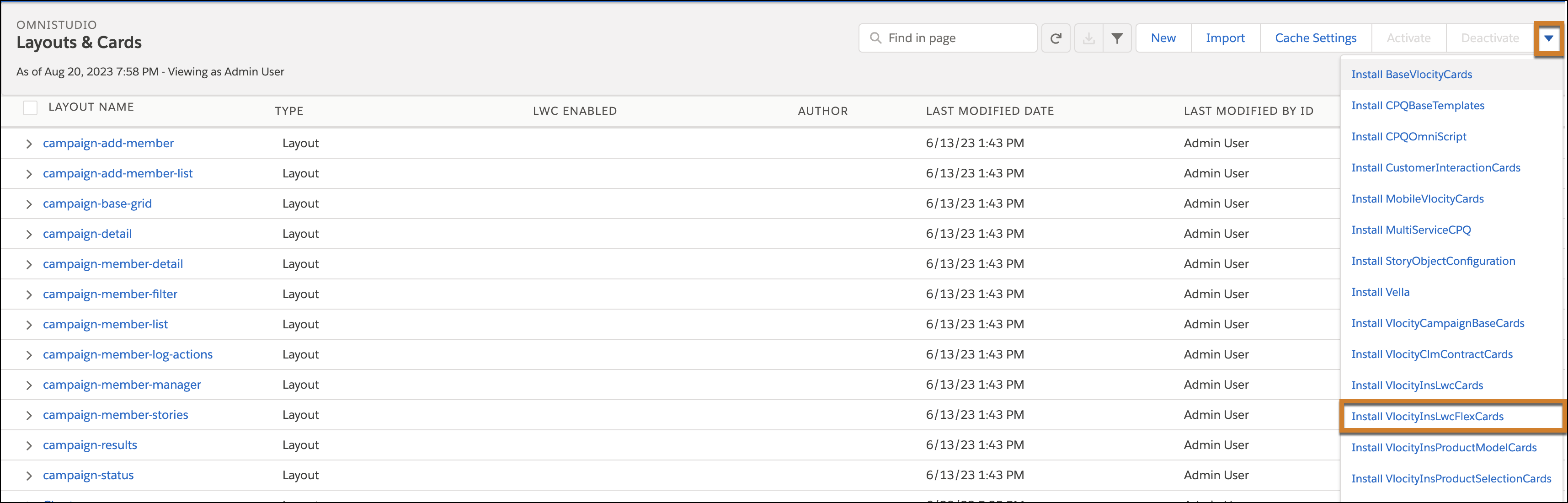
Click the action menu and then select Install VlocityInsLwcFlexCards.
-
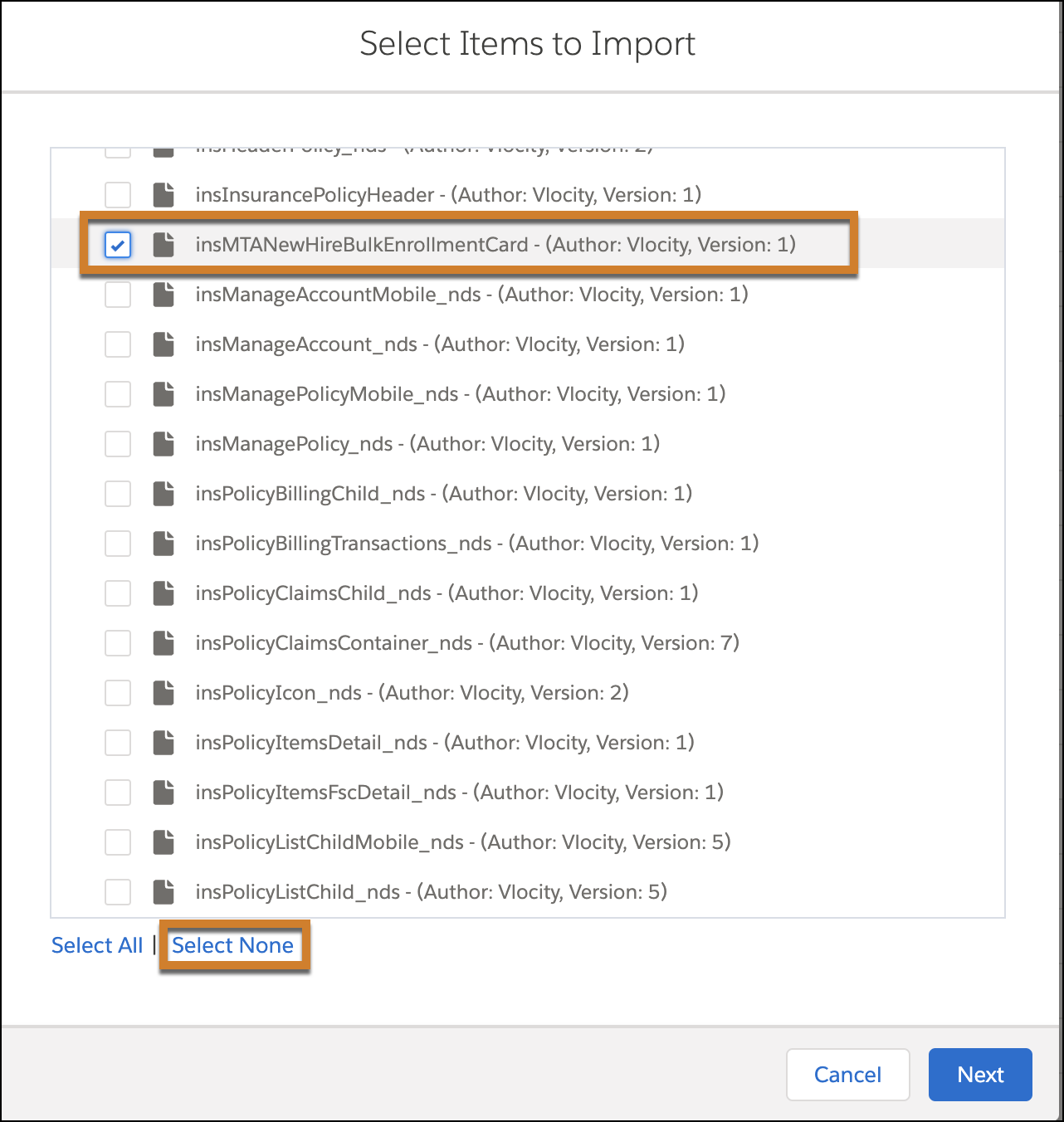
For Select Items to Import, click Select None, and then select insMTANewHireBulkEnrollmentCard.
- Click Next.
- From the App Launcher, find and select OmniStudio FlexCards.
- Click insMTANewHireBulkEnrollmentCard.
-
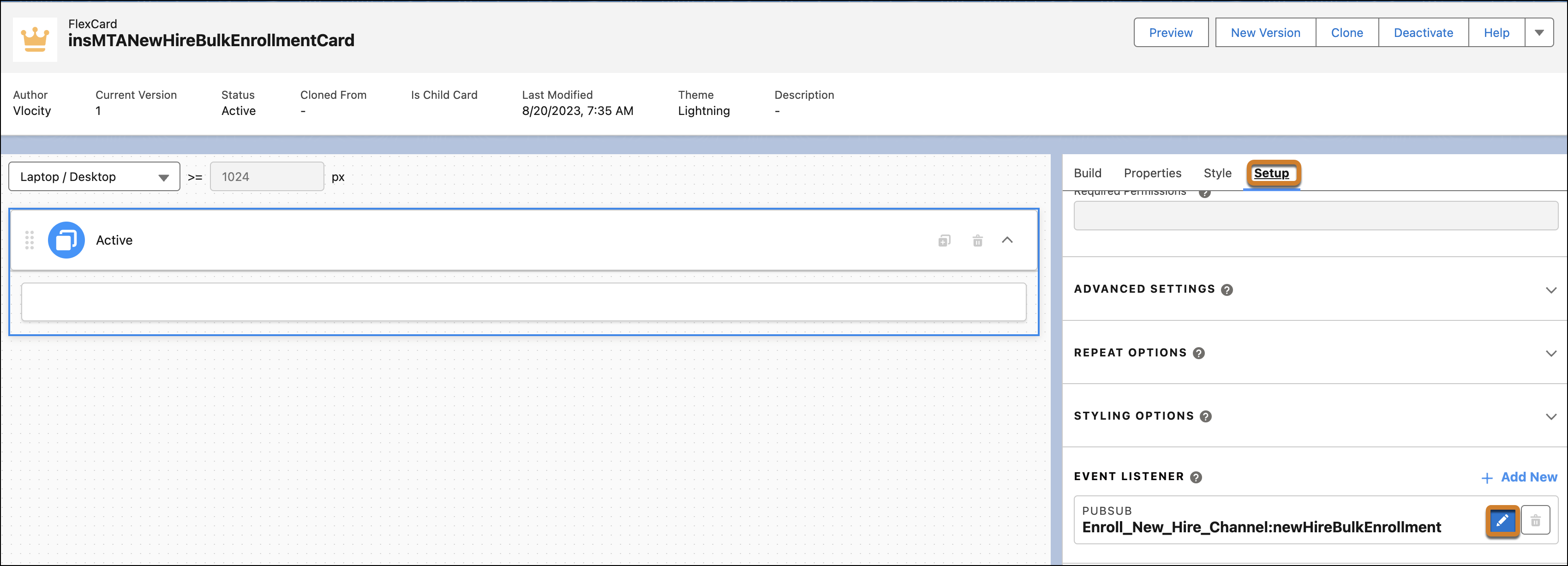
Click Setup and then click the Edit icon for Enroll_New_Hire_Channel:newHireBulkEnrollment Event Listener.
-
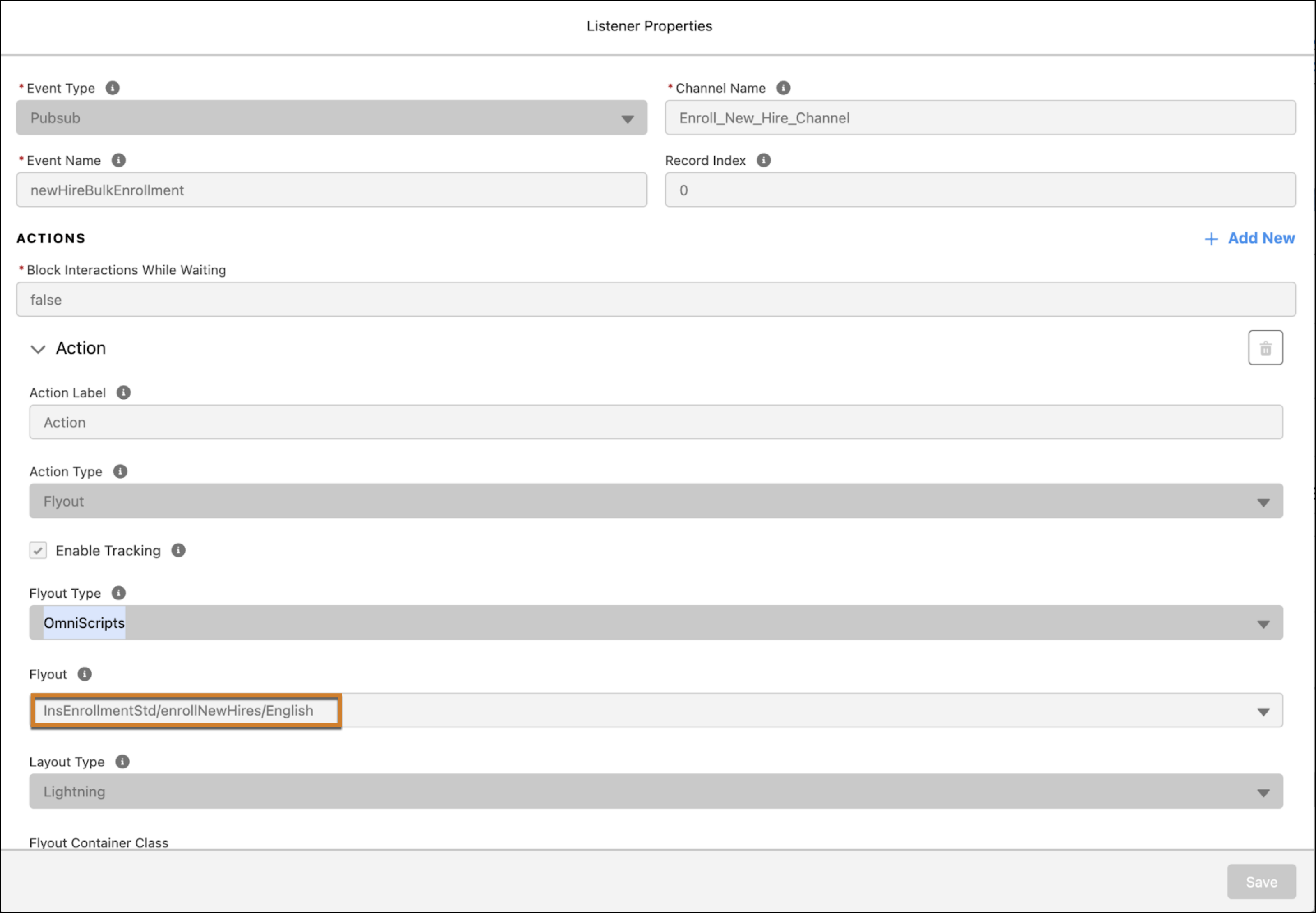
For Listener Properties, in the Flyout field, enter the New Hire Enrollment OmniScript name. Then click Save.
- Activate the card.
-
Add the card to the Account page where the Mid-Term Adjustments tab is configured. For FlexCard Name, enter insMTANewHireBulkEnrollmentCard.
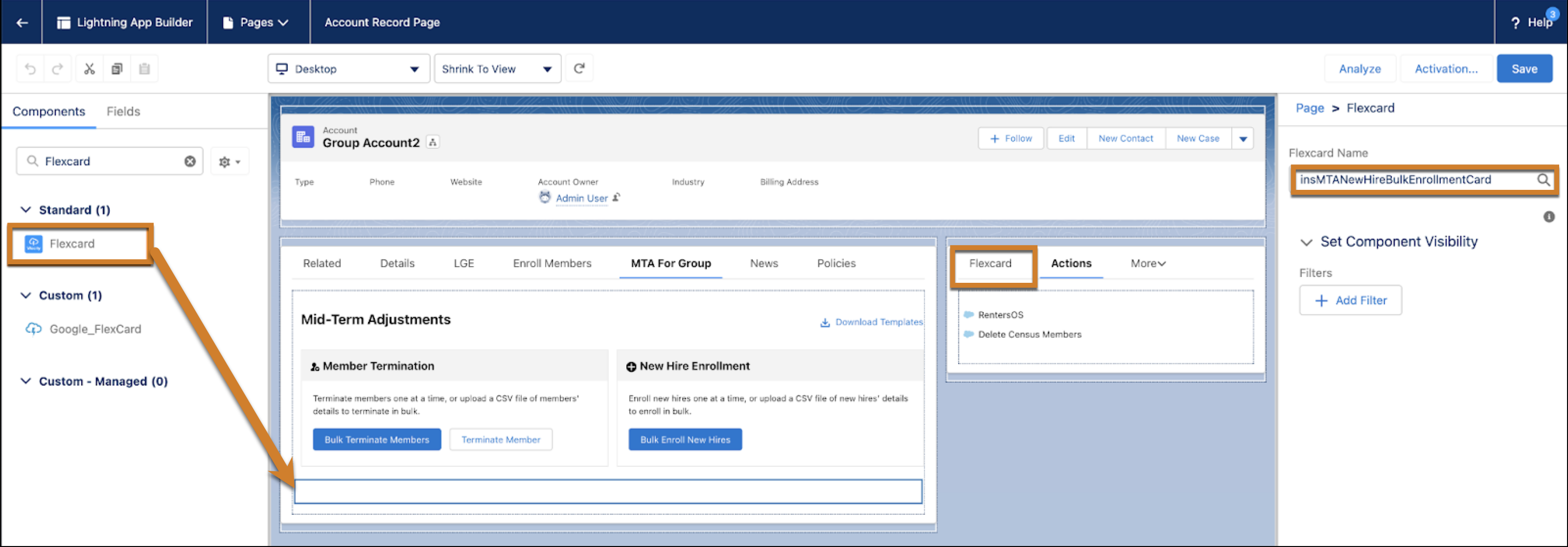
- To launch the New Hire Enrollment OmniScript from the Mid-Term Adjustments tab, click Bulk Enroll New Hire.
Did this article solve your issue?
Let us know so we can improve!
