You are here:
Configure History Tracking Entries
You can track granular details as the quote, claim, or policy evolves through its lifecycle by writing records to the Vlocity Tracking Entry object. Then you can configure this Tracking Entry object in the story object to return results to the History timeline.
Let's look at an example of how to use the Process Builder to write to the Vlocity Tracking Entry object. We'll see how to configure a Vlocity Tracking Entry record to support multiple locales, and we'll insert a variable into the returned value.
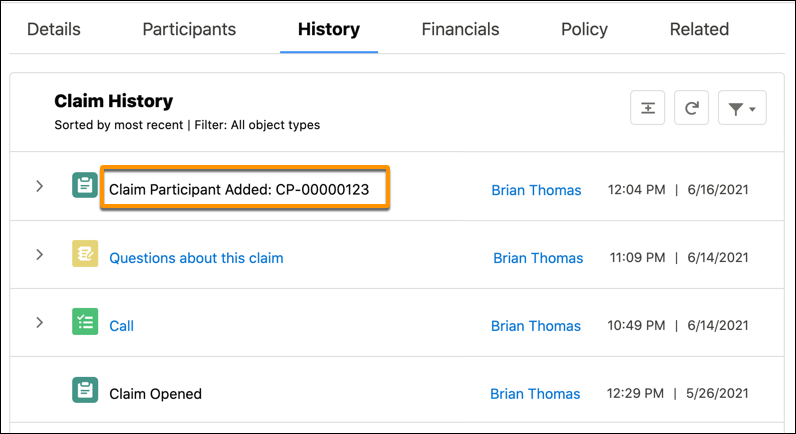
Example: When a participant gets added to a claim, have the History tab on the claim show an item such as Claim Participant Added: <Claim Participant Name>. This customized label combines a text string (Claim Participant Added: ) and a variable ([ClaimParticipant].Name).
You can customize Tracking Entry labels for Title, Subtitle, and Detail story fields.
- From Setup, use Quick Find to find and select Custom Labels.
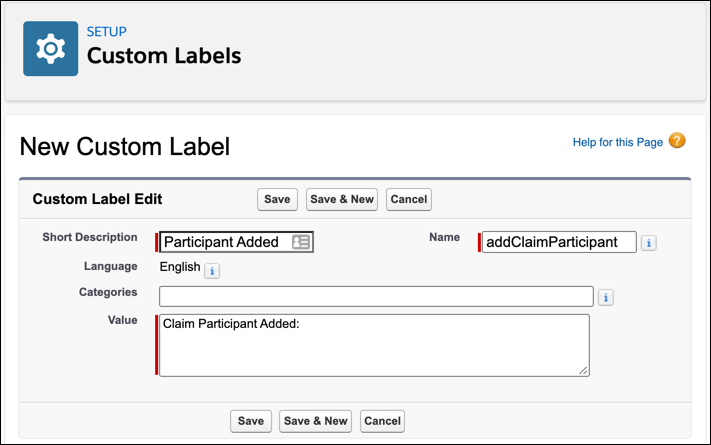
- Click New Custom Label and add a label.
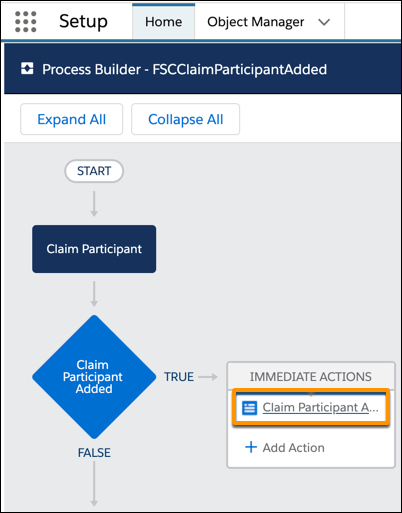
- In Setup, use Quick Find to find and select Process Builder. Click your process, then click an action within the process.
-
In
the record's field values, add your custom label.
-
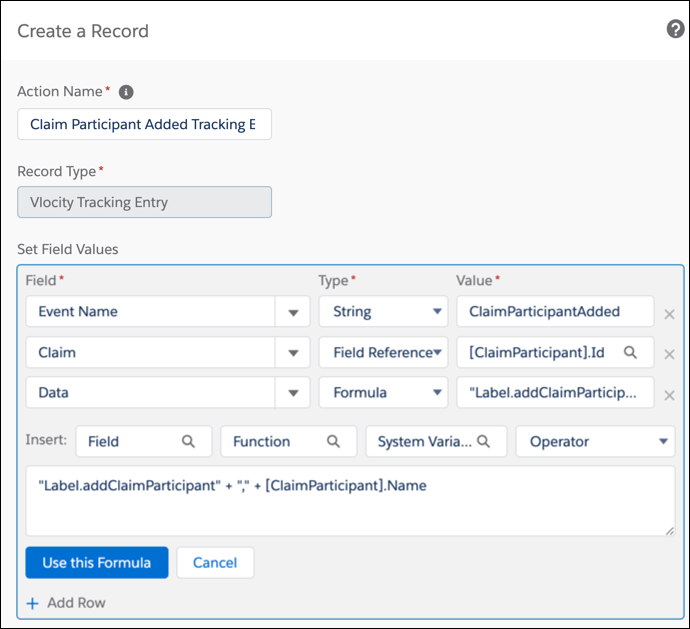
For Field, enter Data.
-
For Type, enter Formula.
-
For Value, enter your custom label formatted as Label.YourCustomLabelName. To combine a custom label with a variable, use a comma delimiter.
Example: "Label.addClaimParticipant" + "," + [ClaimParticipant].Name
This Tracking Entry appears on the History tab as Claim Participant Added: CP-00000123.
-