You are here:
Configure the Salesforce Flow for Enrollment
Use this flow to enroll group census members and create insurance policies based on their plan selection in the group census member plan.

Note This task is only for configuring the enrollment flow with the Spring ’24 package. To configure this flow for the first time in an org with the Winter '24 managed package installed, contact your account team for help.
- From Setup, in the Quick Find box enter Flows, then select Flows.
- Click Enrollment Flow.
-
If the org doesn't have Person Accounts enabled, remove the Create Account Action element, and then add a Create Contacts from Group Census Members Action element below the Get Rating Facts action. Enter these details, and then click Done.
Field Value Toggle to Include Label Create Contact API Name create_contacts Description Invocable action to create contacts for the group census member family. Set Input Values for the Selected Action Group Census Members {!get_cm_and_family} Matching Keys List {!matchingKeysList} Gender Field Name {!genderFieldName} ✔️ 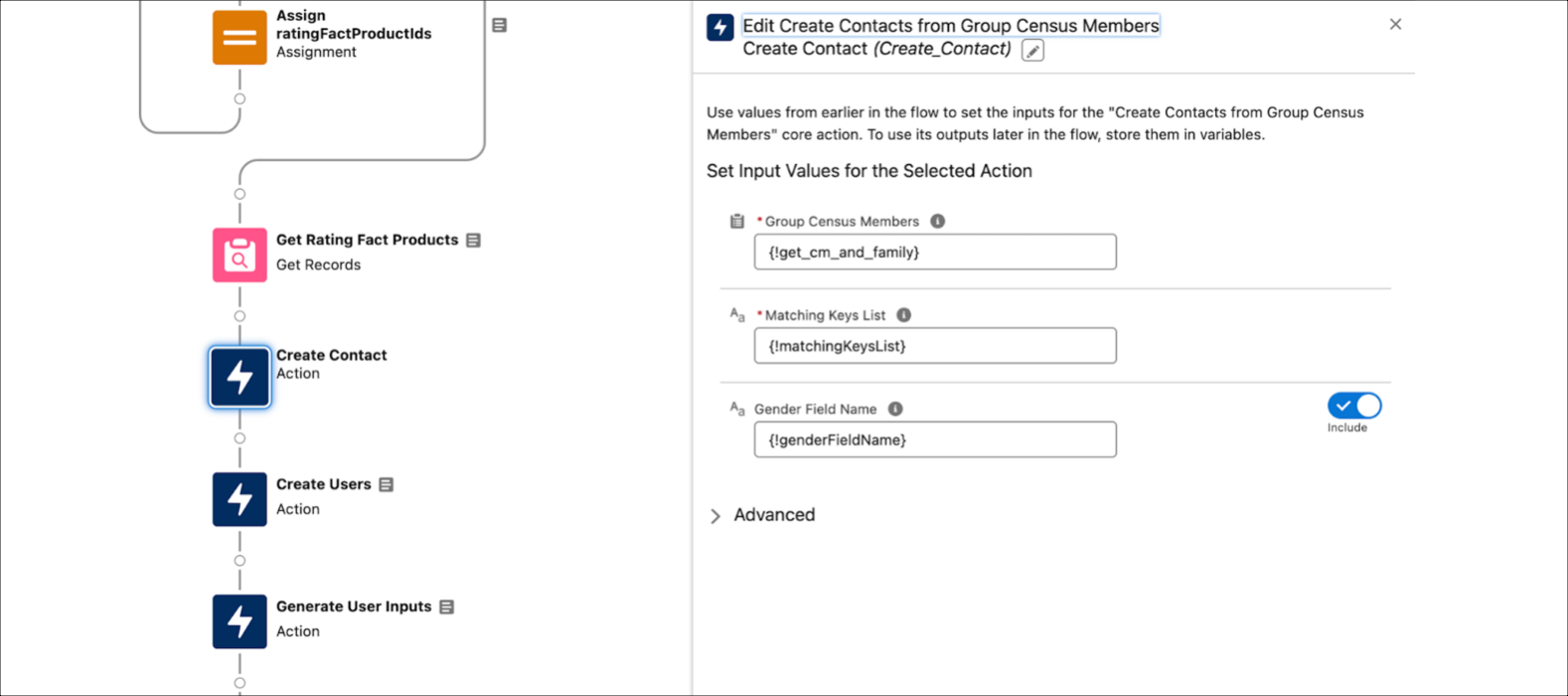
- Click Save As. Enter a Flow Label, Flow API Name, and Description.
- Save and activate the flow.
- Add this flow to the Batch Management configured for large group enrollment.
Did this article solve your issue?
Let us know so we can improve!
