You are here:
Configure Views of Group Benefits Census Data in Quotes
Show insurance carrier administrators and brokers exactly the right vital statistics and details about uploaded census data. The Quote Census Lightning web component shows certain values by default. To customize views of census data, create field sets with standard and custom fields to suit your business needs.

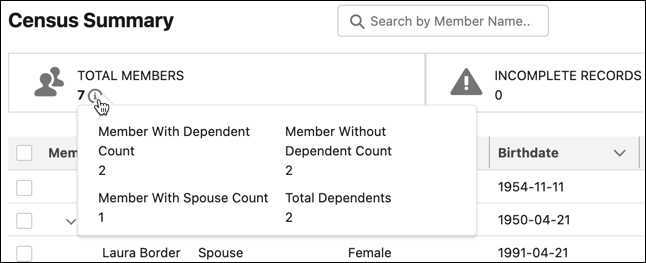
On Quote pages with the Quote Census Lightning web component, census summary information appears under Total Members.
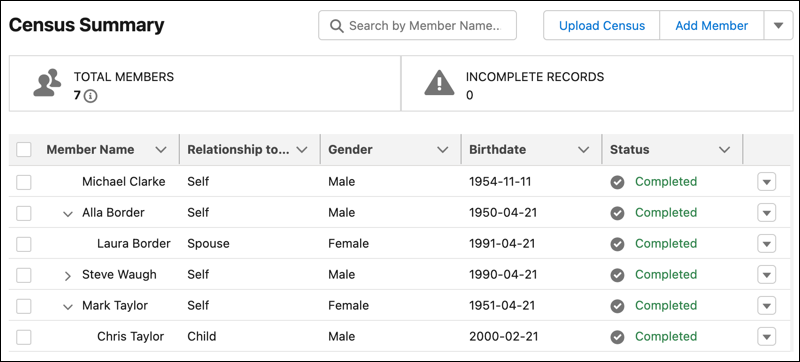
Census column data reflects the field data in your field set.
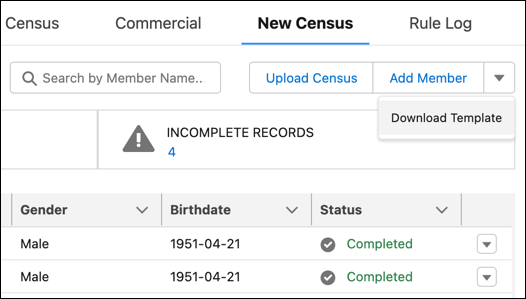
The Download Template action links to the spreadsheet template to use for census data uploads.
You can also add the Quote Census Lightning web component (insGroupCensus) to a broker portal, and the Quote Census Lightning web component for OmniScripts (insOsGroupCensus) to OmniScripts.
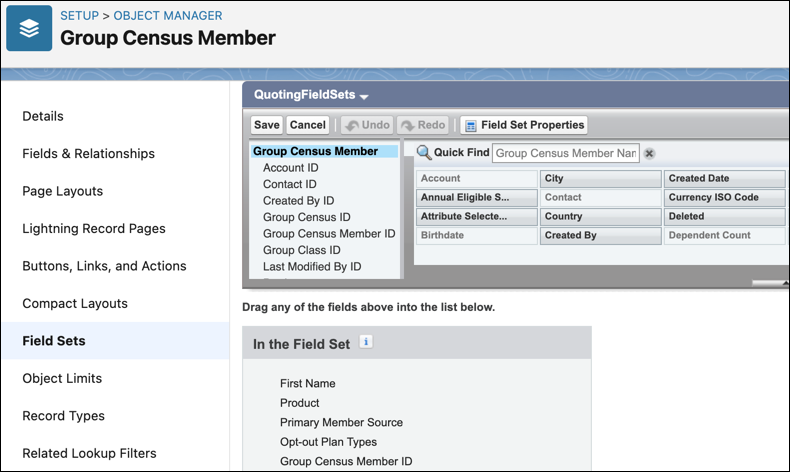
- From Setup, in Object Manager, find and select Group Census Member. Go to Field Sets, and then click New.
-
Create field sets with standard and custom fields to show in the Quote Census Lightning web component. Create separate field sets for:
- Field mapping in census data uploads.
- Columns of census data in the hierarchical tree view. Include both First Name and Last Name in this field set.
-
Census summary information.
-
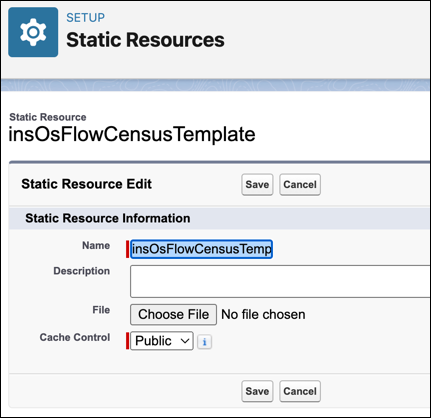
To use a custom spreadsheet template for census data uploads, edit the insOsFlowCensusTemplate static resource.
In Setup, in the Quick Find box, enter Static Resources, and then select Static Resources. Next to insOsFlowCensusTemplate, click Edit. Then click Choose File and select a file to use as a spreadsheet template.
-
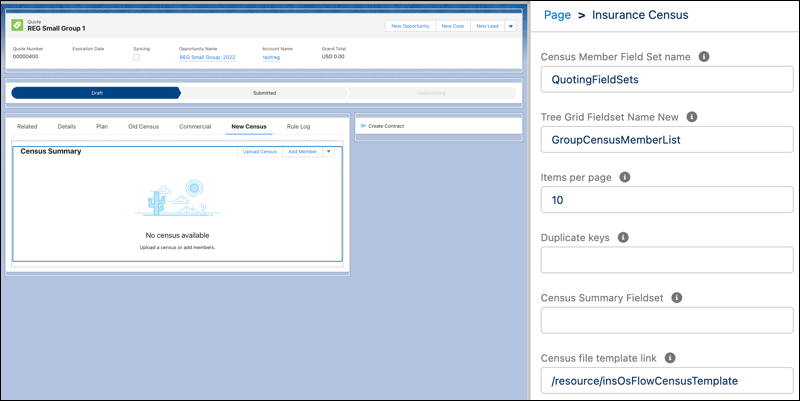
In Lightning App Builder, add Insurance Census to the Quote page. Add a custom tab, and then drop the Insurance Census component into it.
Enter Insurance Census tab properties.
Property Details Census Member Field Set name The name of the field set for field mapping in census data uploads Tree Grid Fieldset Name New The name of the field set for columns of census data in the hierarchical tree view Items per page Determines the number of employees to display on a page. The maximum number of employees per page is 15. Census Summary Fieldset The name of the field set for census summary information Census file template link /resource/insOsFlowCensusTemplate, the static resource that defines a spreadsheet template for census data uploads