You are here:
Create Actionable Graphs for Insurance Customers Quickly with Templates
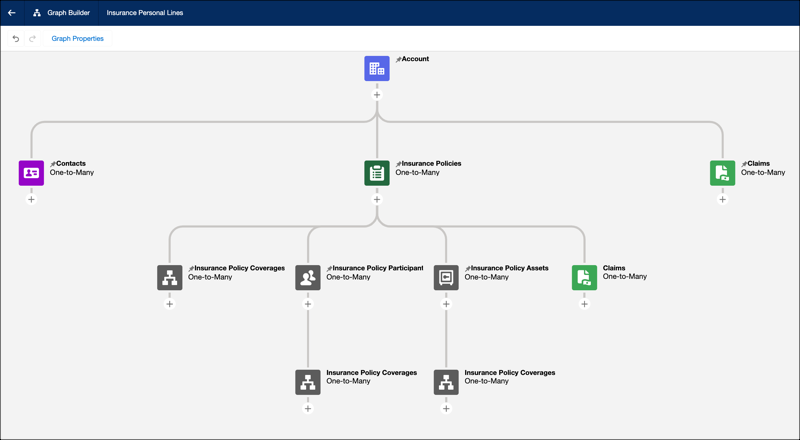
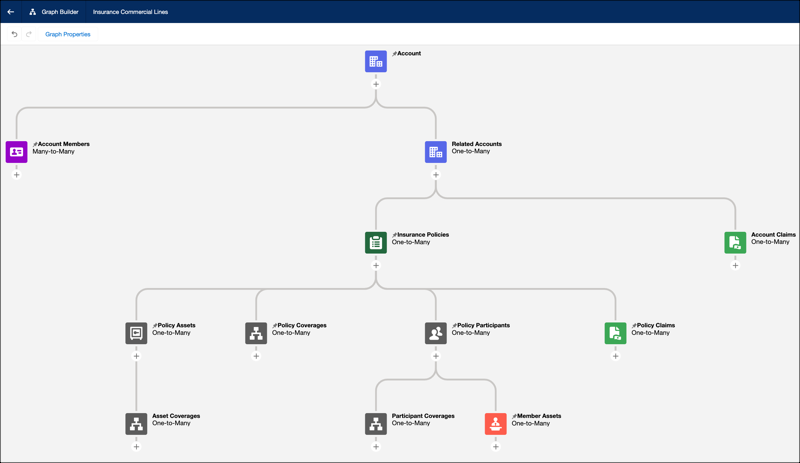
Save time when creating relationship graphs in the Actionable Relationship Center by using templates. Two new templates give you a head start on building graphs by providing you with pre-configured nodes that show relationships for your Insurance Personal Lines and Insurance Commercial Lines clients.
Where: This change applies to Lightning Experience in Professional, Enterprise, and Unlimited editions.
Who: Users need the Financial Services Cloud Standard permission set to use this feature.
How: In Setup, create a new Actionable Relationship Center relationship graph. Select Default Templates and then select Insurance Personal Lines.
Or select Insurance Commercial Lines.
Did this article solve your issue?
Let us know so we can improve!
