You are here:
Create Rules to Verify Uploaded Group Census Data
Use triggers and validation rules that identify incomplete and invalid census data. This helps insurance carrier administrators and brokers identify and resolve exceptions efficiently.

Important
These rules apply to the Group Census Member object in the Salesforce data model.
-
From Setup, in Object Manager, find and select Group Census Member. Go to Triggers, and then click New.
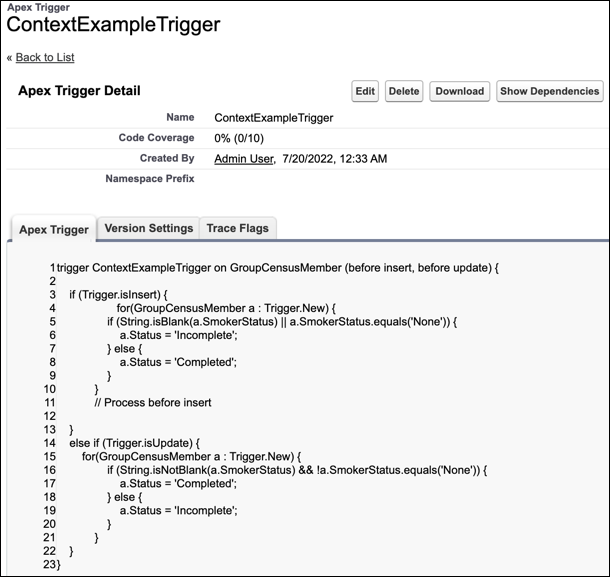
Define triggers that set a record's Status based on values in certain standard or custom fields.
For example, define a trigger that sets Status to Completed if Smoker Status is specified, or to Incomplete if Smoker Status is null or blank.
trigger ContextExampleTrigger on GroupCensusMember (before insert, before update) {

    if (Trigger.isInsert) {
                   for(GroupCensusMember a : Trigger.New) {
                if (String.isBlank(a.SmokerStatus) || a.SmokerStatus.equals('None')) {
                    a.Status = 'Incomplete';
                } else {
                    a.Status = 'Completed';
                }
            }
            // Process before insert

    }
    else if (Trigger.isUpdate) {
        for(GroupCensusMember a : Trigger.New) {
                if (String.isNotBlank(a.SmokerStatus) && !a.SmokerStatus.equals('None')) {
                    a.Status = 'Completed';
                } else {
                    a.Status = 'Incomplete';
                }
            }
    }
}
-
From Setup, in Object Manager, find and select Group Census Member. Go to Validation Rules, and then click New.
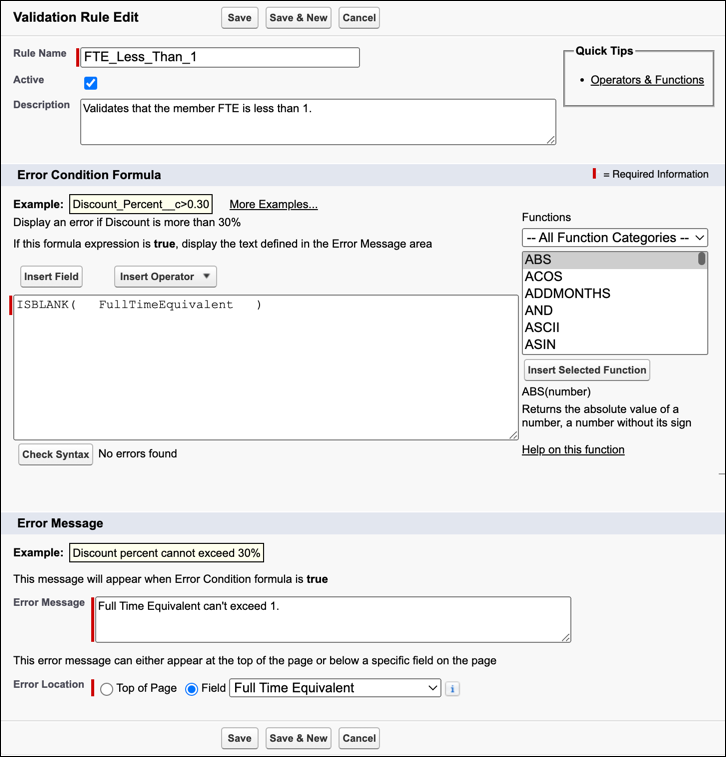
Define criteria a record must meet before a user can save the record.
For example, define a validation rule that verifies Full Time Equivalent is less than 1.
Did this article solve your issue?
Let us know so we can improve!
