You are here:
Debug Attribute and Attribute Value Rules
Debug mode gives you insight into attributes and attribute rules for a quote.
Before You Begin
You must enable Debug Mode on the Quote UI before you can use the Attribute and Attribute Value Rules Debug Log.
-
Enable Debug Mode and Show Actions using the steps in Enable Quote UI Configuration Options
-
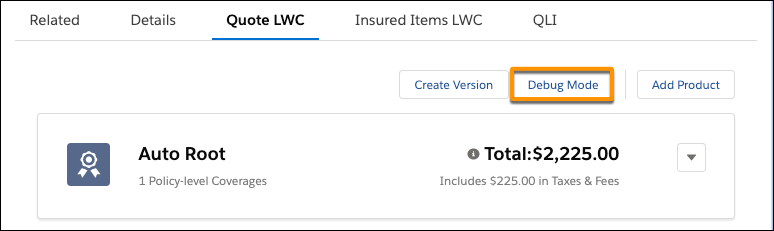
Verify that the Debug Mode button is visible on the Quote LWC page.
-
Click Debug Mode.
The button label changes to Production Mode.
- In debug mode, you can open a root product, an insured item, or a coverage and see its attribute rules in a table.
- Click Production Mode to turn debug mode off.
Did this article solve your issue?
Let us know so we can improve!
