You are here:
Download and Import DataPack for Claim History
Install a DataPack that brings essential content into a Claim History tab out of the box.
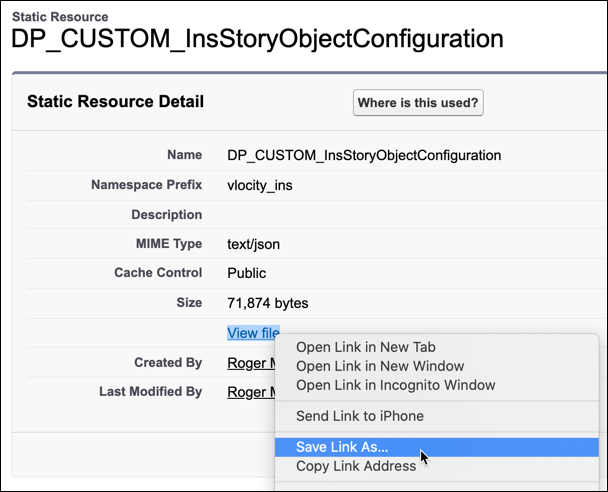
- From Setup, in the Quick Find box, enter Static Resources, and then select Static Resources.
- Find and click DP_CUSTOM_InsStoryObjectConfiguration.
- Right-click View File and select Save Link As.
- Add .json to the end of the file name suggested, so the full name is DP_CUSTOM_InsStoryObjectConfiguration.json. Browse to a folder that's easy to find on your local computer, then click Save.
- From the App Launcher, find and select Vlocity Cards.
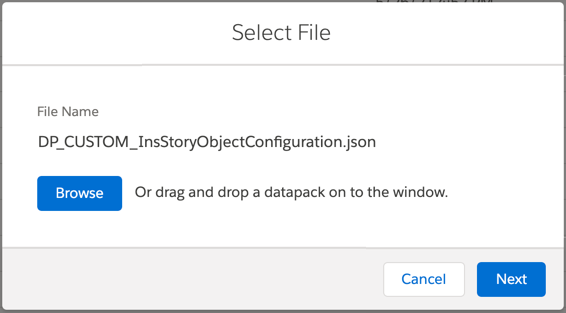
- Click Import.
- Click Browse to find and select the file you downloaded, or drag it to the dialog box. Then click Next.
- For Select Items to Import, make sure all the items are selected, then click Next.
- For Review Items to Import, click Next, then click Done.
Did this article solve your issue?
Let us know so we can improve!
