Learn About Group Classes and Group Class Contributions
Group classes are groups of members who all receive similar benefits. Examples of group
classes include Executives, Managers, and Directors. Group class contributions have details
about the benefits provided by the employer for a group class.
Required Editions
Available in: Lightning Experience
Available in: Professional, Enterprise,
and Unlimited Editions of Digital Insurance with Digital Insurance
Product Admin Add On, Digital Insurance Group Benefits AddOn, Digital Insurance Group
Enrollment AddOn,Digital Insurance Group Benefits Customer Community AddOn, and Digital
Insurance Group Benefits Partner Community AddOn licenses
Group Classes
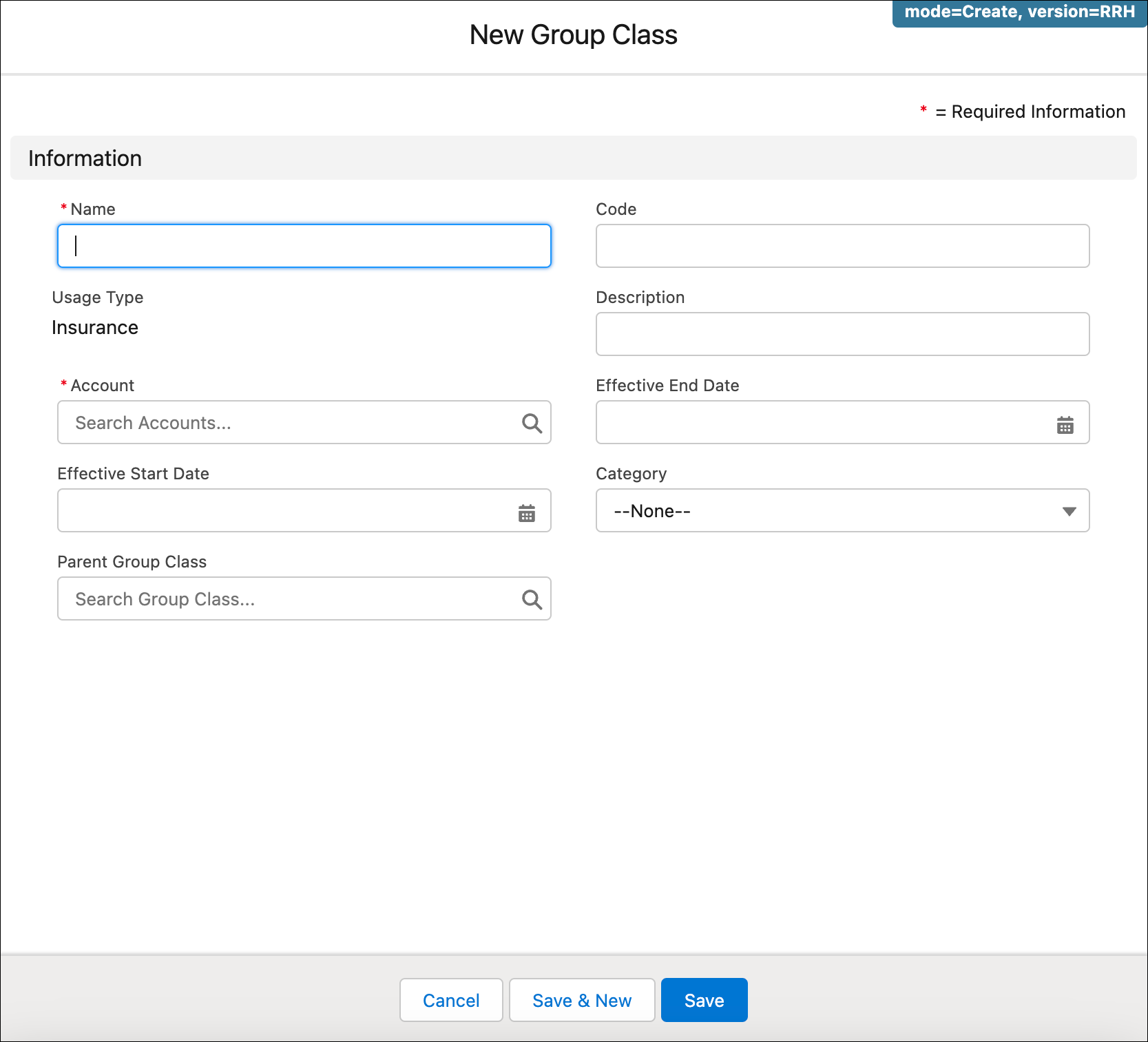
To set up up a group class, users go to a Group Class page and click
New.Each group class must have a name and account. To configure
processes that validate whether a group class is active, use the Effective Start
Date and Effective End Date fields in each group class
record.
Tip Edit the Group Class search layout to move the Account field below the Name
field. This makes it easier to differentiate the associated group classes for an account
when you add new members.
Note You can't provide a value for the Parent Group Class
field while adding or updating a group class even though the field is available on the group
class entity. This is to avoid circular relationship between group classes.
Group Class Contributions
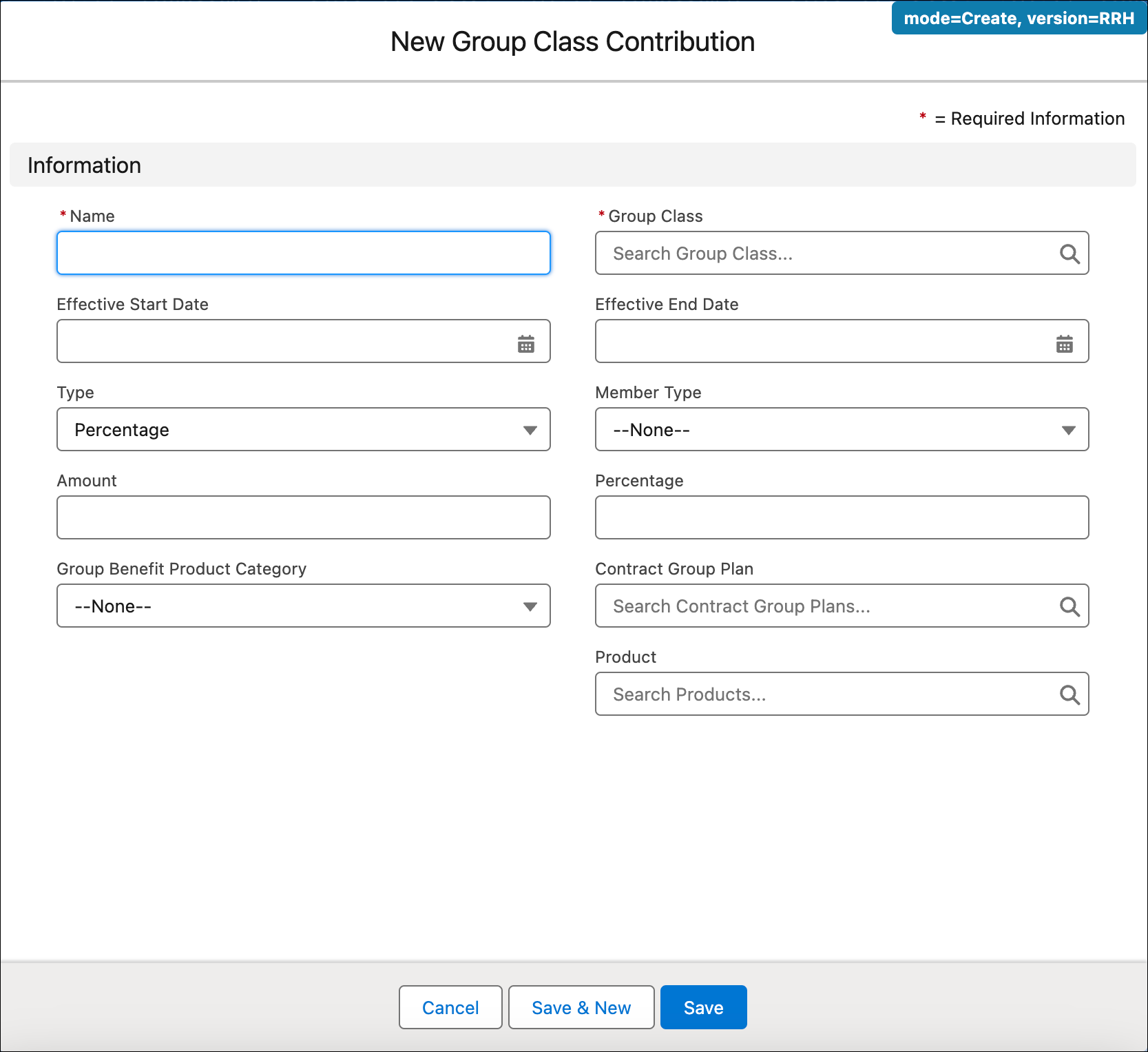
After adding the group class for a given account, users go to a Group Class Contribution
page and click New..
Each group class contribution must have a Name and a corresponding
Group Class. To validate whether the group class contribution is
active, use the Effective Start Date and Effective End
Date fields in each group class contribution record.
For Type, specify whether the employer contribution is a percentage
of the total premium or a fixed amount no matter what the total premium is. For
Amount, enter the corresponding percentage or amount.
Specify Member Type as either Subscriber or
Dependent.
Each group class must be linked to at least one of these fields: Contract Group
Plan, Group Benefit Product Category, or
Product.
Did this article solve your issue?
Let us know so we can improve!
Loading
Salesforce Help | Article
Cookie Consent Manager
Cookie Consent Manager
General Information
Required Cookies
Functional Cookies
Advertising Cookies
General Information
We use three kinds of cookies on our websites: required, functional, and advertising. You can choose whether functional and advertising cookies apply. Click on the different cookie categories to find out more about each category and to change the default settings.
Privacy Statement
Required Cookies
Always Active
Required cookies are necessary for basic website functionality. Some examples include: session cookies needed to transmit the website, authentication cookies, and security cookies.
Functional Cookies
Functional cookies enhance functions, performance, and services on the website. Some examples include: cookies used to analyze site traffic, cookies used for market research, and cookies used to display advertising that is not directed to a particular individual.
Advertising Cookies
Advertising cookies track activity across websites in order to understand a viewer’s interests, and direct them specific marketing. Some examples include: cookies used for remarketing, or interest-based advertising.