You are here:
Error Handling for the Termination Process
During the termination process, errors may occur during a CSV file upload or because of missing or inaccurate data processes by asynchronous enrollment job. Get notified when the termination is completed, and receive a list of errors if termination couldn't be completed.
Errors During Uploading a CSV file
When there are any data errors in the uploaded CSV file, you’ll receive an error message.
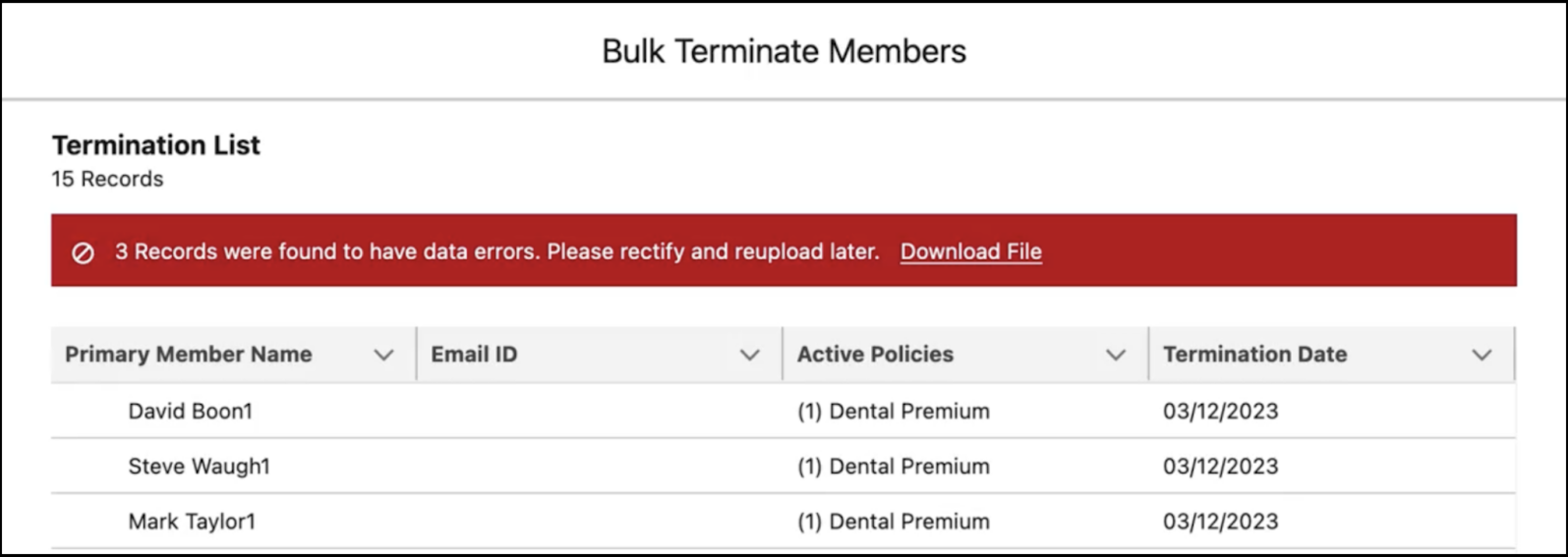
Click Download File. In the downloaded CSV file, review and correct the errors. If you skip this step, members with errors aren't terminated.
After you fix the errors, upload the CSV file again, and then click Bulk Terminate Members. When the termination process is completed, you receive a notification message.
Errors After the Asynchronous Termination Jobs are Completed
After asynchronous termination jobs are completed, view notifications about the status of all the jobs.
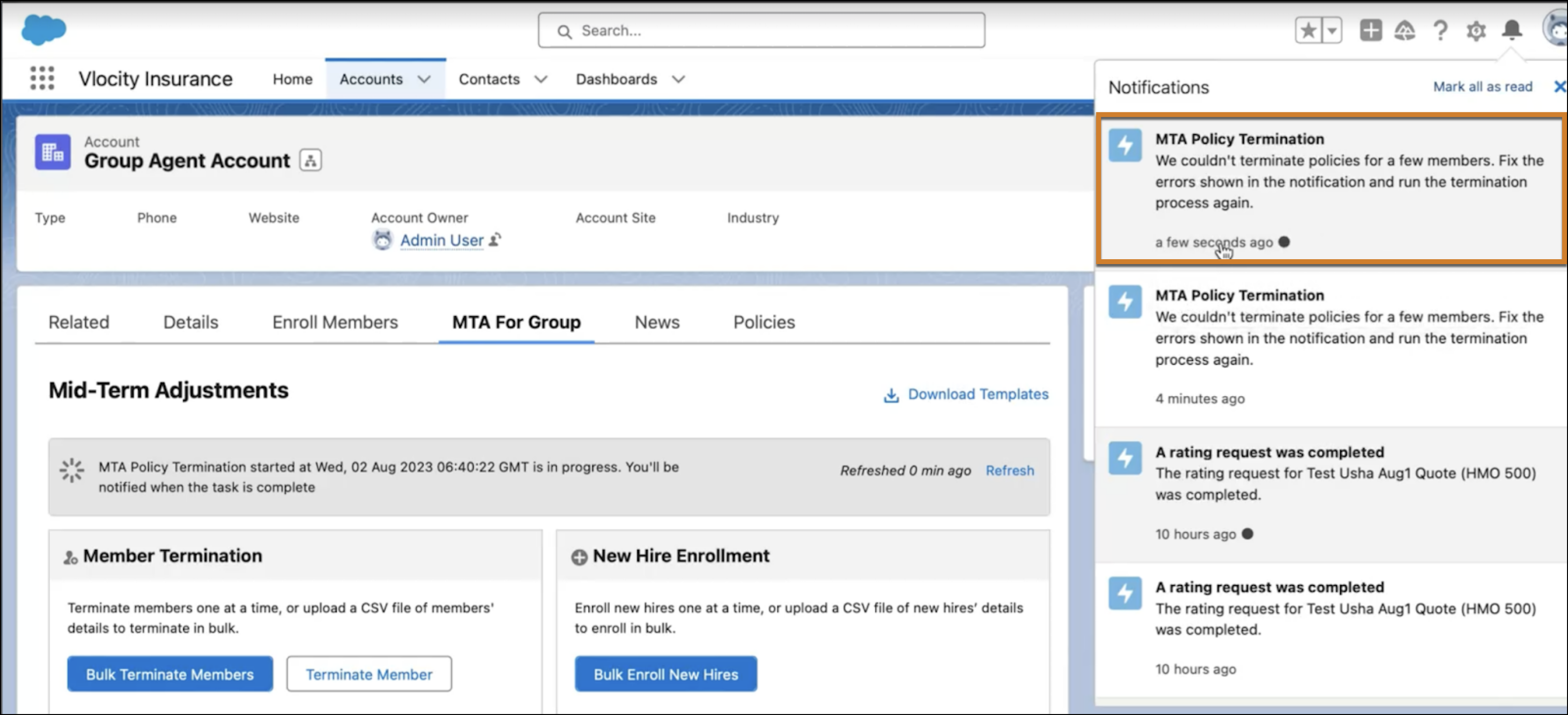
Click the notification message to navigate to access the relevant Insurance Async Bulk Request object page. Click the Related tab to view all the policy IDs and respective error descriptions for terminations that weren't processed. Fix the errors and then run the termination request again.
