You are here:
Install Managed Packages for Insurance
Managed packages are the first packages you install in your Insurance install or upgrade process.

- Go to the Insurance Release Summary to find the managed package you want to install.
- Click or copy and paste the link to the current package.
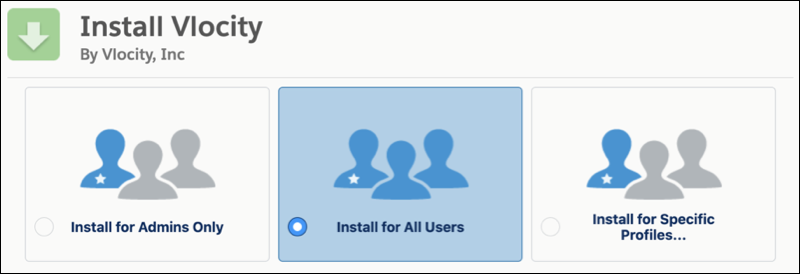
- Select which users to install for, then click Install.
-
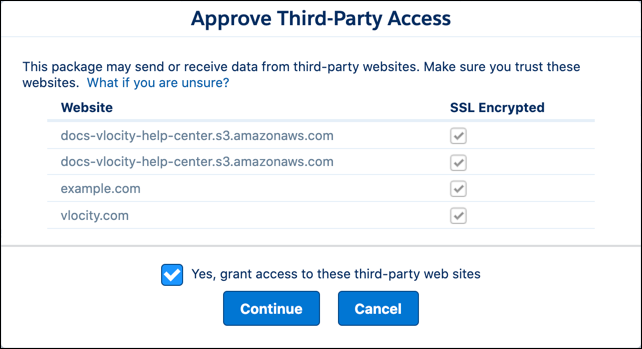
On the Approve Third-Party Access window, confirm that all options are selected, select Yes, grant access to these third-party websites, then click Continue.
The example.com and vlocity.com websites are safe and trusted sites. You must grant access to these sites for the managed package to install.
If you get errors about missing entity objects, make sure you've assigned the permission set licenses required for those objects. After assigning the licenses in a production org, refresh your sandbox org. For information about licensing, see Package Installation Flows.
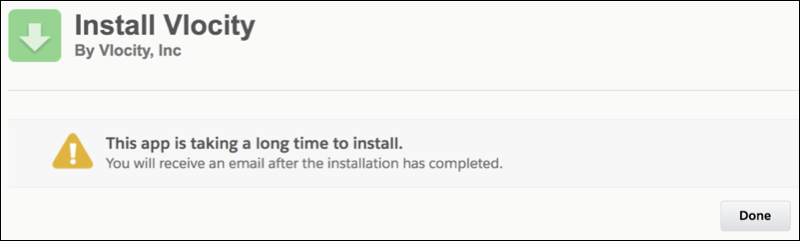
- Wait. The managed package can take longer to install than the standard Salesforce timeout.
-
Verify that the package installed:
- From Setup, enter Installed Packages in the Quick Find box, then select Installed Packages.
-
Confirm that the Vlocity package is present.
The Installed Packages UI

Did this article solve your issue?
Let us know so we can improve!
