You are here:
Issue Policy from the Quote UI
A customer service rep or internal insurance agent with access to the Quote UI can issue policies from that UI. This example shows policies issued from the Quote UI using out-of-the-box LWC-based components from an existing quote.
Here's what it looks like step by step:
Start on the Quote list page. Choose the quote you want to issue a policy for.
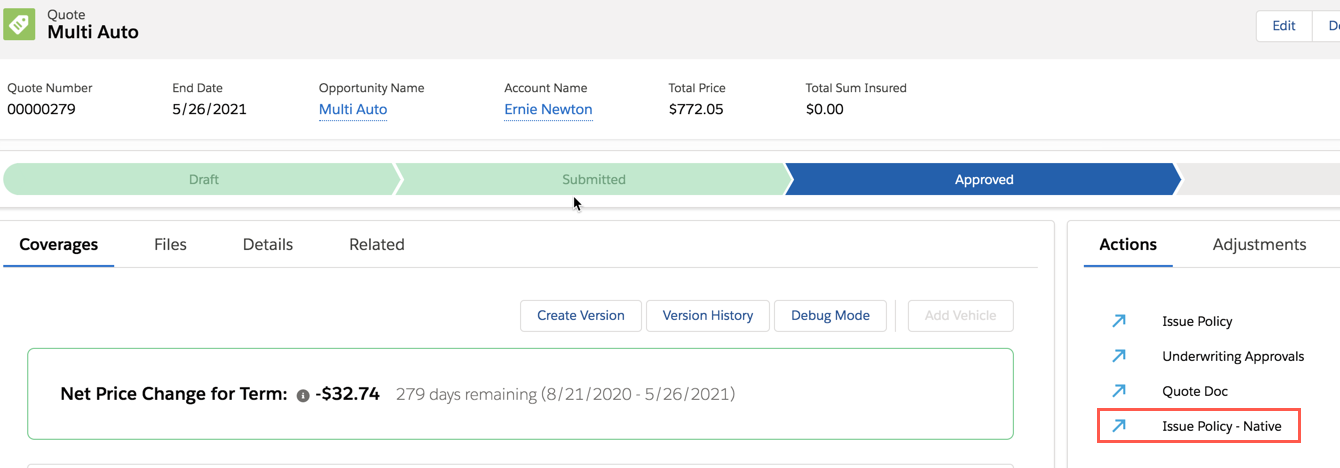
On the Quote UI, click Issue Policy - Native.
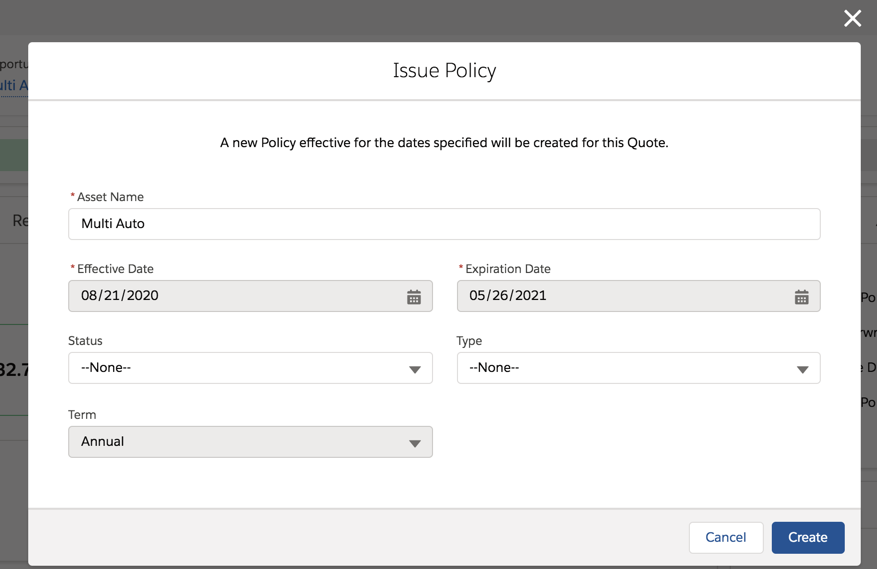
On the Issue Policy window, make any changes you want and click Create.
Vlocity creates the policy and displays a success message on the Quote UI.
You can also launch the OmniScript described in the previous section from the Quote UI. Click Issue Policy to launch this OmniScript.
Did this article solve your issue?
Let us know so we can improve!
